

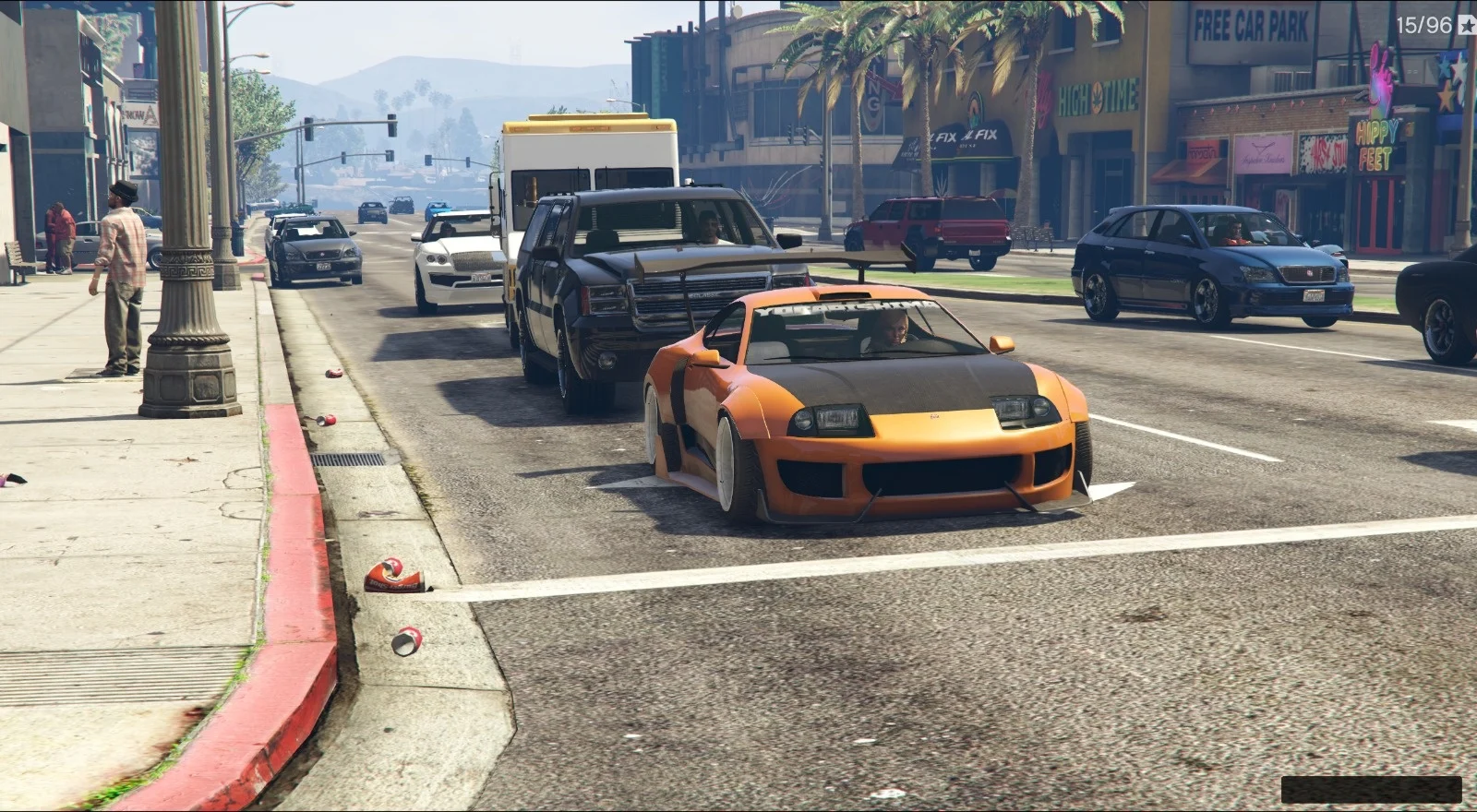
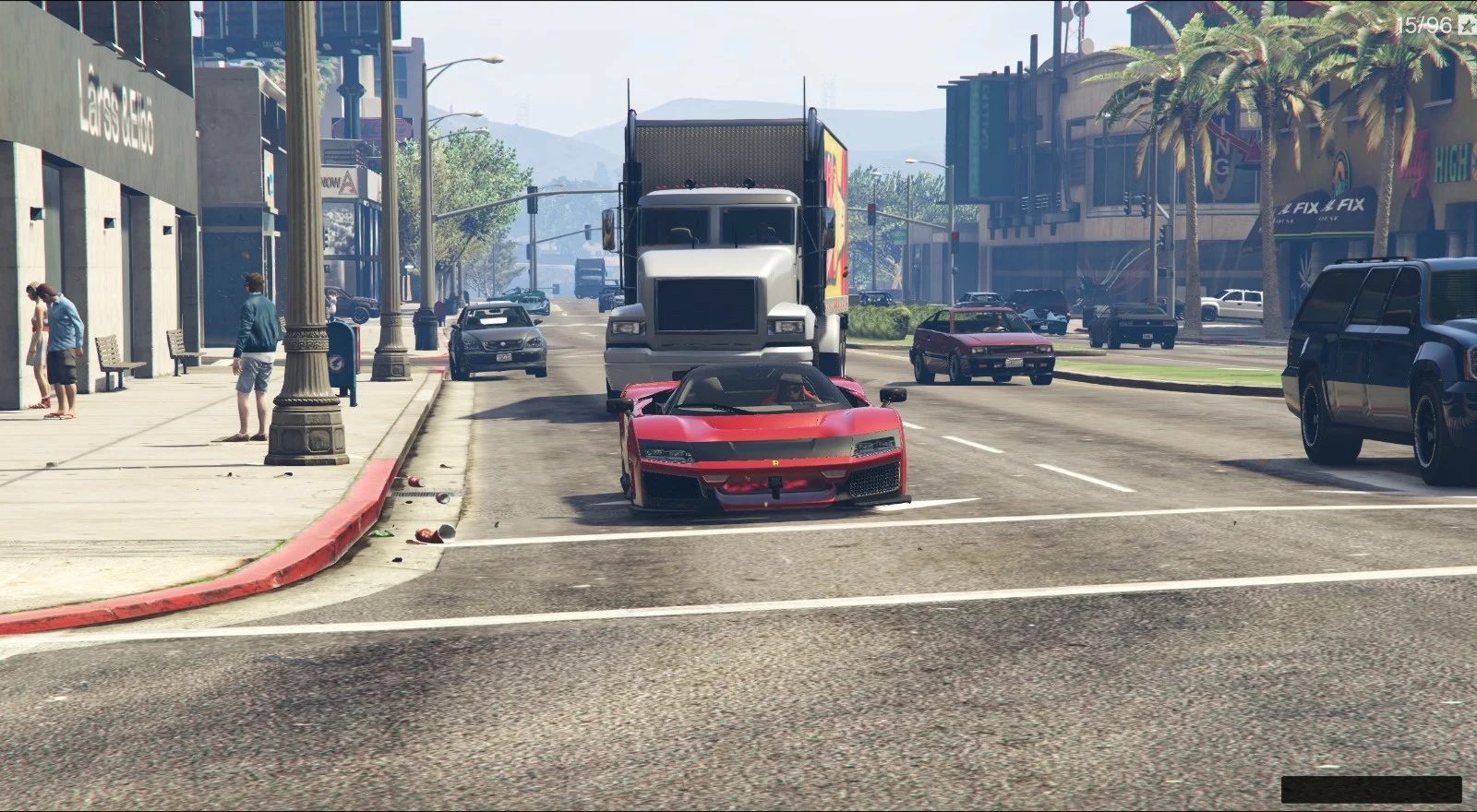
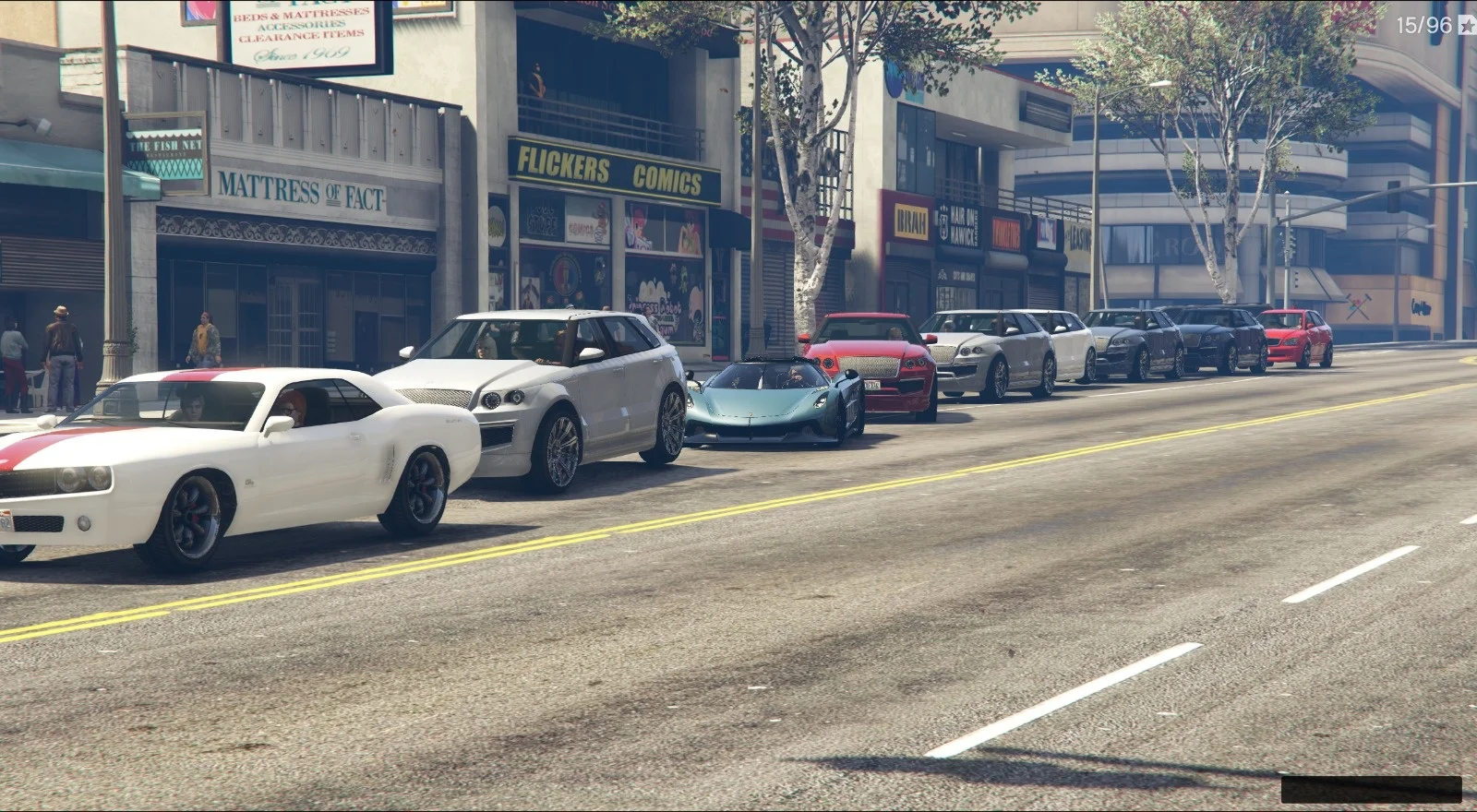
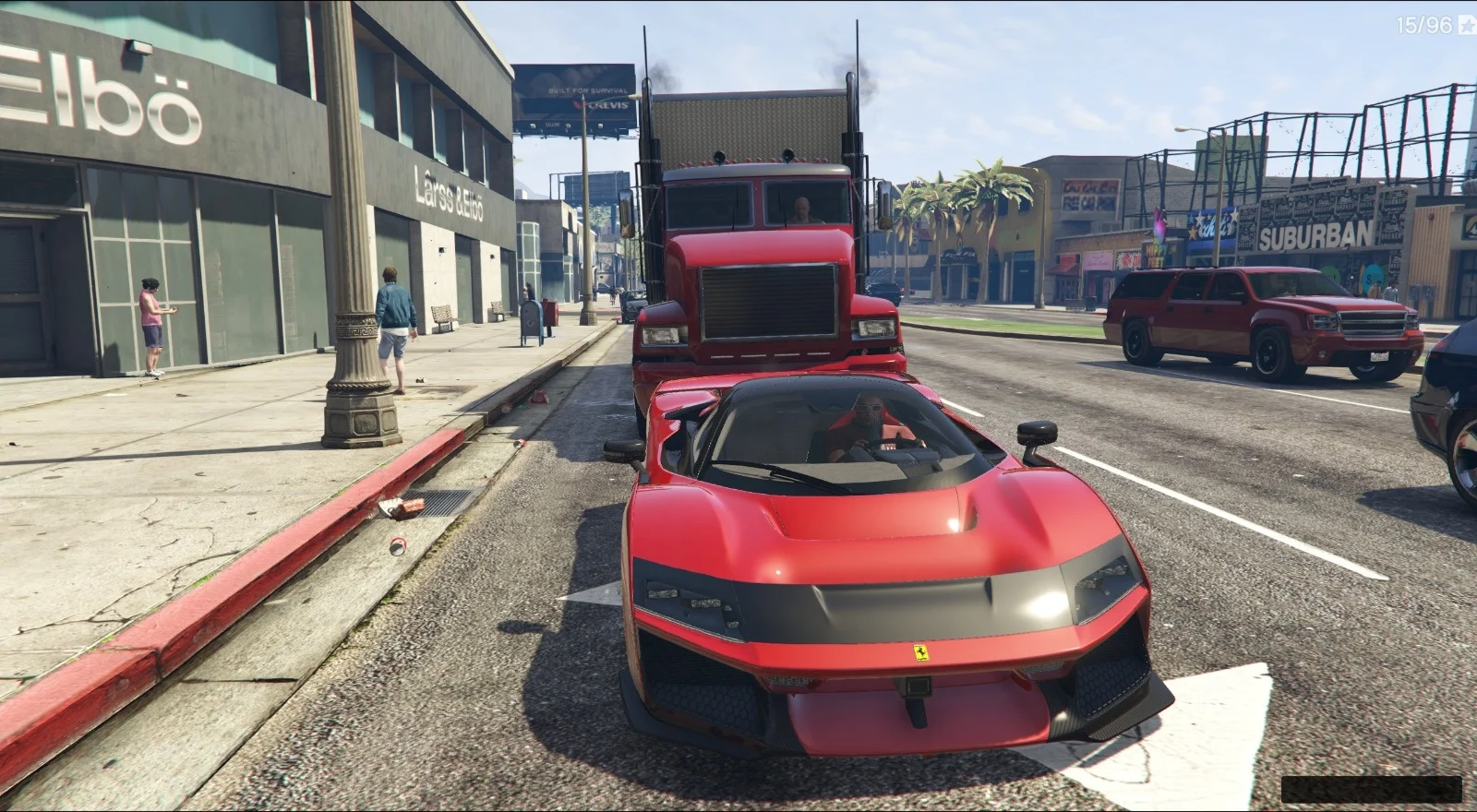
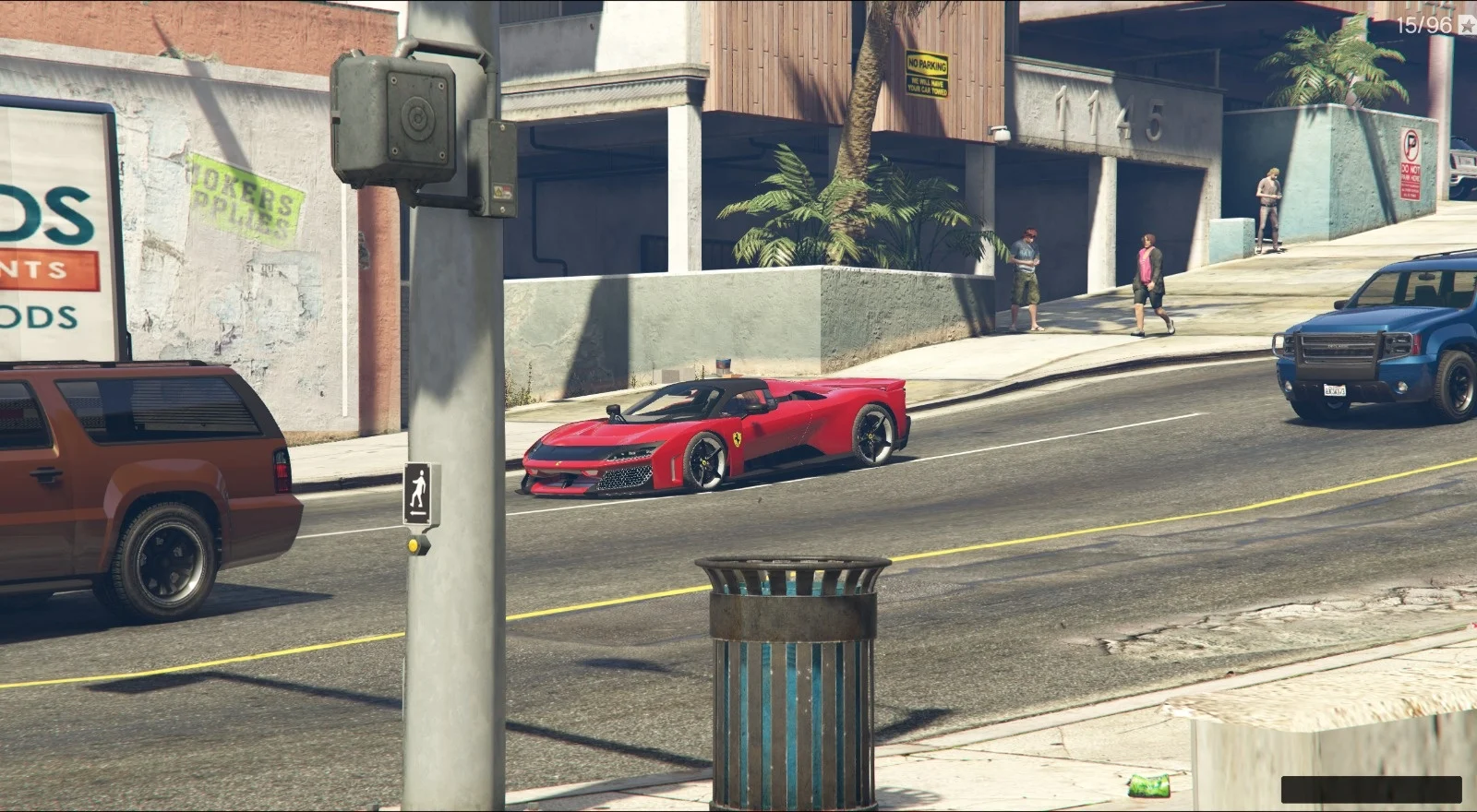
Addon To Road spawns your add-on vehicles into the world as if they were normal NPC traffic.
Vehicles are spawned on nearby streets, driven by NPCs, and cleaned up automatically when far away to keep things stable.
Features
– INI-based vehicle list: choose which models can spawn (supports add-on and vanilla models).
– Ambient NPC traffic behavior: vehicles spawn on roads with NPC drivers and cruise naturally.
– Traffic-safe spawning: spawns on streets near the player and removes vehicles when too far away.
– Performance upgrades (optional): engine/brakes/transmission/suspension/armor + turbo MAX.
– Visual mods (optional): body mods are randomized (not always max) for more realistic variety.
– Random unified paint (optional): primary/secondary/pearlescent share the same random color for a clean look.
– Random neon (optional): neon can be ON/OFF per vehicle; if ON, neon color is random and consistent on all sides.
Requirements
– Script Hook V
– ScriptHookVDotNet v3 (Nightly)
– Your add-on vehicles must be installed correctly (must be spawnable by model name).
Installation
1. Install Script Hook V and ScriptHookVDotNet v3 Nightly (x64).
2. Copy AddonToRoad.dll to: GTA V\scripts\
3. Copy AddonToRoad.ini to: GTA V\scripts\
4. Edit AddonToRoad.ini and set your vehicle model names under [Vehicles].
5. Launch GTA V (Story Mode). The script will start automatically if Enabled=true.
Configuration (AddonToRoad.ini)
– SpawnChance, SpawnIntervalMs, MaxSpawned: control how many vehicles exist at the same time and how often new ones are added.
– SpawnRadiusMin/Max: how far from the player vehicles can spawn.
– DespawnDistance: when vehicles are removed for cleanup.
– Speed and DrivingStyle: NPC driving behavior tuning.
– FullCustom, PerformanceMods, VisualMods, RandomPaint, RandomNeon, NeonOnChance: customization toggles.
Recommended Presets
– Stable / Natural Traffic: SpawnIntervalMs 300–600, MaxSpawned 10–16, DespawnDistance 300–450.
– Fast Testing: SpawnChance 1.0, SpawnIntervalMs 250–400, MaxSpawned 6–12.
Notes
– Add-on model names must match exactly (the same modelName you use in dlcpack and dlclist).
– If a vehicle does not support certain mods, the script will skip them safely.
– Very aggressive spawning (very low SpawnIntervalMs + high MaxSpawned) may reduce FPS depending on your setup.
– For best results, test on wide roads/highways first (more traffic nodes).
Dev Update: For now I’m using the settings with the .INI file. I’ve created a menu script with NativeUI/LemonUI but still encountering bugs with navigation buttons. Don’t miss the next version if the bug is fixed.
Troubleshooting
– Vehicle not spawning: confirm the model spawns manually via trainer; verify the model name in the INI matches dlcpack/dlclist exactly.
– Vehicles spawn but don’t move: try another add-on vehicle; some add-ons have broken handling/bones.
– FPS drops: reduce MaxSpawned, increase SpawnIntervalMs, and/or reduce DespawnDistance.
Changelog:
0.8
– Added Random Passenger System: addon vehicles can now spawn with passengers.
– Passenger spawn uses per-seat chance roll (0–100%), configurable from the new Passenger submenu.
– Passengers are properly cleaned up together with their vehicle on despawn, shutdown, or script abort.
– Added Passenger settings to Setting.ini: Enabled and PassengerChance are now saved and loaded automatically.
– General stability improvements.
0.7.1
– Added VIP Custom Plate System (Supporter / Plus / Pro / MAX tiers).
– Smart plate centering (8-character alignment) + lowercase x random digit support.
– Added stuck detection system: vehicles blocked for ~6 seconds will temporarily switch to a more aggressive driving mode to escape traffic jams.
– Improved wanted-level traffic scaling behavior.
– Improved spawn stability near parked vehicles and narrow roads.
– General stability improvements and UI refinements.
0.7
– Auto-scan add-on vehicles from DLCpacks (no manual INI required).
– Improved model validation and crash prevention.
– New Block menu for vehicle categories.
– Role-based NPC drivers for emergency & military vehicles.
– Improved despawn logic, No Spawn Areas, and bike behavior.
– Performance and stability improvements.
0.6
Added Driving Presets using exclusive checkboxes (only one preset can be selected at a time).
Added RANDOM driving preset (each spawned vehicle gets a random driving personality).
Added Random Speed system with Min/Max controls and an Enable toggle.
When Random Speed is enabled, the base Speed setting becomes disabled (menu lock).
Added speed safety warning: Speed / MaxSpeed above 50 may cause chaos.Visual Mods MAX option (exclusive with Visual Mods Random).
Improved Full Custom logic: child settings are properly locked/unlocked and restored safely.
Improved UI stability: fixed < > logic to behave consistently across all numeric settings.
Improved spawn range safety: SpawnRadiusMin/Max can no longer break limits, and SpawnRadiusMax cannot exceed DespawnDistance.
Improved general stability, logic cleanup, and menu layout improvements.
0.5
– Added configurable menu hotkey (Hotkey.ini).
– Improved despawn logic (destroyed vehicles + dead drivers) with 20–30s cleanup and near-player pause.
– Graceful cleanup when disabling the script (vehicles cleared within 20–30s).
– Expanded No Spawn Areas: added more restricted locations not covered in v0.4.
– Fixed minor bugs and removed warnings.
0.4
– Added engine-based model validation (valid vs invalid models).
– Added Export Valid Models feature to automatically clean the INI file.
– Added No Spawn Areas (airports, military zones, restricted locations).
– Added graceful cleanup when disabling the script (vehicles despawn after 20–30 seconds).
– Added optional Vehicle Tracker with selectable mode and color.
– Added automatic saving of runtime settings (Setting.ini).
– General stability, performance, and logic improvements.
-Added automatic update notification system (GitHub).
0.3
Menu system is now powered by LemonUI.
Press F6 to open the Addon To Road menu
Intro notification is shown only the first time the user opens the menu (F6).
When RandomNeon is OFF, NeonOnChance is automatically disabled and has no effect.
Models menu has been reworked for better clarity and usability.
Added Show Model List submenu (view-only) to display loaded vehicle models.
Enter Vehicle control is disabled while the menu is visible to prevent accidental actions.
Added a notification when Reload Models is clicked, confirming the reload result.
Spawn radius logic improved
Credits:
– Script: DexterLooo
Download mod
| File | File size |
|---|---|
 Addon Ro Road 0.8
 | 2 MB |
![Ford Cosworth Hoonigan [FIVE-M ADDON] [SP -ADDON]](https://gta5mod.net/wp-content/uploads/2019/11/Ford-Cosworth-Hoonigan3-150x150.jpg "Ford Cosworth Hoonigan [FIVE-M ADDON] [SP -ADDON]")
![Honda CRF450R 2018 Motard [Replace] [Addon] Addon](https://gta5mod.net/wp-content/uploads/2021/07/Honda-CRF450R-2018-Motard-150x150.jpg "Honda CRF450R 2018 Motard [Replace] [Addon] Addon")

![Canadian Armed Forces for MP Freemode Male [Singleplayer & FiveM Addon] [SinglePlayer Addon] V1.1](https://gta5mod.net/wp-content/uploads/2025/01/Canadian-Armed-Forces-for-MP-Freemode-Male-150x150.webp "Canadian Armed Forces for MP Freemode Male [Singleplayer & FiveM Addon] [SinglePlayer Addon] V1.1")
![Cold War Era - United States Armed Forces [Singleplayer & FiveM Addon] [SinglePlayer Addon 1.0]](https://gta5mod.net/wp-content/uploads/2025/11/Cold-War-Era-United-States-Armed-Forces-150x150.png "Cold War Era - United States Armed Forces [Singleplayer & FiveM Addon] [SinglePlayer Addon 1.0]")
