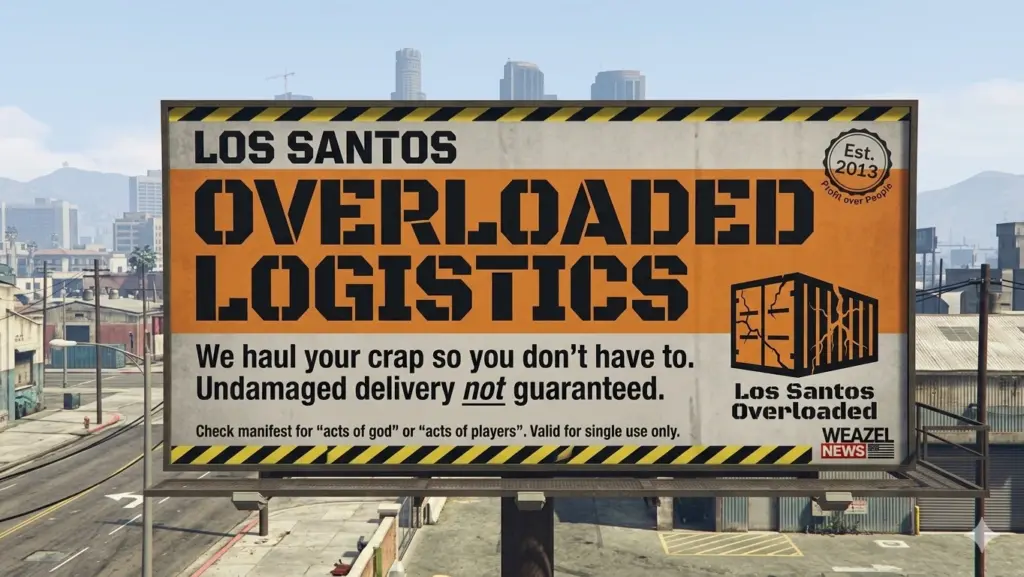
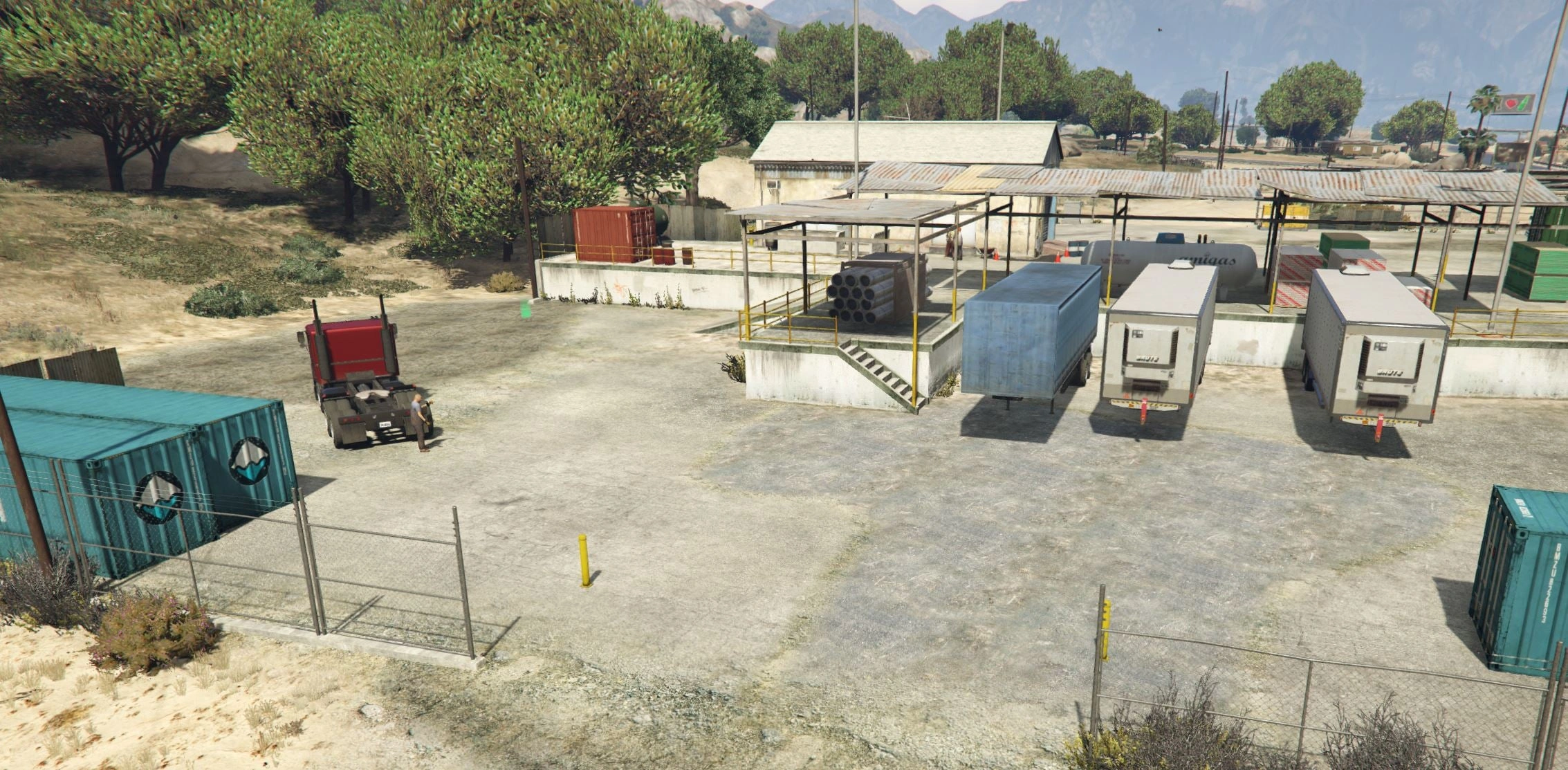
Los Santos Overloaded Logistics (LSOL) is a massive, production-grade economy and industrial simulation script for Grand Theft Auto V. Forget simple delivery missions LSOL introduces deep raw material extraction, tiered manufacturing supply chains, business progression, and state-wide distribution logistics.
Manage your businesses, optimize your supply chain balance, monitor market rates via your custom mobile/tablet interface, and scale up your operation from a local delivery driver to an industrial tycoon.
CORE FEATURES
Complex Supply Chains: Harvest raw resources, refine them into materials, and combine them into high-value manufactured goods.
Dynamic Logistics Dashboard: Manage your entire corporate empire, track fleet locations, view processing queues, and analyze resource layouts directly via an in-game digital interface.
Warehouse & Enterprise Management: Acquire physical industrial zones, purchase and upgrade specialized transport fleets, and manage localized inventories.
In-Depth Progression: Earn supply chain licenses, unlock advanced manufacturing equipment, and scale your operations across the entire map.
PREREQUISITES
To run this script smoothly, ensure you have the latest versions of the following installed:
– Grand Theft Auto V (PC, updated)
– ScriptHookV
– ScriptHookVDotNet
– LemonUI (https://fr.gta5-mods.com/tools/lemonui)
INSTALLATION INSTRUCTIONS
Download the latest version of LSOL.
Extract the contents of the zip file.
Drag and drop the LSOL.dll and its corresponding asset/configuration folder into your main GTA V scripts directory (usually located at Grand Theft Auto V/scripts/).
Boot up the game and look for the configuration prompt/on-screen UI to get started!
Changelog:
V 1.07
– New LSOL version compatible with SHVDN Enhanced files
– F9 Debug menu has now been disabled by default. It can be enabled again by modifying the LSOL/LSOL_Config/Core.xml file
– Add a “Add GPS route” button in each motels under the Company hub
– Fix an issue where player could rest in a motel without being next to it
– Add “Purchase site” for every industries, stores and warehouses under the Company hub
– Some sections/tabs under the company hub have been deleted
– Add a module number limit for sites which can be adjusted in the difficulty settings menu
– Translate several text (~80% of the mod is now translated in French, Italian, Spanish, Russian, Turkish and Portuguese
– Fix a bug where bills didn’t work
V 1.06
– UI Changes for loading/unloading bars
– Fixed a major bug where rented vehicles were charged every in-game minutes
– Fixed a bug where 2 “Grand Senora” districts appeared in the Metro Overview panel
– Some UI improvements in the Company hub panels
V 1.05
– Complete rework of vehicle management. The old system didn’t allow you to detach a trailer from a truck. Now each vehicle is independent from one to the other. You can detach/attach a trailer via the Office garage section.
– Truck dealership enhanced: now each vehicle is filtered by its category or cargo type. Added also a vehicle preview.
– Added 5 new sites: 4 stores (3 vehicles sink stores, 1 clothes store in Grand Senora Desert), 1 motel in Grand Senora.
V 1.04
– Add translation for some text in F8 menus (avg 2/3 of all game mod is now translated)
– Fix the open barrier mechanism
– Fix an autosave bug
V 1.03
– Changed the saving mechanism for career saves. Now you don’t have to save it manually as it is persistent.
V 1.02
– Fixed a compatibility issue with latest version of scripthookdotnet
– Added Starting Guides as an option for player to help them navigate in the mod
V 1.01
– Deleted the “Port container” mission since the container cannot be handled by the “Dock Handler” vehicle (Mission will come back once I fixed the issue)
– Added “Crops” object for Aggregates trucks
– Fixed a bug when renting then purchasing an office, the office rent still persist
– Fixed an issue where the Tipper (6 Wheels) was free
– Fixed an issue where office’s objects were not on the ground
– Deleted “Desk cluster”, “Fuel desk” and “Dispatch desk” objects from the Office Objects list
Credits:
Galexo
Download mod
| File | File size |
|---|---|
 LSOL_files
 | 5 MB |

![BAG / BALM - Federal Authority of Logistics and Mobility - [ELS] [REPLACE] V1.0](https://gta5mod.net/wp-content/uploads/2026/05/Federal-Authority-of-Logistics-and-Mobility3-150x150.png "BAG / BALM - Federal Authority of Logistics and Mobility - [ELS] [REPLACE] V1.0")
![2025 Lamborghini Urus SE [Add-On|Legacy|Enhanced] Legacy / Enhanced Versions](https://gta5mod.net/wp-content/uploads/2026/01/2025-Lamborghini-Urus-SE-150x150.webp "2025 Lamborghini Urus SE [Add-On|Legacy|Enhanced] Legacy / Enhanced Versions")