
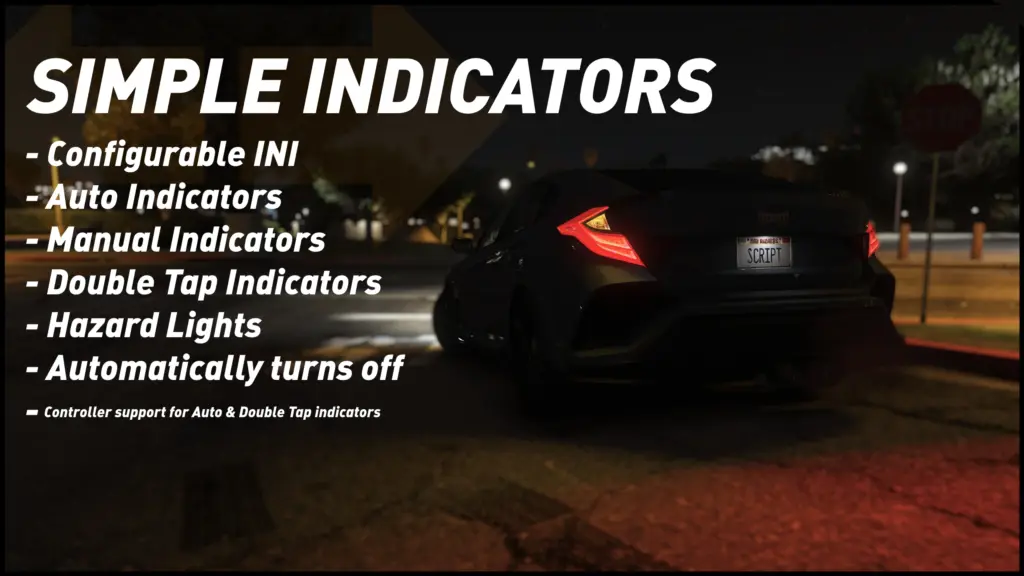
Simply does what it says on the box, adds player only simple indicating functions.
Features of the mod:
Configurable by INI.
Auto Indicators, Works by indicating in the direction of steering after a configurable time when stopped. Good for controller players.
Double Tap Indicators, Works by indicating when you double tap the steering direction you wish to indicate in, Good for controller players.
Manual Indicators, Works by indicating when you press a bound key, Ideal for keyboard players. Suggested to disable Double Tap Indicators when in use.
Hazard lights.
Indicators turn off automatically when moving away after a few seconds of movement.
Auto Indicator hold time can be configured.
Double Tap Indicator activation window can be configured as can the function being restricted to stationary only.
Manual Indicators can be configured to out right disable the moving away grace time if you wish to have full control.
Requirements:
ScriptHookV
ScriptHookVDotNetEnhanced
Installation:
Simply put SimpleIndicators.dll & SimpleIndicators.ini in your scripts folder.
IF YOU WANT TO USE MANUAL INDICATORS / HAZARD LIGHTS, open SimpleIndicators.ini and assign “ManualIndicatorLeftKey”, “ManualIndicatorRightKey” & “HazardLightsKey” to a keyboard key of your choice.
Other Information:
If you try to change the indicator using a trainer or different script, they may conflict. To avoid this issue when using a trainer, turn the script controller indicator off first.
Credits:
StarlightDX
Download mod
| File | File size |
|---|---|
 SimpleIndicators
 | 8 KB |
![Indicators [OUTDATED] 2.2b](https://gta5mod.net/wp-content/uploads/2020/06/Indicators-150x150.jpg "Indicators [OUTDATED] 2.2b")

![AIBlink[ALPHA] - NPC turn indicators 0.03A](https://gta5mod.net/wp-content/uploads/2021/02/AIBlink-150x150.jpg "AIBlink[ALPHA] - NPC turn indicators 0.03A")
![2019 Ford Mustang GT [Dynamic Indicators] 1.7b](https://gta5mod.net/wp-content/uploads/2021/06/2019-Ford-Mustang-GT-150x150.jpg "2019 Ford Mustang GT [Dynamic Indicators] 1.7b")
