![OPPO Billboard [Add-on] V1.0](https://gta5mod.net/wp-content/uploads/2023/04/OPPO-Billboard-1024x576.webp)
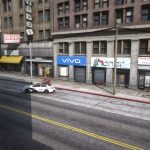
![OPPO Billboard [Add-on] V1.0](https://gta5mod.net/wp-content/uploads/2023/04/OPPO-Billboard.webp)
![OPPO Billboard [Add-on] V1.0](https://gta5mod.net/wp-content/uploads/2023/04/OPPO-Billboard2.webp)
![OPPO Billboard [Add-on] V1.0](https://gta5mod.net/wp-content/uploads/2023/04/OPPO-Billboard3.webp)
Model features:
-No collision
-At night, it will shine
-Normal collision body
-Good coordination with QV image quality
Installation Steps:
>Drag and drop oppo (in the DLC file) into \Grand Theft Auto V\mods\update\x64\dlcpacks using OpenIV.
>Then go to dlclist \grand Theft Auto V\mods\update\update.rpf\common\data\dlclist and add the line dlcpacks:\oppo\
>Run the game
Find the map here:
x=”348.34980000″
y=”-833.47150000″
z=”32.64811000″
Credits:
JieRui
Download mod
| File | File size |
|---|---|
 OPPO Billboard
 | 146 KB |
![Huawei Billboard [Add-on] V1.0](https://gta5mod.net/wp-content/uploads/2023/04/Huawei-Billboard-150x150.jpg "Huawei Billboard [Add-on] V1.0")