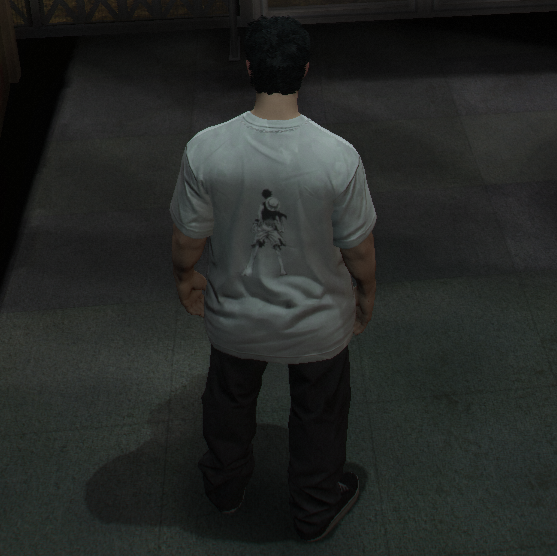

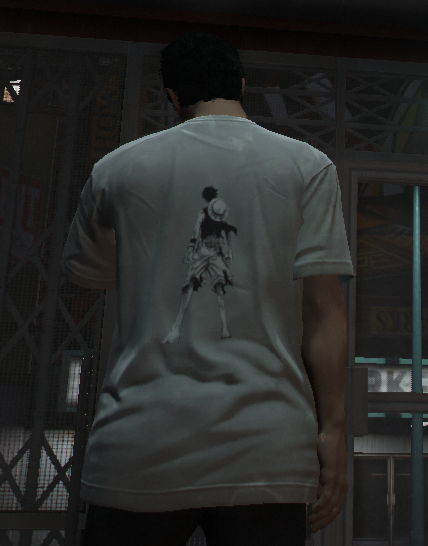
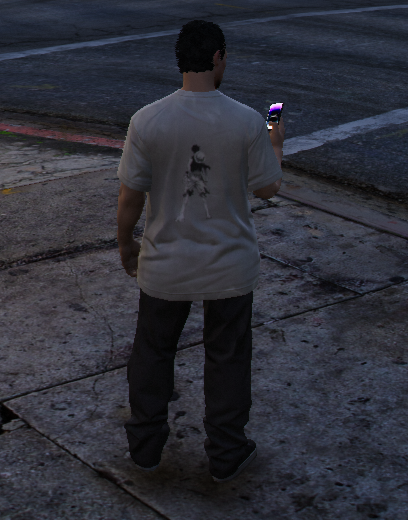
– HOW TO INSTALL – Multiplayer/FiveM
1. Download the T-Shirt
2. In your resources folder create a new folder [clothing]
3. In the [clothing] folder place your downloaded T-Shirt (not the .zip)
4. Paste the following in your server.cfg. ensure [Clothing]
5. Restart server, enjoy!
– HOW TO INSTALL – Singelplayer
1.Download the T-Shirt
2. Open OpenIV and copy the ‘ruffyshirtsp’ folder to the file path “mods/update/x64/dlcpacks/”
3. Navigate to ‘dlclist.xml’ in “mods/update/update.rpf/common/data/”. Add
“< Item>dlcpacks:/ruffyshirtsp/< /Item>”
Credits:
Masker29
Download mod
| File | File size |
|---|---|
 Ruffy Shirt
 | 3 MB |

![Stone Island Shirt Pack MP Male [SP / FiveM]](https://gta5mod.net/wp-content/uploads/2020/12/Stone-Island-Shirt-Pack-MP-Male-150x150.jpg "Stone Island Shirt Pack MP Male [SP / FiveM]")
![Loose Shirt by Protrikk [MP Male / FiveM] 1.0](https://gta5mod.net/wp-content/uploads/2021/04/Loose-Shirt-by-Protrikk-150x150.png "Loose Shirt by Protrikk [MP Male / FiveM] 1.0")
![Gucci T-shirt [ Mp Male | Fivem] 1](https://gta5mod.net/wp-content/uploads/2022/01/Gucci-T-shirt-150x150.png "Gucci T-shirt [ Mp Male | Fivem] 1")