1- create a new folder named “scenario”
2- drag and drop the ” assasin scene.xml ” located in ziped folder you have installed, in your “scnario” file
3- Open GTA 5
4- Open your map editor
5- Select the option “Load Map”
6- Now select the option “File Chooser…”
7- Now find “scenario” file and select it
8- And now select “assasin scene”
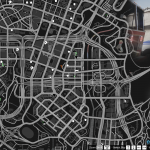
9- Now use the photo in zip file to find the scenario
10- that all i hope you have nice game.
Credits:
Simão16
Download mod
| File | File size |
|---|---|
 Assasin scene
 | 4 MB |

![[DEV] Woodway Nightowl (Scene Light) [UNLOCKED] 1.0](https://gta5mod.net/wp-content/uploads/2019/09/Woodway-Nightowl.png "[DEV] Woodway Nightowl (Scene Light) [UNLOCKED] 1.0")
![Abandoned Los Santos [Scene]](https://gta5mod.net/wp-content/uploads/2020/04/Abandoned-Los-Santos-150x150.jpg "Abandoned Los Santos [Scene]")