Mod Installation Instructions:
Requirements:
GTA 5 installed on your PC.
Script Hook V
Script Hook V .NET
NativeUI
Installation Steps:
Download Required Files:
Download Script Hook V, Script Hook V .NET, and NativeUI from the provided links.
Install Script Hook V:
Copy all files from the Script Hook V ZIP into your GTA 5 game directory (where GTA5.exe is located).
Install Script Hook V .NET:
Copy all files from the Script Hook V .NET ZIP into your GTA 5 game directory.
Install NativeUI:
Copy NativeUI.dll from the NativeUI ZIP into the “scripts” folder within your GTA 5 game directory.
Install The Mod:
Download the mod files.
Extract or copy the mod files into your GTA 5 “scripts” folder, create one if not done already.
Verify Installation:
Ensure that the following files are present in your GTA 5 game directory:
ScriptHookV.dll
dinput8.dll
ScriptHookVDotNet.asi
ScriptHookVDotNet.ini
ScriptHookVDotNet2.dll
ScriptHookVDotNet2.xml
ScriptHookVDotNet3.dll
ScriptHookVDotNet3.xml
(scripts folder) NativeUI.dll
(scripts folder) Take The Bus V.dll
Launch the Game:
Start GTA 5 as you normally would.
Your mod should be active if installed correctly.
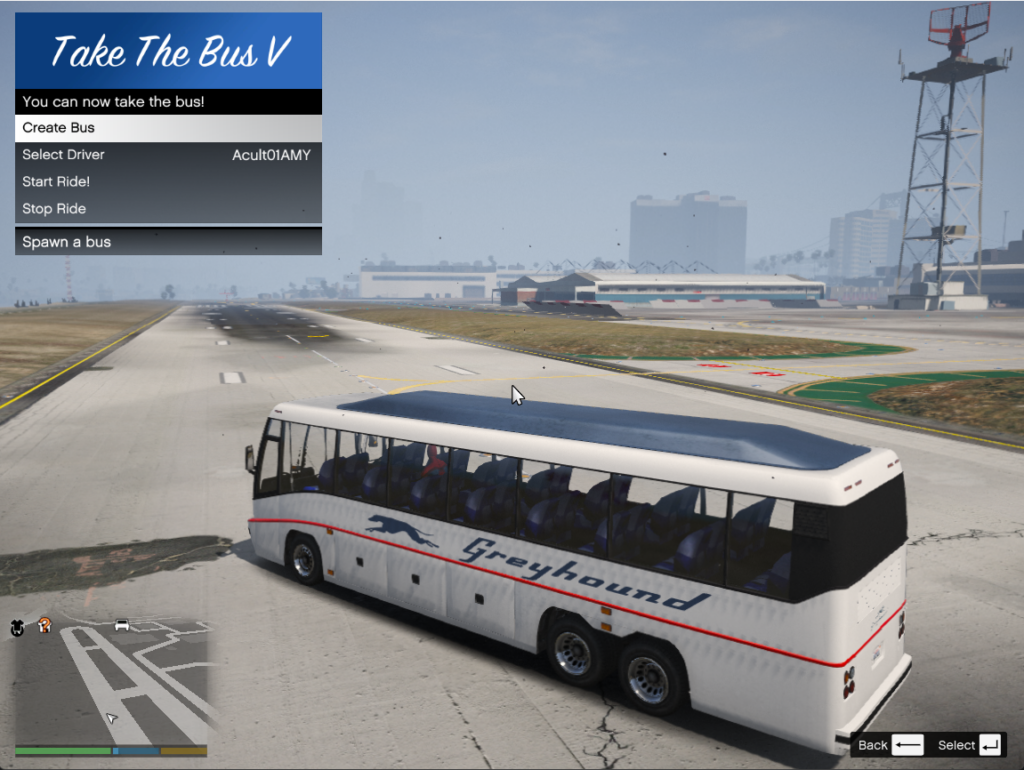
Open Menu: NumPad9
Note: At the end of the ride, the mod will make the player automatically exit the bus and then the driver will fight with you.
Troubleshooting:
Ensure you have the latest versions of Script Hook V, Script Hook V .NET, and NativeUI.
Check for any error messages in the game or in the script logs for troubleshooting.
Changelog:
Changelog 1.1: You can now assign any key to the menu in the TakeTheBusV ini file
Credits:
TheGamer233
Download mod
| File | File size |
|---|---|
 Take The Bus V
 | 4 KB |