
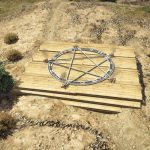
![Crop circle [YMAP] 1.0](https://gta5mod.net/wp-content/uploads/2020/07/Crop-circle.jpg)
![Crop circle [YMAP] 1.0](https://gta5mod.net/wp-content/uploads/2020/07/Crop-circle2.jpg)
Installation FIVEM:
-Unzip the file into your MAP FOLDER who start on your server.cfg
Installation SINGLEPLAYER:
-Unzip the file
-Open OpenIV and go in edit mode
– Click update > x64> dlcpacks> custom_maps>dlc.rpf> x64> levels> gta5> citye> maps> custom_maps.rpf
– Then take the YMAP and drag & drop it into OpenIV then its in!
Credits:
Justilan
Download mod
| File | File size |
|---|---|
 corp circle
 | 3 KB |


![Vinewood House [YMAP / Map Editor / Menyoo] 1.2 (YMAP)](https://gta5mod.net/wp-content/uploads/2020/05/Vinewood-House-150x150.jpg "Vinewood House [YMAP / Map Editor / Menyoo] 1.2 (YMAP)")
![Hawick Avenue Duplex.ymap [YMAP][Map Builder] V1.0](https://gta5mod.net/wp-content/uploads/2023/01/Hawick-Avenue-Duplex.ymap-150x150.webp "Hawick Avenue Duplex.ymap [YMAP][Map Builder] V1.0")
