
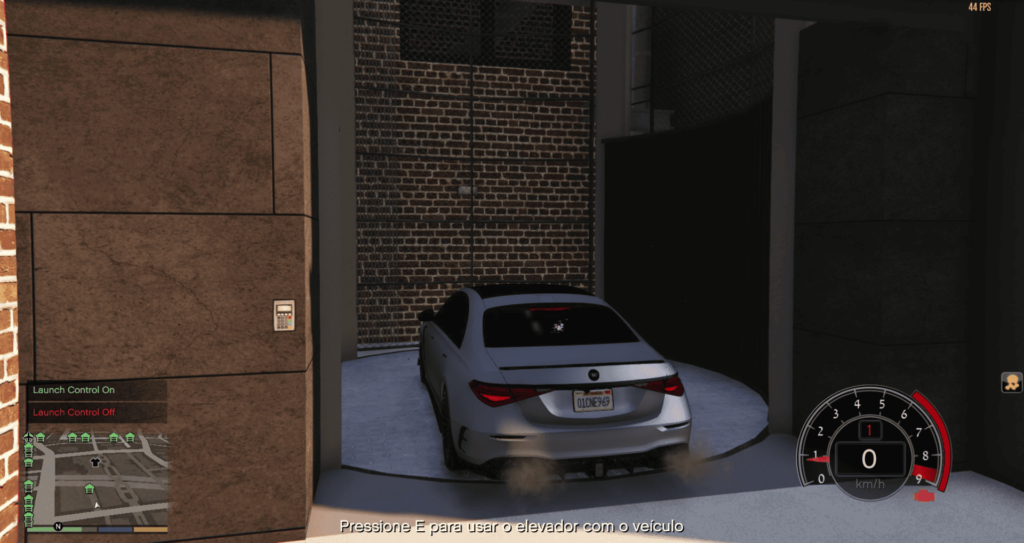
In this script, you teleport the car from one point to another.
It is open source and editable.
Requirements:
Visual Studio Code
Script Hook V
Script Hook V DoNET3
Menyoo
Installation:
1. Place the “heading” file in the Scripts folder and launch GTA.
Get the X, Y, and Z input coordinates and the vehicle’s position coordinate that will appear on your screen. Note: This script only calculates the vehicle’s rotation.
2. Remove the “heading” file and add the “elevator” file to the Scripts folder.
3. Open the file with Visual Studio Code. On line 7, add the X, Y, and Z ground coordinates.
On line 8, add the destination coordinate.
On line 10, add the ground exit coordinate.
On line 11, add the destination exit coordinate.
Note: The coordinates of lines 7 and 8 don’t need to be very precise. Pay close attention only to lines 10 and 11, as they will be the final destination.
4- On line 12, enter the coordinates obtained by “heading” out from the ground floor.
On line 13, enter the coordinates obtained by “heading” out from the destination.
5- Save the file and start the game.
Press E at the chosen location and you will be teleported along with the vehicle.
This script does not work without vehicles, and it is not possible to add more than one floor.
Credits:
leuzinlost
Download mod
| File | File size |
|---|---|
 Elevador
 | 1 KB |
