
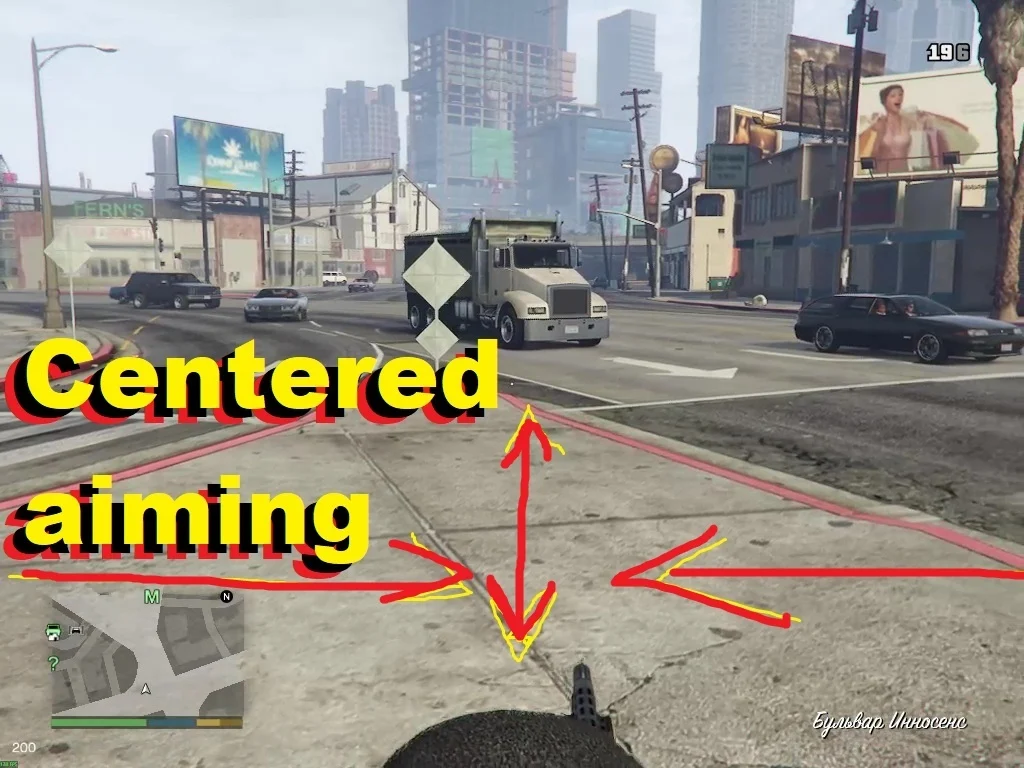
Enable/disable camera centering when aiming over the character’s head
Usage:
When aiming, press the right D-pad or E on the keyboard
the camera will center itself
to return, press the right D-pad or E again or stop aiming
How to Install:
1. Download and extract the “gtav_centered_aim.zip” archive.
2. Copy from gtav_centered_aim.zip
“gtav_centered_aim.asi”
into the your GTA V main folder, where is the file GTA5_Enhanced.exe(not in the scripts folder)
Requirements:
1. Disable BattlEye in the Rockstar launcher settings
2. Download ScriptHookV
Copy
“xinput1_4.dll”
“ScriptHookV.dll”
“dinput8.dll”
into the your GTA V main folder, where is the file GTA5_Enhanced.exe
Credits:
rRei
Download mod
| File | File size |
|---|---|
 gtav_centered_aim_0.3
 | 17 KB |

I don’t have file GTA5_Enhanced.exe, only GTA5.exe