Synchronize GTA V weather with real-world conditions in real time.
ForecastV fetches live data from the Open-Meteo API and applies accurate sky, rain, fog, or storm states directly in-game.
Features
– Real-time weather synced from real-world locations
– Configurable update interval (default 5 minutes)
– Adjustable coordinates (latitude, longitude)
– Optional on-screen weather notifications
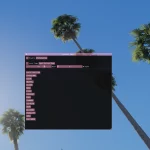
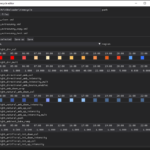
– Developer tools for testing and debugging
– Lightweight and dependency-free (.NET Framework only)
Known Bugs / Limitations
– Requires an active internet connection for updates
– Weather may slightly differ due to the limited preset weather types in GTA
– Occasional minor delay when fetching weather (async fetch)
Installation Instructions
– Install ScriptHookV and ScriptHookVDotNet.
– Place ForecastV.dll into your GTA V /scripts/ folder.
– Launch GTA V – a ForecastV.json file will be created automatically in /scripts/.
– Open ForecastV.json to customize your location and preferences.
Example Configuration
“DeveloperOptions”: true,
“ShowNotifications”: true,
“Latitude”: 44.4375,
“Longitude”: 26.1250,
“UpdateIntervalMinutes”: 5
Dependencies
– ScriptHookV
– ScriptHookVDotNet3
– No additional libraries required
Changelog:
Changelog v1.0.1 – QoL Update (October 5th, 2025)
– Weather notifications now show temperature in Celsius, Fahrenheit, or Kelvin (configurable).
– GetWeatherCodeAsync → GetWeatherDataAsync, now returns both weather code and temperature.
– HttpClient centralized in ForecastV.cs for cleaner structure.
– Configuration now validates automatically; invalid fields revert to defaults.
– Minor XML doc and code cleanup.
– Replaced error return of -1 with exception handling.
– Post-build event added for easier testing (auto-copies DLL to scripts folder).
Credits:
Matt Connors
Download mod
| File | File size |
|---|---|
 ForecastV v1.0.1
 | 11 KB |