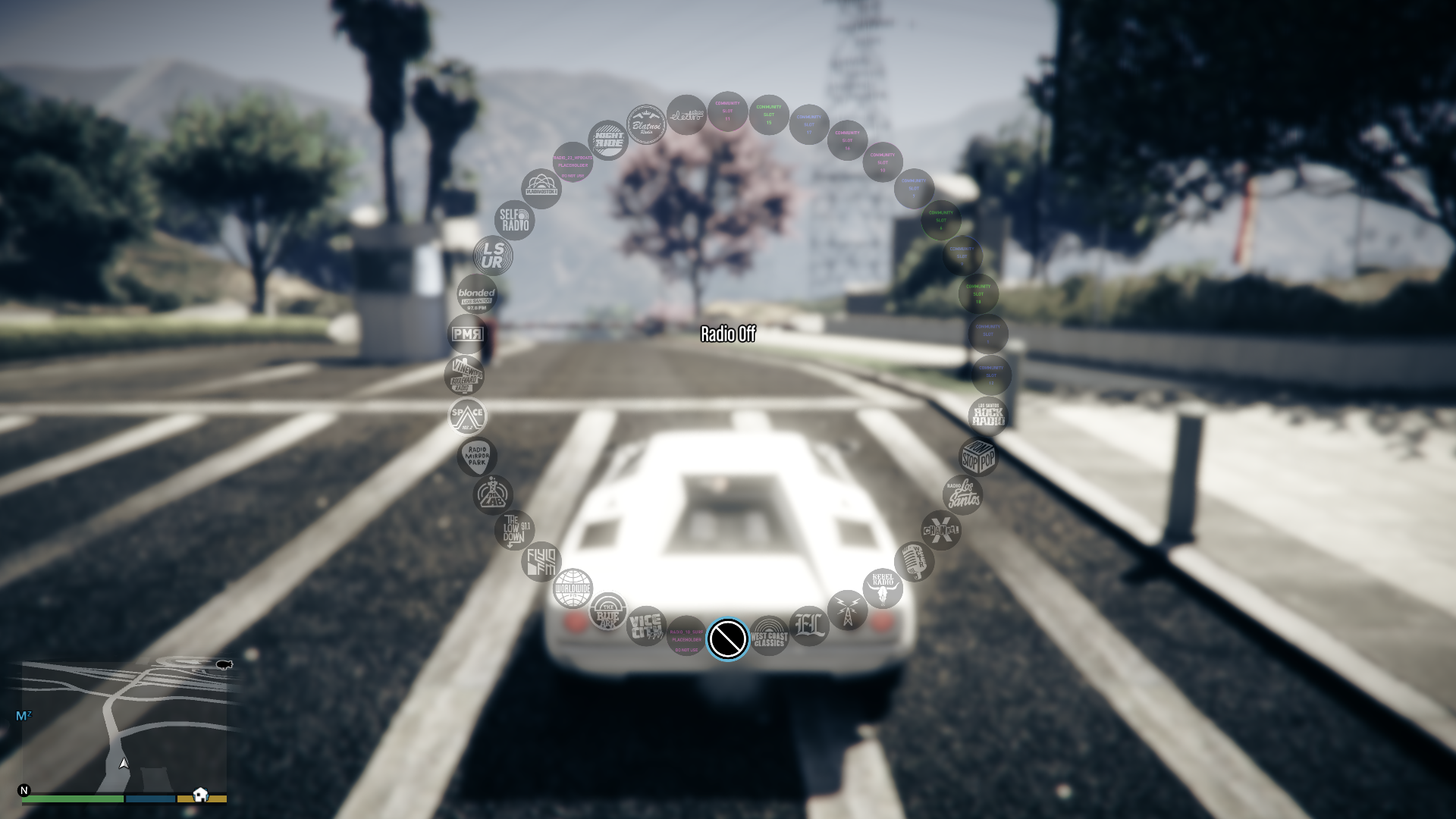
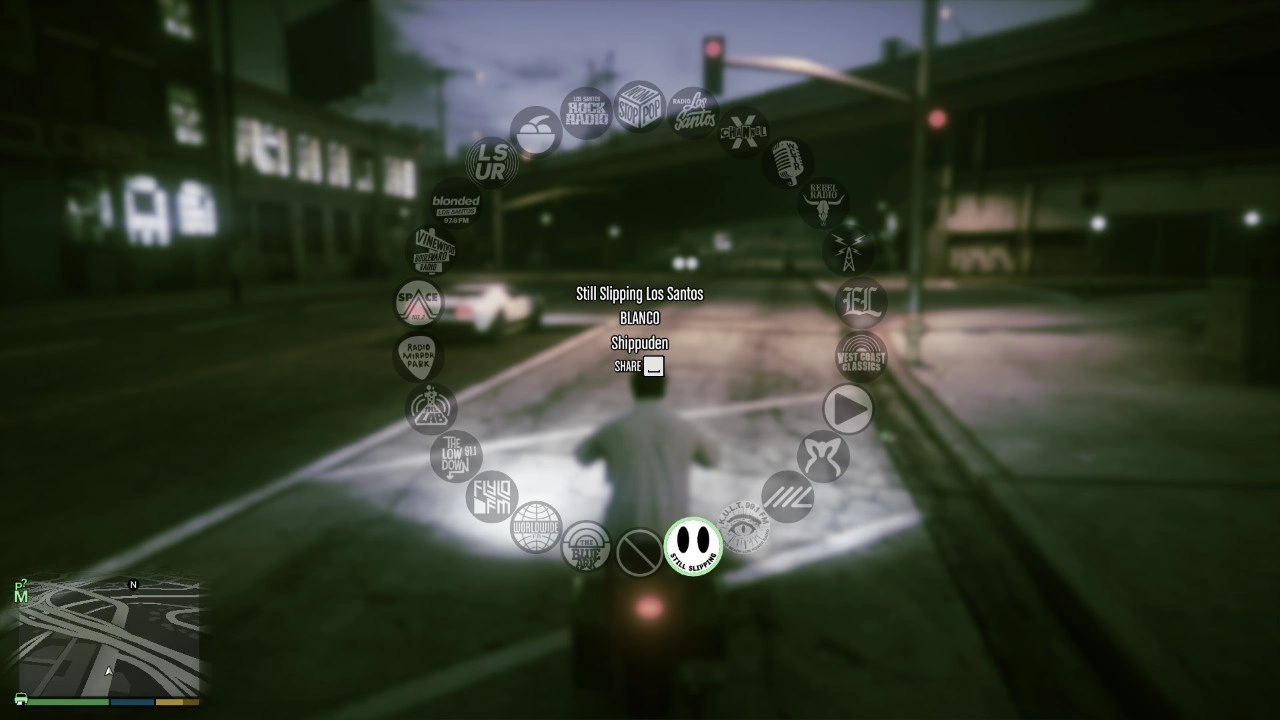
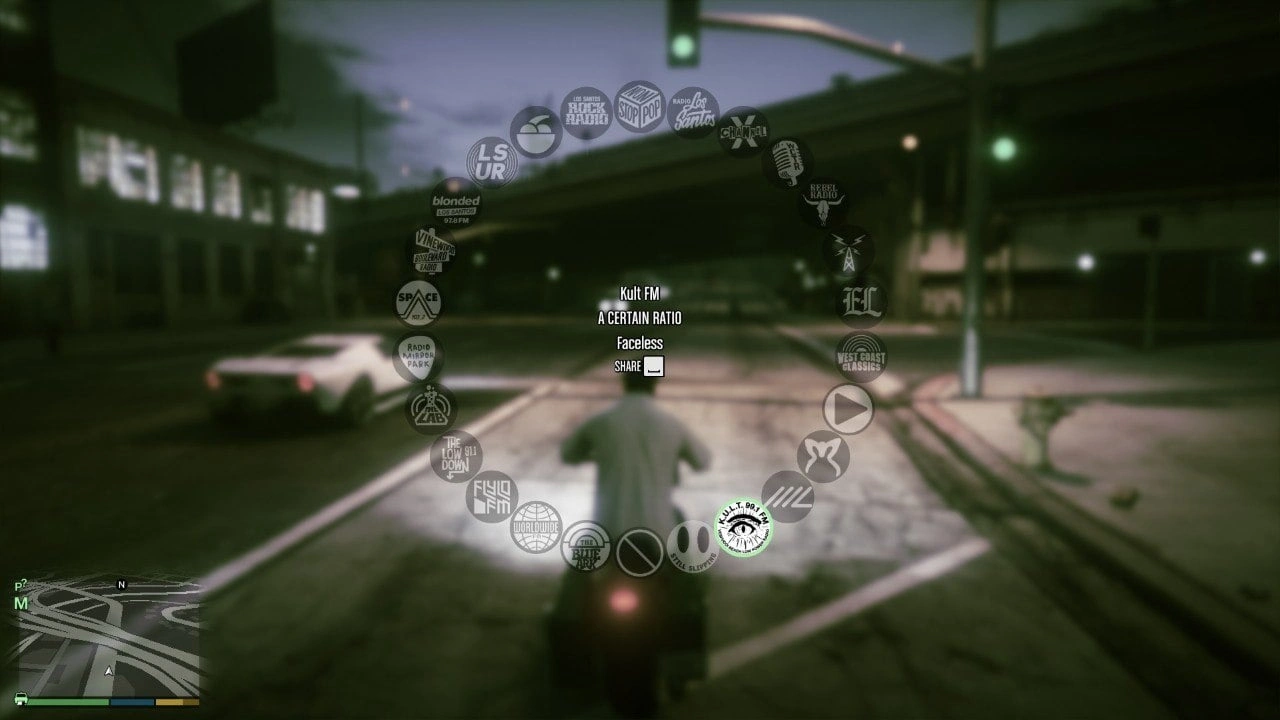
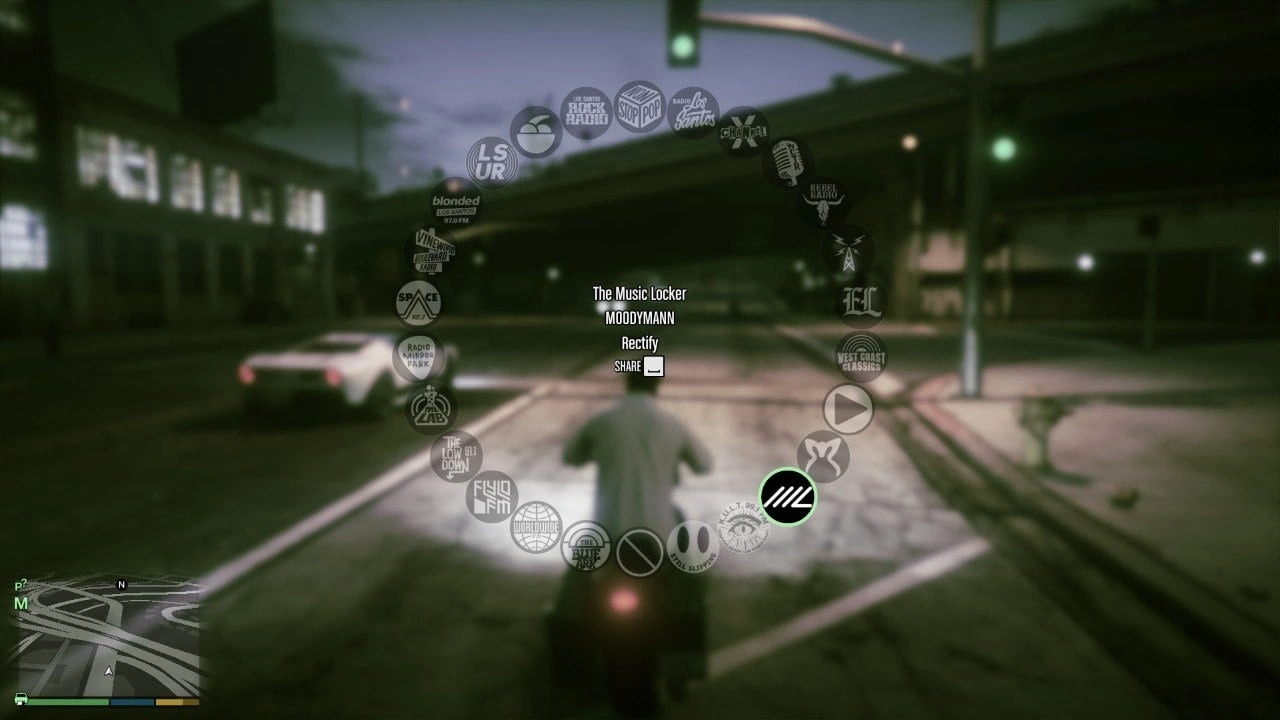
Unlocks all public radio stations in GTA V Enhanced Story Mode, including newer DLC stations such as Still Slipping Los Santos, Kult FM, The Music Locker, MOTOMAMI Los Santos, and more. No menu, no setup – it just works on load.
THIS IS AN ENHANCED ADAPTATION
This is a GTA V Enhanced (SHVDNE) port of the script mod “Unlock Radio Stations” v1.1. Full credit for the original mod goes to its author, reneeter123. I only adapted it for Enhanced and fixed the way it finds newer stations. I claim no ownership of the original mod.
WHAT IS DIFFERENT FROM THE ORIGINAL
The original mod unlocked stations through the Legacy radio station enum/list. On GTA V Enhanced, that mapping is incomplete or unreliable for newer DLC stations, and the game can return different station indexes between loads. Because of that, stations such as Still Slipping Los Santos may not unlock correctly with a simple 1:1 rebuild.
This Enhanced version unlocks a curated list of real public radio stations by their internal station names, which are stable across loads. Hidden, club, interior, private, and test radio entries are deliberately left untouched. So this is a port plus an Enhanced-specific station unlock fix, not a pure 1:1 copy.
STORY MODE ONLY
Single-player Story Mode only. Do NOT use it in GTA Online. Script Hook V does not work online and will close the game when you enter multiplayer.
REQUIRED MODS (Enhanced)
Script Hook V with Enhanced support: dev-c.com/gtav/scripthookv
ScriptHookVDotNet Enhanced (SHVDNE) v1.1.0.0 or newer. SHVDNE installs into your GAME ROOT, not the scripts folder. Make sure all of these files are present in the game root: ScriptHookVDotNet.asi, ScriptHookVDotNet2.dll, ScriptHookVDotNet3.dll, ScriptHookVDotNet.ini, and MinHook.x64.dll. MinHook.x64.dll is required since SHVDNE v1.1.0.0.
This mod has no menu and needs no other dependency. LemonUI is not required.
HOW TO INSTALL
Install the required mods above first.
Copy UnlockRadioStations.Enhanced.dll into your Grand Theft Auto V Enhanced scripts folder.
Launch GTA V Enhanced in Story Mode. The radio stations are unlocked automatically.
FAQ
A station still does not show.
Make sure ScriptHookVDotNet Enhanced loaded correctly. Check ScriptHookVDotNet.log in your game root and confirm that UnlockRadioStations.Enhanced.dll is listed and started. Also make sure MinHook.x64.dll is present in the game root. Missing MinHook is one of the most common reasons SHVDNE scripts do not load.
GTA Online support.
No. Story Mode only.
Modification or reupload permission.
Contact the original author, reneeter123, for permission. I only made the Enhanced port and station unlock fix.
COMMUNITY NOTE
This Enhanced port was made after a Reddit user requested GTA Online radio stations for GTA V Enhanced Story Mode. Thanks to them for suggesting the idea and pointing me toward this mod.
If there are other Legacy-only script mods you would like to see ported to GTA V Enhanced, feel free to suggest them in the comments with the original mod link. I may take a look if the mod is suitable for an Enhanced compatibility port.
Credits:
b3hold
Download mod
| File | File size |
|---|---|
 Unlock Radio Stations Enhanced
 | 4 KB |