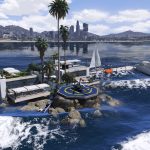
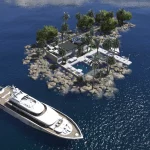
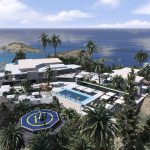
![Luxury Villa Ocean View [Menyoo] 1.0](https://gta5mod.net/wp-content/uploads/2022/01/Luxury-Villa-Ocean-View-1024x576.webp)
![Luxury Villa Ocean View [Menyoo] 1.0](https://gta5mod.net/wp-content/uploads/2022/01/Luxury-Villa-Ocean-View2.webp)
![Luxury Villa Ocean View [Menyoo] 1.0](https://gta5mod.net/wp-content/uploads/2022/01/Luxury-Villa-Ocean-View3.webp)
![Luxury Villa Ocean View [Menyoo] 1.0](https://gta5mod.net/wp-content/uploads/2022/01/Luxury-Villa-Ocean-View4.webp)
![Luxury Villa Ocean View [Menyoo] 1.0](https://gta5mod.net/wp-content/uploads/2022/01/Luxury-Villa-Ocean-View5.webp)
![Luxury Villa Ocean View [Menyoo] 1.0](https://gta5mod.net/wp-content/uploads/2022/01/Luxury-Villa-Ocean-View-6.webp)
Installation:
1. Install the latest ScriptHookV
2. Install the latest ScriptHookVDotNet
3. Install Menyoo PC SP
4. Install the latest Map Builder (REQUIRED)
5. Move Villa.xml file from the .zip into your GTA 5 main directory/MenyooStuff/Spooner,
6. In-game open menyoo/object-spooner/manage-saved-files/Villa.xml/load-placements
Credits:
Gamer9999
Download mod
| File | File size |
|---|---|
 Villa
Villa | 46 KB |
![Villa Mystique Ocean View [Menyoo] 1.0](https://gta5mod.net/wp-content/uploads/2022/01/Villa-Mystique-Ocean-View-150x150.webp "Villa Mystique Ocean View [Menyoo] 1.0")
![Luxury Villa on the Ocean [Menyoo] 1.0](https://gta5mod.net/wp-content/uploads/2020/11/Luxury-Villa-on-the-Ocean-150x150.jpg "Luxury Villa on the Ocean [Menyoo] 1.2")