
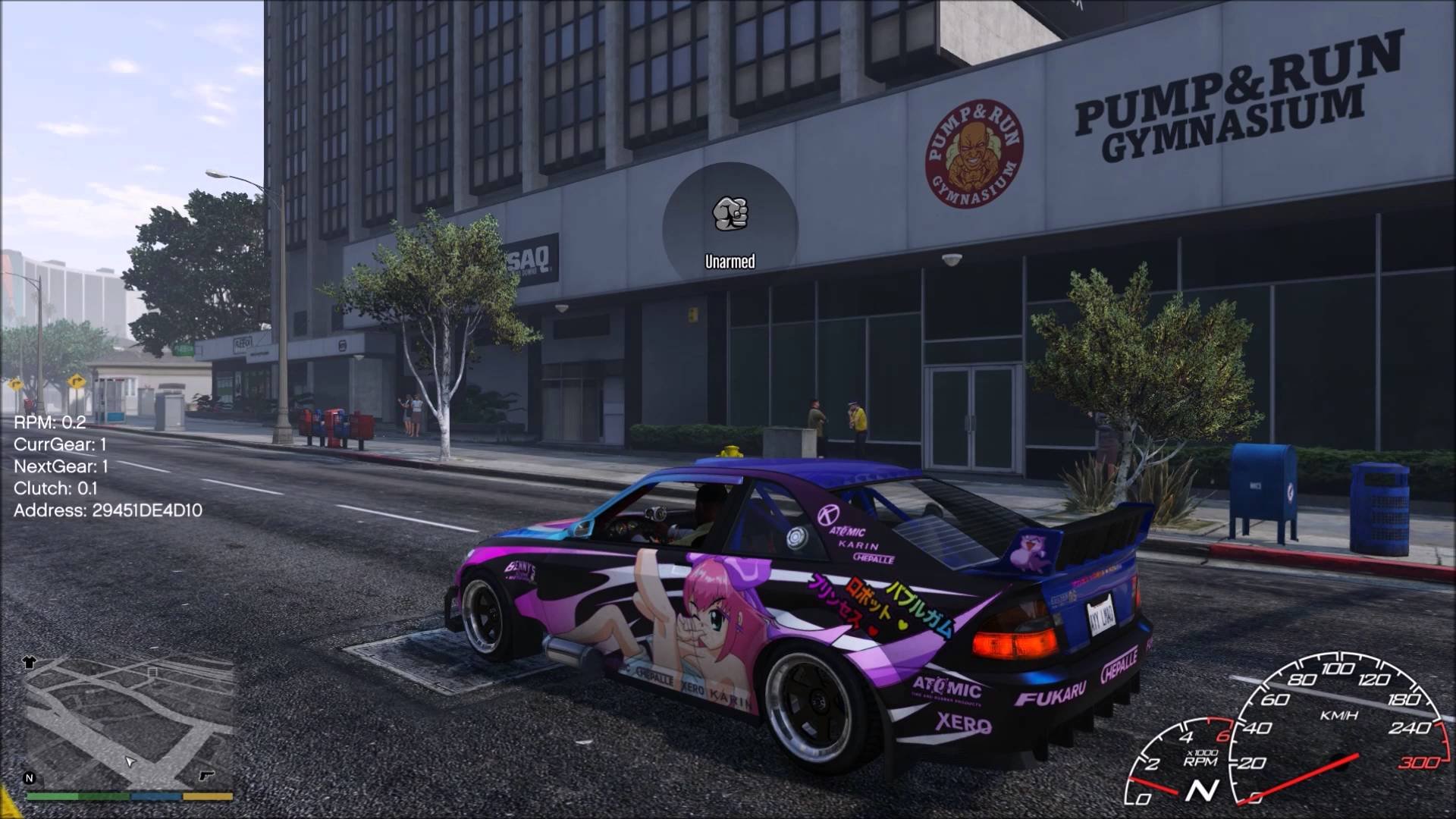
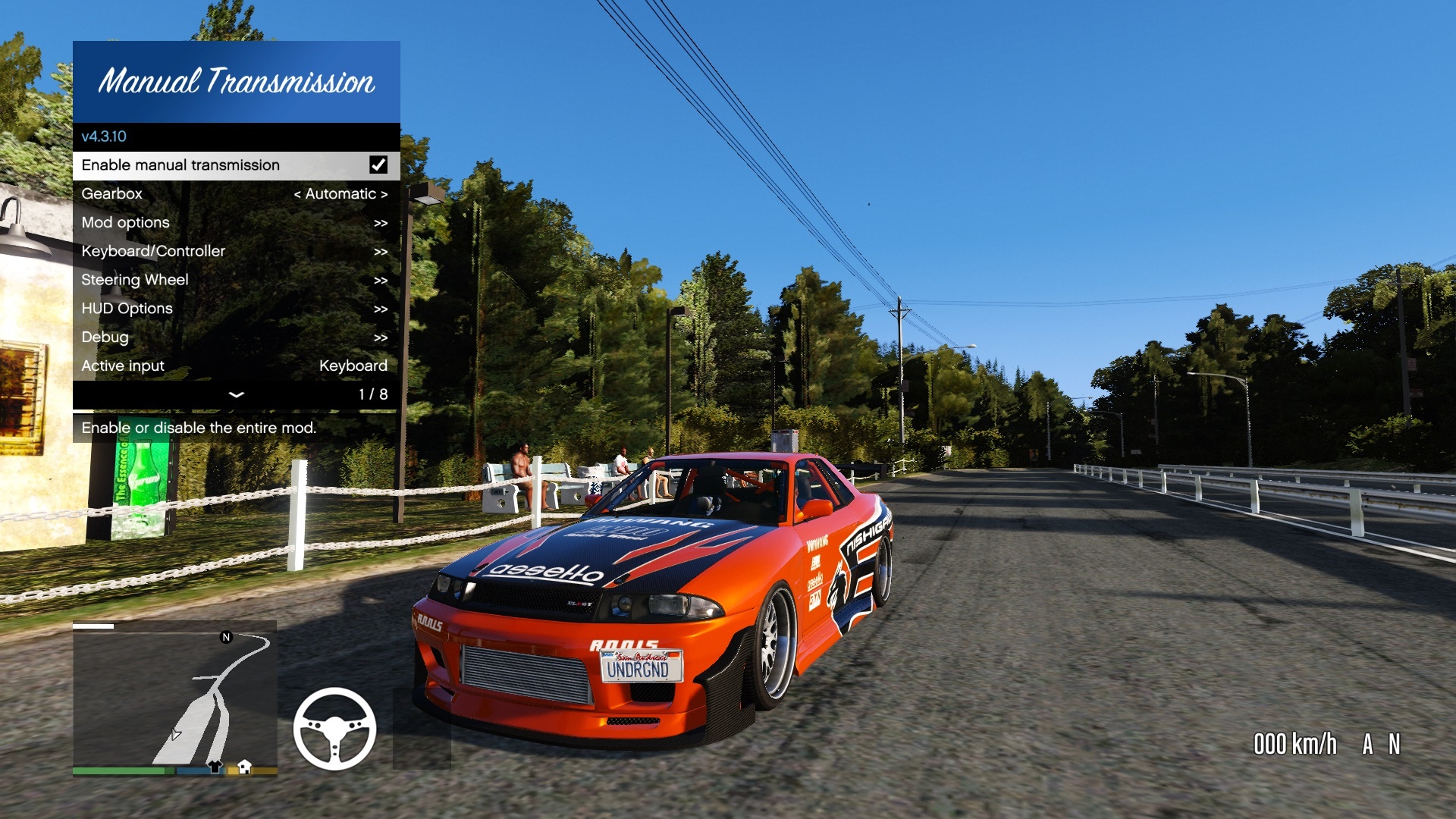
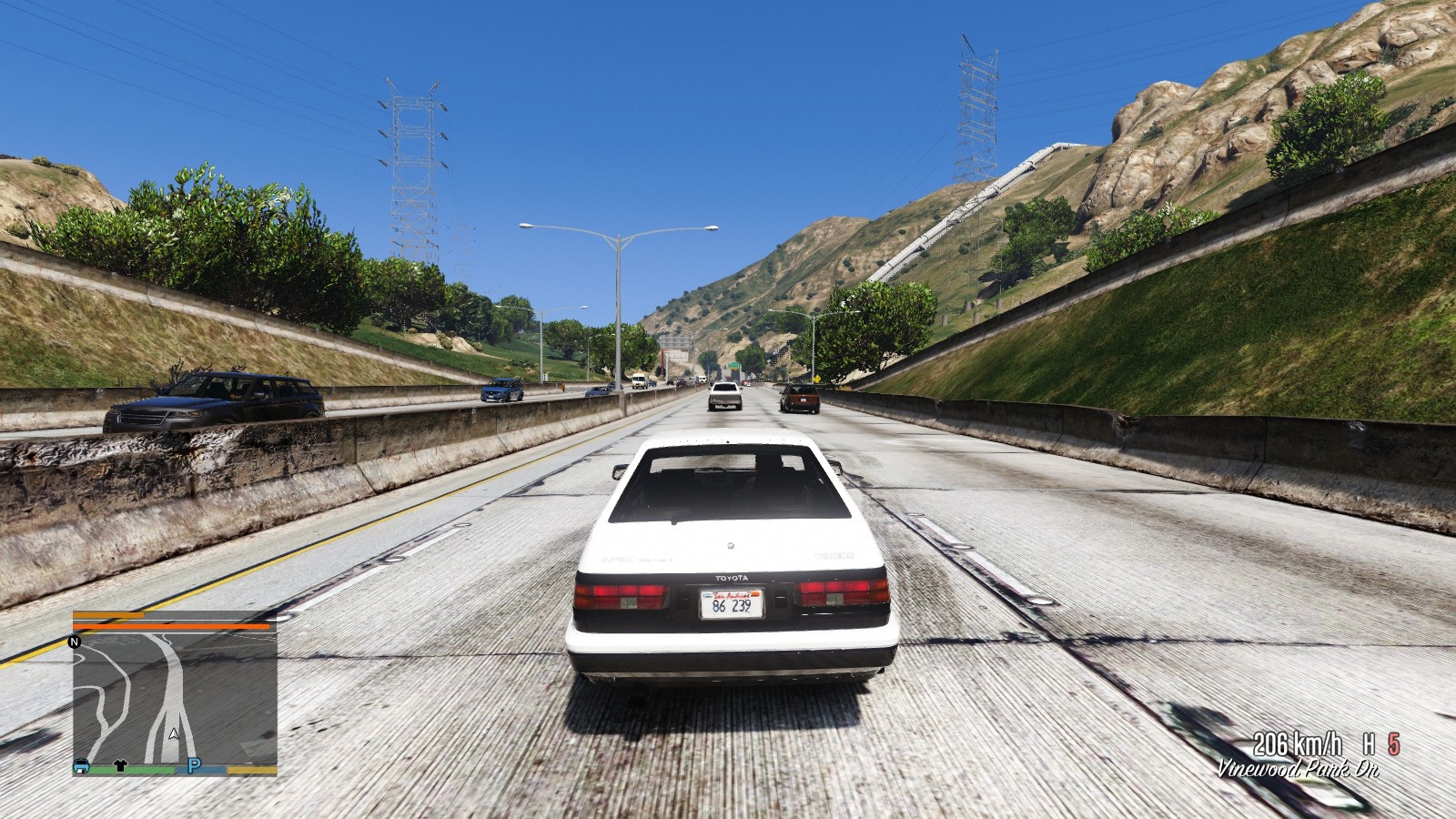

Manual Transmission and Steering Wheel Support for GTA V
This mod enables manual transmission and offers various options to fine-tune your gameplay, from gearbox selection to engine braking.
Support for steering wheels is fully integrated into this mod with full force feedback support, support for multiple input devices and every setting is customizable to fit your wheel and personal preferences.
Features
Friendly in-game menu for configuration
Supports keyboard, controller and wheel input
Supports for all land-based engine-powered vehicles
Loads of options for every aspect of the mod!
Choose between transmission systems – On the fly!:
Sequential gearbox
H-pattern gearbox
Custom automatic gearbox
Engine and transmission mechanics:
Clutch support
Engine braking
Engine damage
Engine stalling
Requirements
GTA V v1.0.877.1 to 1.0.1604.1
ScriptHookV
Installation
Put Gears.asi and the folder ManualTransmission in your GTA V folder (overwrite when asked)
Read the README and configure the mod to your preferences with the in-game menu.
Updating
Put Gears.asi in your GTA V folder. You can keep old settings, new options are added automatically when needed.
Wheel installation
Use the in-game menu! Be sure to assign all axes and buttons you intend to use.
More information
Refer to the readme. Additionally, The in-game menu contains descriptions for every option.
Keys
Open menu:
[{ on US layout
Enter the “mtmenu” cheat
Press RB + B on your controller
Refer to the readme for other default keys.
Recommended mods
Realistic Driving V
LeFix Speedometer
NFS Gauge
Custom Gear Ratios
Troubleshooting
Have you tried turning it off and on again?
When asking for help, include the following:
You can use pastebin to post the files.
ManualTransmission/Gears.log
ManualTransmission/settings_general.ini
ManualTransmission/settings_wheel.ini
What kind of inputs (wheel/controller/keyboard) you’re using
What you already tried to do
FiveM support is limited. If you have an issue try to pinpoint the issue. Provide logs.
Incompatibilities with other mods is similar. Pinpoint the issue and provide logs.
Known bugs and problems
Crashes with a Logitech G920 and ScriptHookVDotNet v2
Workaround 1: Remove ScriptHookVDotNet
Workaround 2: Try RagePluginHook (Found by BULLFAYCE)
Wheel sticks to one side and/or brake/throttle stuck.
Workaround: Try switching the mod off and on again.
Wheel is 100% not detected when using Steam
Fix: Steam > Steam Big Picture > Settings > Controller Settings > Uncheck Generic Gamepad Configuration Support (Found by Kaerali)
Thank you!
Thank you everybody who helped and contributed in any way. Getting feedback from you users is invaluable, and of course the donations are very appreciated (it helped me buy a G27 to develop with)!
Source code
Hosted on GitHub
Changelog:
5.6.1
Fix multiple wheel steering multipliers, affects vehicles that use rear-wheel steering with reduced angle:
james8646’s 2022 Mercedes-Benz S-class S500 W223
Chernobog
5.6.0
Big changes:
* Change traction control/launch control to use relative slip: TC/LC settings need to be updated
* Remove custom FPV camera, it’s split off into another script
New stuff:
* Add support for proportional analog handbrakes
* Add option to use text instead of icons for assist indicators
Fixes and minor changes:
* Compatibility fixes for b2802 (Los Santos Drug Wars) thanks to **fingaweg** and **Disquse**!
* Always allow wheel and keyboard to trigger a shift
* Improve loading performance (Thanks **Zolika** for the improved string pattern search!)
5.5.1
New features:
* Horizon lock camera feature
* Pitch may be locked to horizon, vehicle or dynamic
* Add `MT_ToggleSteeringAnimation` to the API
* So other scripts can pause the steering animation, to play other animations
Bug fixes and other stuff:
* Fix typo in `settings_general.ini` -> \[Misc\] -> “UDPAddress” was mistyped as “UDPAddres”
* Fix custom ABS crashing on vehicles with more than or less than four wheels
* Fix clutch check skipped with Clutch & Throttle Start feature when in neutral
* Fix crash on reloading script with ScriptHookV, caused by pause detection for FFB cancelling
* Fix crash on loading in FiveM due to unused-but-initialized code
* Fix infinite loading in FiveM SP due to menu initialization code
* Active speed timers are now listed in the debug menu
* Add 2699 for FX_ASI_BUILD in FiveM
Known issues:
* Vehicles start when pressing throttle, regardless of settings
* This happens since GTA V build 2545. Previous versions are unaffected.
* No fix on mod side, I’d rather have Rockstar revert this change.
Thanks sfinktah for internal improvements in this update!
5.5.0
This is a fairly big update, mostly because it completely revamps the force feedback model. It now uses traction data from the wheels to provide force feedback, which is very accurate, removes a number of options you need to configure and should feel more natural overall, and much more detailed.
A downside of this detail exists for custom add-on maps: If they’re low quality, this can be felt through the steering wheel, but this may only be noticeable for higher-end wheels, which should have options to blend and filter out such noise.
Following is a full overview of the changes in this update:
Overhaul force feedback (again):
* FFB is now based on slip angle of each wheel
* FFB takes weight transfer/tyre loads in account now
* FFB scales with terrain grip levels
* Includes general response curve visualization in FFB setup
* Response normalized for excessive fTractionCurve values GTA uses normally
* (can be disabled/made linear to feel more difference)
* Fix intermittent FFB loss for Fanatec wheels after alt-tabbing
* Fix script crash on trying to call unavailable FFB effect
Most prominent FFB settings (SATFactor, MaxSpeed, Gamma) are now obsolete for
ground vehicles, but are still used in amphibious/flying modes. They’re hidden
away in an advanced menu.
Other wheel stuff:
* Improve WheelToKeyboard, now maps multiple input devices to any key
* Increase wheel rotation range up to 2880 degrees
* Improve device assignment menu
* Display currently assigned device to a control
* Display whether a device is disconnected or not configured
* Fix ineffective braking when reversing when using wheel
Improve driving assists:
* Use more accurate data sources to determine slip
* Fix brake force not scaled to handling brake force
* Fix TCS UI elements lingering when no throttle applied, if other throttle effects are active
* Fix ABS UI not coming up for GTA’s ABS
Misc:
* Add vehicle-optional downshift protection with visual and audio cues
* Add pitch to g-force based camera movement
* Improve wheel bone rotation precision
* Update support for Wanted188’s R32
* Allow configuring telemetry endpoint (IP and port in settings_general.ini \[Misc\])
* Allow saving full vehicle config instead of just empty/delta from base config
* Fix steering animation sometimes not loaded on initial game start
5.4.2
* Fix shift rate modifier not adhering to carcols modifiers
* Fix broken telemetry since a recent SimHub update (RPM is mapped between 0 and 8000 RPM by default) (Paired with Custom Torque Map 1.0.1, actual RPMs are used instead)
* Add 2189 and 2372 for FX_ASI_BUILD in FiveM
5.4.1
* Add option to use physical speed instead of drivetrain speed for speedometer
* Add toggleable low/high beams
* Add high beam flasher
* Add indicator controls for keyboard (no auto-cancel)
* Fix FFB initialization logging error
* Fix FFB applied to invalid axes
* Remove FiveM-specific adaptions (fixed in FiveM itself)
5.4.0
A mostly wheel-focused update to improve wheel experience.
Wheel:
* Rework wheel initialization, which should fix G920 + SHVDN and G29 + G Hub issues, finally!
* Add FFB LUT for better, more consistent FFB. Check the new README section!
* Add FFB setting for understeer effect multiplier
* Add FFB strength UI element
* Fix FFB loss during lagspikes (up to 500ms)
* Fix FFB damper transition for soft lock
* Fix unclamped soft lock steering angles when engine off
* Slightly improve popped tyres feeling
Non-wheel:
* Transmission tuning now affects shifting speeds (+25%, +50%, +100%)
* Improve shifting duration calculations, same as game now
* Improve automatic gearbox downshift, jumps multiple gears now
* Improve throttle cut duration on upshifts
* Improve electric vehicles and vehicles with CVT clutch exception handling
* Fix throttle blip on downshifts
* Fix CustomSteering not using remapped keyboard settings
* Fix shifting affecting cruise control too much
* Allow user-defined colors for launch control in RPM bar
* Set defaults for ducking/switching weapons blocking and shifting controls
* Various bug fixes and improvements
5.3.0
Move movement options into camera attachment option
Remove player-position derived “fixed” camera
Add secondary vehicle-attached camera option
Add cruise control with adaptive mode
Add speed limiter
Add flashing effect for brake lights when ABS active
Add flashing effect for assist icons when active
Add disable steering reduction on handbrake option
Clean up assists messages
Fix autogear1 and hillgravity assists using wrong speed
Fix downshift blip affecting braking performance
Support Wanted188’s (in-dev) R32 (Torque transfer gauge)
Fix FiveM version detection
5.2.0
Add timeout for automatic gearbox upshifting
Add active throttle control for launch control
Add active throttle control for traction control
Add Min/Max thresholds for launch and traction control
Improve understeer calculations for stability control
Improve default settings
Warning, this will invalidate the following settings:
Traction Control, Max Slip -> Is Min/Max now
Stability Control, Understeer -> More sensitive
5.1.1
Fix crash on vehicles without any wheels (boats, trains)
Use player vehicle as base camera rotation
5.1.0
Add an option to hide the steering wheel in FPV
Improve Automatic Transmission during braking with locking up
Cut throttle during NPC upshifts
Fix Dock Handler lift unusable when using Custom Steering
Fix keyboard ESP/TCS/ABS toggles not working
Fix steering reduction for two-wheelers
Fix menu crash when invalid speedometer format used
Remove NPC raycast find method
Add global FPV cam disable option in debug
Remove RealVR detection
Increase mouse centering timeout limit to 120 seconds
Use steering anim/pic angle data from vehicle
4.8.2
A few new goodies, and fixes to minor things.
Add “Disable autostart” option
Add “Leave engine running” option
Add engine on/off animations
Add camera forward/backward movement options
Fix wheel angles when engine is off
Fix haptic stalling effect playing on wrong device
Fix phone animation in cars not playing
Fix LSD settings not being vehicle-specific
Fix minimap rotation with custom camera
Fix gamepad clutch creep disengage before throttle deadzone end
Fix stall progress not reset when shifting to neutral
Fix ESP not using vehicle config settings
Fix HUD not using vehicle config settings
Include wheel rotation from Custom Steering in vehicle configs
Include camera settings in vehicle configs
Use help texts instead of subtitles for configuration hints
Improve error handling on missing `animations.yml` file
Improve movement camera rotation smoothness
Improve camera looking back visibility (raise camera)
Disable movement camera rotation for hovering vehicles
Smooth mouse steer return-to-center on release
Allow disabling assists in mouse steering mode
Internal code improvements and other fixes
4.8.1
Replace exceptions-using error handling, as workaround for an issue with ScriptHookVDotNet
Update default configuration files to auto-generated ones
Allow faster sequential shifting
The most important changes to v4.7.1:
– Electronic Stability Control has been added. It realistically brakes individual wheels to control oversteer and understeer, based on your steering input. Fully customizable! A HUD element with ABS, TCS and ESC status is also available now.
– The force feedback profile has been improved, with an adjustable gamma and a speed limit. These two work together to taper off force feedback strength towards the specified speed, and the force feedback is linear from that speed on.
An additional effect is that the force feedback strength is increased at lower speeds, which generally feels more realistic.
Changelog
v4.6.7
* Update for 1.0.1737.0 (Thank you Sparten for the help!)
* Add throttle cut and blip on up and downshifts, both toggleable
* Add an option to change clutch change rate on shifts
* Add an option to change steering wheel gamma
* Fix some vehicles unable to upshift to 2 properly with the automatic mode
* Fix vehicle flags offsets for older game versions
* Fix an issue where visibility was constantly set, causing an equipped parachute to always appear as deployed
* Fix an issue where H-pattern shifter setup didn’t display text for 8th gear and up
* Change the order of drawn throttle, brake and clutch axes to match pedal layout
* Improve shift indicators in API
* Improve debug info
Full changelog available on GitHub
🐌 View topic on FiveM.net Forums »
💬 Chat along on Discord!
Download mod
| File | File size |
|---|---|
 Gears-v5.6.1-Release
 | 2 MB |
|
Gears-v5.6.0-Release | 2 MB |
|
Gears-v5.5.1-Release | 2 MB |
|
Gears-v5.5.0-Release | 2 MB |
|
Gears-v5.4.2-Release | 2 MB |
|
Gears-v5.4.1-Release | 2 MB |
|
Gears-v5.4.0-Release | 2 MB |
|
Gears-v5.3.0-Release | 2 MB |
|
v5.2.0-Release | 2 MB |
|
Gears-v4.8.2-Release | 2 MB |
|
Gears-v4.8.1-Release | 3 MB |
|
Gears-v4.8.0-Release | 3 MB |
|
Gears-v4.7.1-Release | 5 MB |
|
Gears-v4.7.0-Release | 5 MB |
|
Gears-v4.6.7-Release | 4 MB |


![AMTAC [Advanced Manual Transmission And Cruise]](https://gta5mod.net/wp-content/uploads/2025/10/AMTAC-150x150.webp "AMTAC [Advanced Manual Transmission And Cruise] V1.0.3")

is this for logitech g923
бля у меня руль не работает что делать
Downloading the 3028 version will solved the problem. I just finished downloadin the 3028 cracked version and the this mod works perfectly fine 🙂🙂🙂
the 3028 version of the mod or of gtv
This masterpiece just broke with the latest update for GTA5. Until now it was my essence to play GTA5 freeroam with my wheel. now it’s over. Maybe the dev still active and can have a look?
until this day the mod work perfect, but now in the last update it just broke, i hope that is not the end.
Download GTA V
How to set up wheel sensitivity
I don’t know what the cause of the issue is, but this kid will not detect my wheel
is this compatible on logitech g29 aswel??