Information:
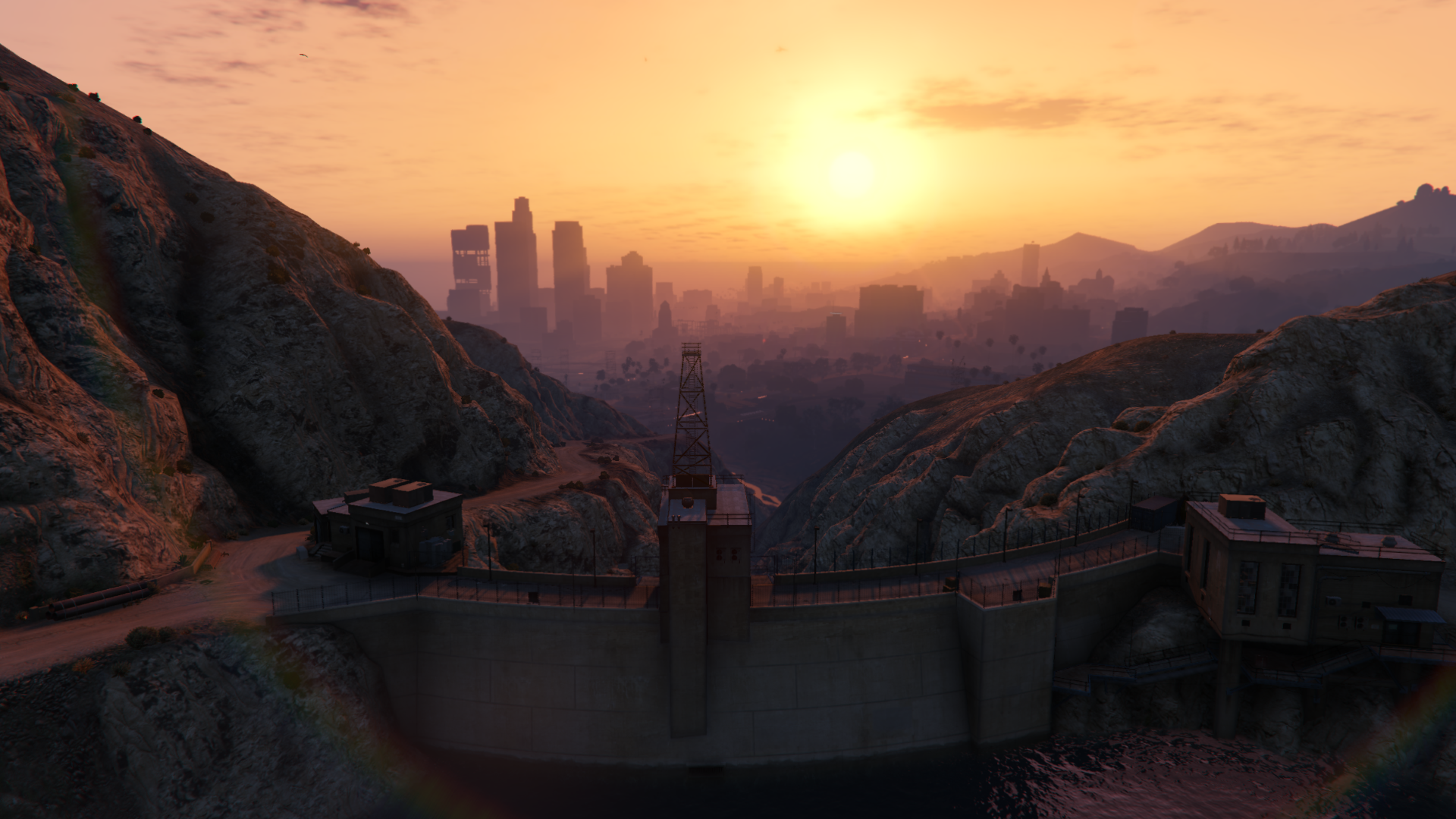
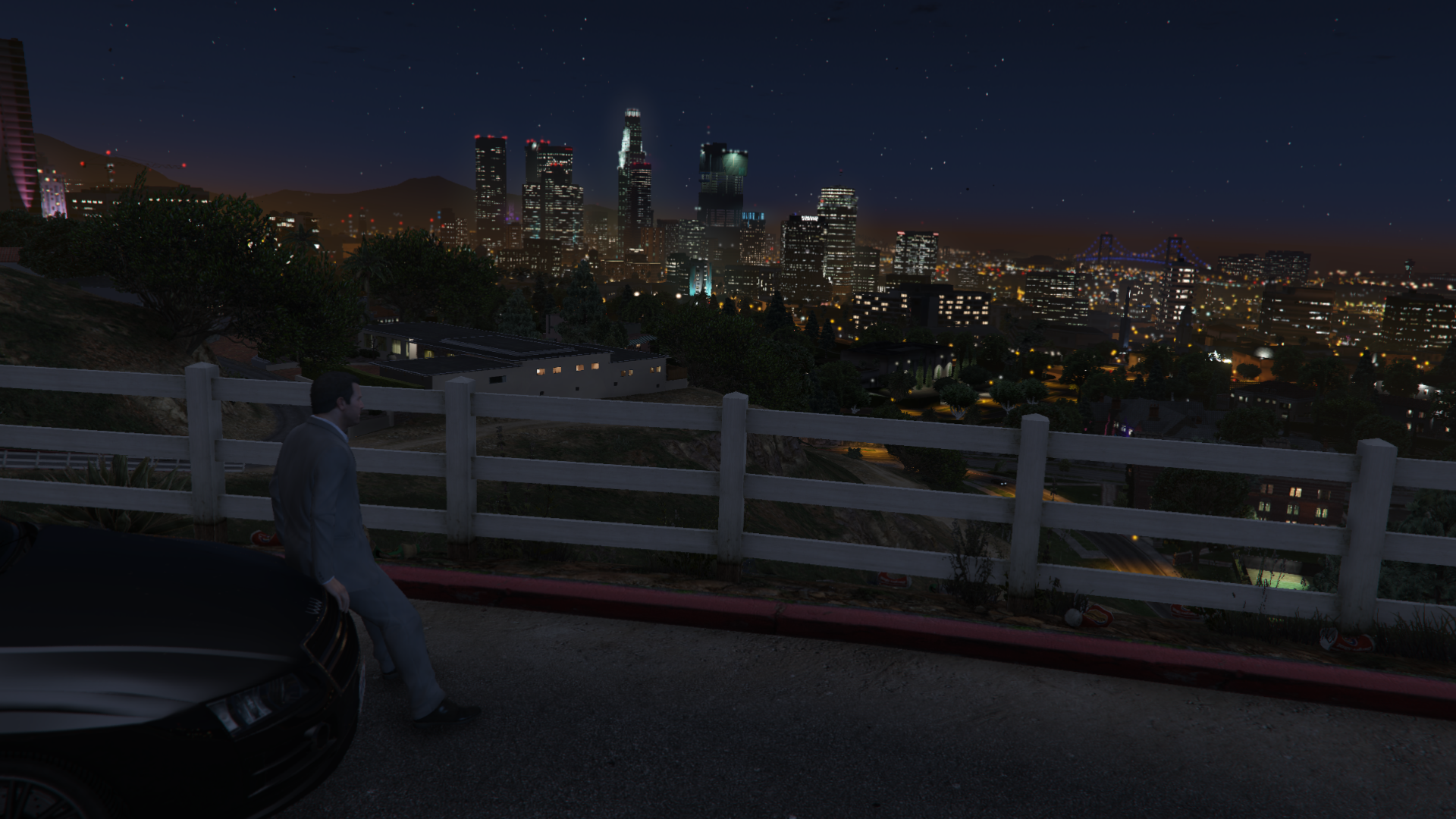
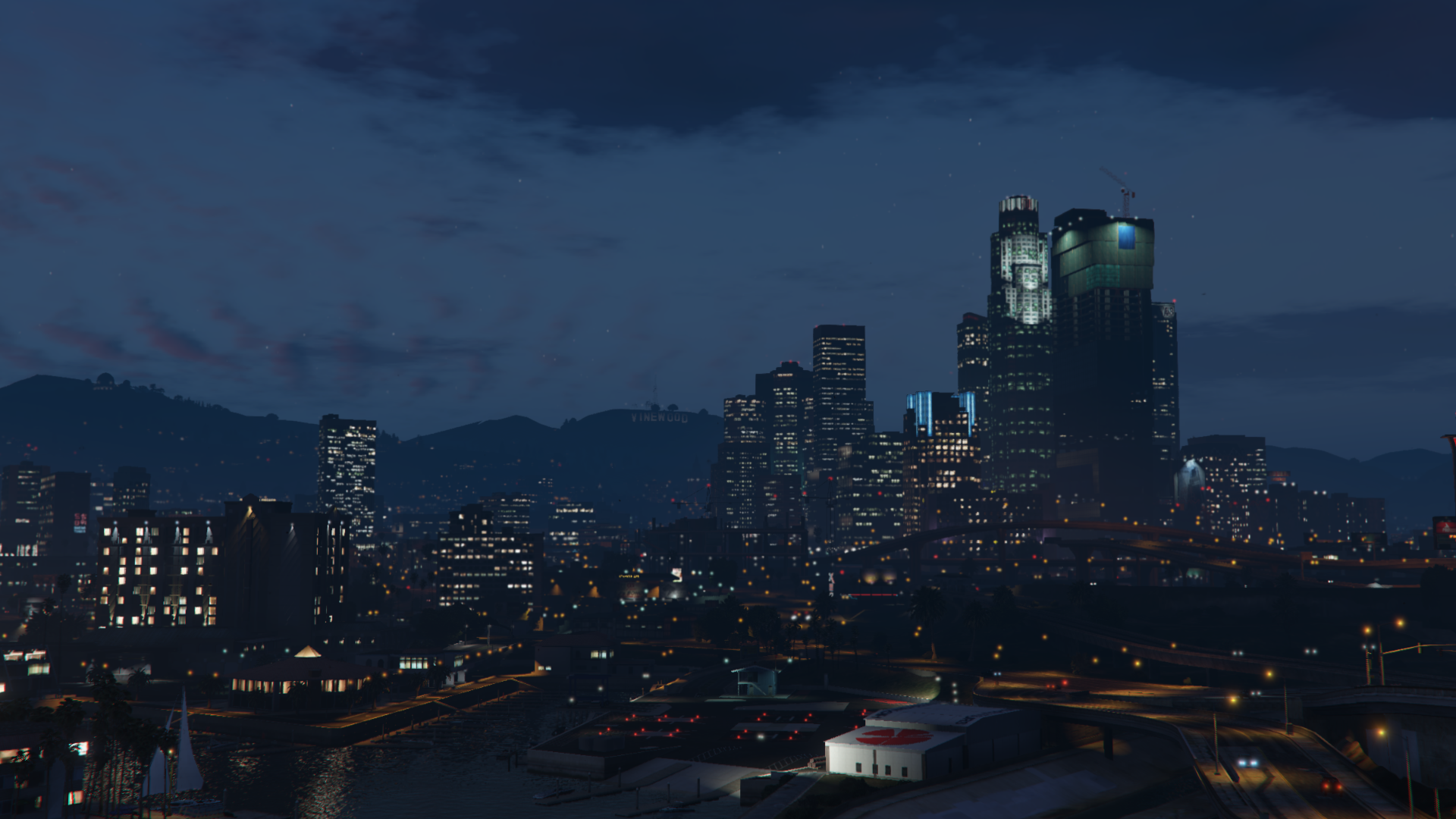
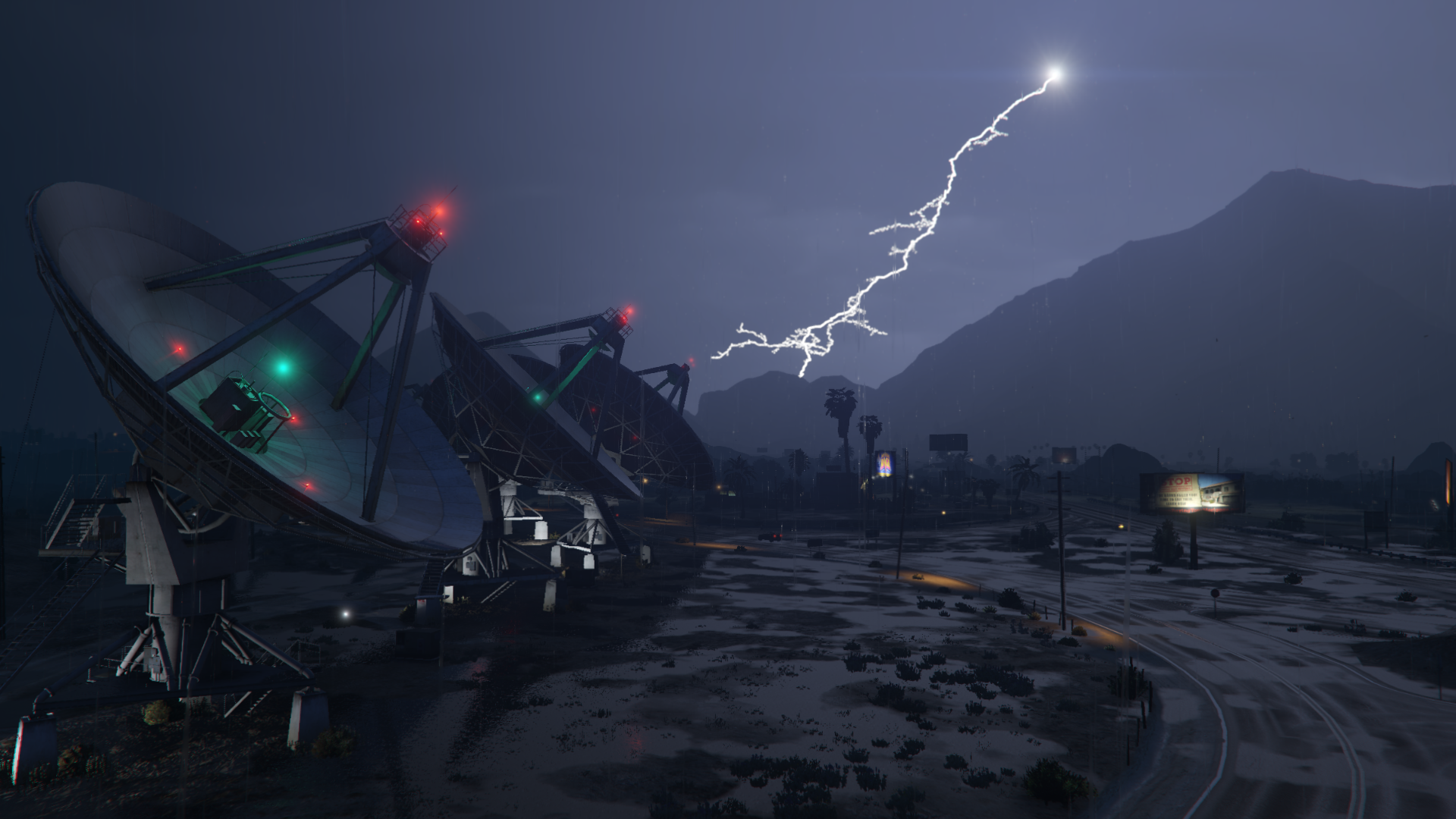
This mod restores various graphics elements from the original release of the game on PS3 and X360.
Main changes:
– Weathers.
– Lens flare, lightning, light pollution, clouds and other miscellaneous visual settings.
– Textures of bokeh, damage effect, flares (animorphic, artefact, chromatic, corona) and water foam.
– Snapmatic filters.
– Clouds (cloudy and stormy).
Optionals:
– Additional Rockstar Editor Filters: this optional adds the Snapmatic filters to the “Effects” submenu of the Rockstar Editor.
– Alternative Lens Flare: this optional changes the color of two flare animorphics from yellow to blue.
– No Fog Volumes: this optional removes the fog volumes placed around the map. Note: this optional is unnecessary if the “Shader quality” setting is set to normal or high.
– No HUD Blur: this optional removes the DoF/screen blur from the character, radio and weapon wheels.
– No Lens Artefacts: this optional disables the blue lens artefacts that are rendered with the PostFX quality set to Very High/Ultra.
– No NGCoronas: this optional disables an additional layer of the corona texture emitted from light sources such as vehicles headlights and street lights.
Requirements:
OpenIV.asi.
Mods folder.
Installation (Legacy Main Files):
Import the “common” and “x64” folders from the “Legacy” folder in “mods\update\update.rpf”
Installation (Enhanced Main Files):
Import the “common” and “x64” folders from the “Enhanced” folder in “mods\update\update.rpf”
Installation (Legacy & Enhanced Optionals):
– Alternative Lens Flare: import “lensflare_f.xml”, “lensflare_m.xml” and”lensflare_t.xml” in “mods\update\update.rpf\common\data”
– No Fog Volumes: import “vfxfogvolumeinfo.ymt” from the “Optionals/No Fog Volumes” folder in “mods\update\update.rpf\x64\data\effects”
– No HUD Blur: import “timecycle_mods_4.xml” from the “Optionals/No HUD Blur” folder in “mods\update\update.rpf\common\data\timecycle”
– No Lens Artefacts: import “lensartefacts.ymt” from the “Optionals/No Lens Artefacts” folder in “mods\update\update.rpf\x64\data\effects”
– No NGCoronas: import “visualsettings.dat” from the “Optionals/No NGCoronas” folder in “mods\update\update.rpf\common\data”
Installation (Legacy Optionals):
– No NGCoronas: import “visualsettings.dat” from the from the “Optionals\Legacy\No NGCoronas” folder in “mods\update\update.rpf\common\data”
Installation (Enhanced Optionals):
– No NGCoronas: import “visualsettings.dat” from the from the “Optionals\Enhanced\No NGCoronas” folder in “mods\update\update.rpf\common\data”
Changelog:
v2.5.1
– Fixed the “visualsettings.dat” for the Enhanced version being outdated
– Updated the main OIV package and the “No NGCoronas & Smaller Rain Puddles” optional (Enhanced only)
v2.5
– Changed the “postfx_bright_pass_thresh_width”, “postfx_bright_pass_thresh” and “postfx_intensity_bloom” values in all the timecycles with the ones from the PC version
– Updated the main OIV package for both Legacy and Enhanced
– Switched back to a normal version number
18.05.26
– Fixed one incorrect value in “w_clearing.xml”
– Added some missing values in “w_clouds.xml”
– Updated the main OIV package for both Legacy and Enhanced
05.05.26
– Made some small UV map fixes to the “cloudhat_cloudy_b_gen7” and “cloudhat_cloudy_c_gen7” drawables
– Updated the main OIV package for both Legacy and Enhanced
16.04.26
– Changed the lens distortion and chromatic aberration values of the “Sniper”, “nextgen”, “telescope” and “NG_First” timecycle modifiers. Thanks to Tervel1337 for making the edited modifiers
– Added an optional which changes the “Sniper” and “telescope” timecycle modifiers with the ones from PS3/X360
– Updated the “No NG Coronas” optional to include smaller rain puddles as well
– Added an optional “peddamage.xml” which restores two entries to the “Car_Crash_Light” damage pack
– Added back “watertune_heistisland.xml”
– Added back the restored clouds (plus a reconverted “cloudhat_stormy_01d” drawable and added an higher resolution “cloudhat_detailtest1” texture)
Legacy:
– Updated the main package
– Added two new optionals: “Alternative Sniper Rifle & Telescope Filters” and “Restored Clouds”
– Updated the “No NGCoronas” optional (now called “No NGCoronas & Smaller Rain Puddles”)
– Updated the installation instructions
Enhanced:
– Updated the main package
– Added two new optionals: “Alternative Sniper Rifle & Telescope Filters” and “Restored Clouds”
– Updated the “No NGCoronas” optional (now called “No NGCoronas & Smaller Rain Puddles”)
– Updated the installation instructions
13.02.26
– Added OIV packages for the installation of the main files
11.12.25
– Compatibility with the “A Safehouse in the Hills” DLC
17.06.25
– Compatibility with the “Money Fronts” DLC
24.03.25
– Temporaly removed the gen7 cloudhats files. Out of 7 models, 5 are already included within other ones of the PC version and the only 2 different drawables (and some textures) will be added back with another update
– Added back the “Alternative Lens Flare” optional
– Added a version of the mod for the Enhanced edition
– Updated the requirements and installation instructions
10.12.24
– Compatibility with the “Agents of Sabotage” DLC
– Removed the “Alternative Lens Flare” optional
4.08.24
– – Removed “watertune_heistisland.xml”
25.06.24
– Compatibility with the “Bottom Dollar Bounties” update
12.12.23
– Removed the “Additional Rockstar Editor Filters” optional
– Compatibility with the “Chop Shop” update
23/02/23
– Compatbility with the “Los Santos Drug Wars” update
– Clouds are again included within the main files, that go directly in the update.rpf
version 2802.1
Fixed an error in both timecycle_mods_4.xml files.
Compatibility with the “Los Santos Drug Wars” update.
version 2802
Turned the clouds into an optional.
Compatibility with the “Los Santos Drug Wars” update.
Changelog:
v1.0
Properly reconverted a few of the old gen clouds.
Updated cloudkeyframes.xml and clouds.xml for the converted old gen clouds.
Restored a few values in visualsettings.dat to they’re original state.
Removed the files under the “common\data\levels\gta5\weather” folder as they weren’t really needed.
Updated the installation instructions.
Changed the name of the mod from “Old Gen Visual” to “VisualParadise”.
Credits:
Alex106
Download mod
| File | File size |
|---|---|
 VisualParadise_v2.5.1
 | 14 MB |
![Visual Settings + Timecycle Reloader 0.6 [BETA]](https://gta5mod.net/wp-content/plugins/contextual-related-posts/default.png "Visual Settings + Timecycle Reloader 0.6 [BETA]")
![Visual Effects editor V0.3.1 [Alpha]](https://gta5mod.net/wp-content/uploads/2024/04/VisualEffects-editor-150x150.webp "Visual Effects editor V0.3.3")