
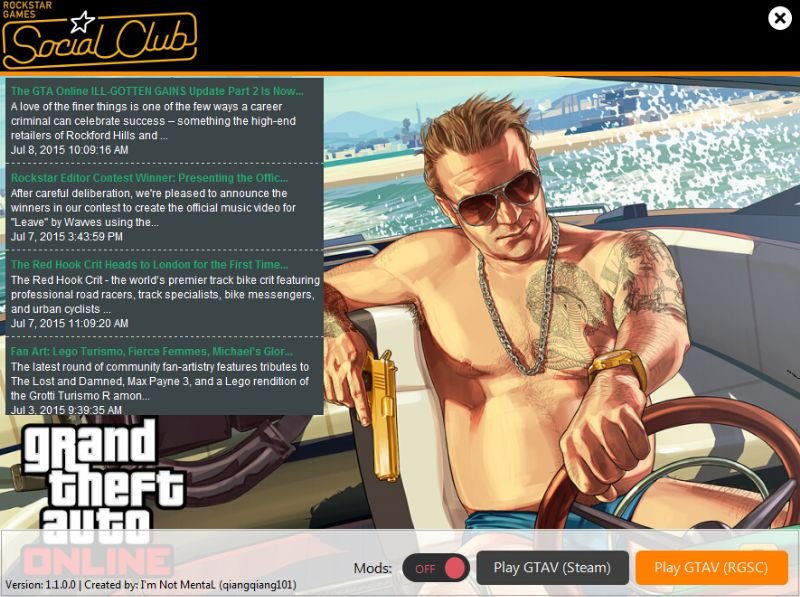
Note: If you are using v1.0 and you’re about to update to v1.1, please turn on mods before upgrading!
Features:
– Allow to switch on/off Mods with this Launcher
– Allow to Launch Steam/Non Steam GTAV
Installation:
Extract “PlayGTA5.exe”, “xinput9_1_0.dll”, “icudt.dll”, “awesomium_process”, “Awesomium.Windows.Forms.dll”, “awesomium.dll”
& “Awesomium.Core.dll” to your GTAV Root Folder. (Where “GTA5.exe“ located.)
FAQ:
1. Where to put mods? How to Add Mods?
– Asi Mods put on GTAV Root Folder (Where “GTA5.exe“ located.), Lua Mods put on “GTAV Root Folder\scripts\addins” and DotNet Mods put on “GTAV Root Folder\scripts”
2. How it works?
– It just rename the Scripthook to “*.disabled”. OpenIV Mods cannot be switch off because it edits game files. Sorry about that!
Changelog:
v1.1
– Fix dinput8.dll not completely disable
v1.0
– Initial Release
Credits:
I’m Not MentaL (qiangqiang101)
Download mod
| File | File size |
|---|---|
 GTA5_Launcher
 | 16 MB |
![Honda Click 150i 2018 [Add-on]](https://gta5mod.net/wp-content/uploads/2021/07/Honda-Click-150i-2018-150x150.jpg "Honda Click 150i 2018 [Add-on]")
![GTA V High Priority Launcher [FPS Boost - CPU Usage & RAM Optimizer] 1.7](https://gta5mod.net/wp-content/uploads/2019/08/GTA-V-High-Priority-Launcher.png "GTA V High Priority Launcher [FPS Boost - CPU Usage & RAM Optimizer] 1.7")

A wont cu danlovd gta5