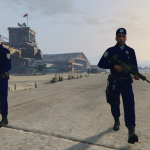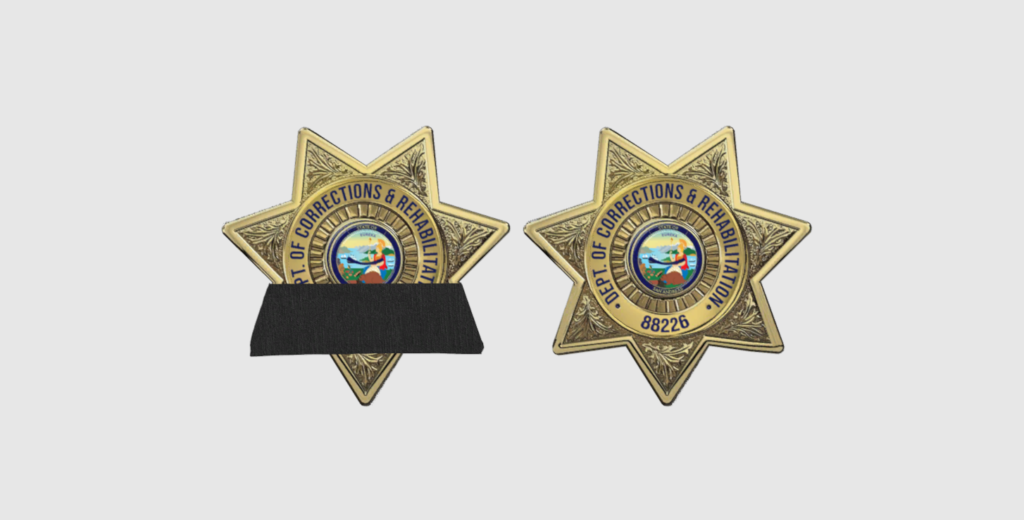
Parole & Corrections variant, with mourning band included. Necklace, belt, and version with/without nameplate included. I am too lazy to take any good looking photos.
Instructions:
- Download and install OpenIV. Follow the on-screen instructions to complete the installation.
- Launch OpenIV. Open the OpenIV application and select “Windows” under the Grand Theft Auto V section.
- Enable Edit Mode. Once OpenIV is open, click on the “Edit mode” button located at the top of the window. A prompt will appear asking for confirmation; click “Yes” to enable edit mode.
- Install MpClothes DLC Pack. Extract the downloaded file to a convenient location on your computer.
- Locate the mpclothes Folder. In OpenIV, navigate to the following path: mods > update > x64 > dlcpacks. Drag and drop the extracted mpclothes folder into this directory.
- Add MpClothes to the dlclist.xml. In OpenIV, navigate to: mods > update > update.rpf > common > data. Find and right-click on dlclist.xml and select “Edit”. Add the following line at the bottom of the list but before the closing </Paths> tag: <Item>dlcpacks:/mpclothes/</Item> Save and close the editor.
- Drag and Drop Files. Now, you can add custom clothing items to the mpclothes DLC pack. Drag and drop your clothing files into the respective folders within the mpclothes directory: mp_m_freemode_01_mp_m_clothes_01 for male clothing items, mp_f_freemode_01_mp_f_clothes_01 for female clothing items.
- Verify Installation. Launch GTA V and enter single player mode. Use a trainer or a mod menu to access the new clothing items added via the mpclothes DLC pack.
Credits:
Stormwatch
Download mod
| File | File size |
|---|---|
 SADCR Badge
 | 7 MB |
![San Andreas Department of Corrections and Rehabilitation Pack [EUP] SinglePlayer V1.0](https://gta5mod.net/wp-content/uploads/2024/01/San-Andreas-Department-of-Corrections-and-Rehabilitation-Pack2-150x150.png "San Andreas Department of Corrections and Rehabilitation Pack [EUP] SinglePlayer V1.0")