
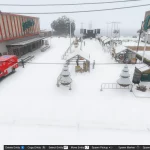
![Paleto Bay Airport [Add-On SP / FiveM] 1.0](https://gta5mod.net/wp-content/uploads/2022/01/Paleto-Bay-Airport-1-1024x575.webp)
![Paleto Bay Airport [Add-On SP / FiveM] 1.0](https://gta5mod.net/wp-content/uploads/2022/01/Paleto-Bay-Airport-1.webp)
![Paleto Bay Airport [Add-On SP / FiveM] 1.0](https://gta5mod.net/wp-content/uploads/2022/01/Paleto-Bay-Airport3-1-scaled.webp)
![Paleto Bay Airport [Add-On SP / FiveM] 1.0](https://gta5mod.net/wp-content/uploads/2022/01/Paleto-Bay-Airport2-1-scaled.webp)
“Hi, this is a quick and simple creation to help people connect the north and south of the map faster using an air vehicle. have fun <3 ”
For more détail you have a video demo & Read the READ ME file inside the ZIPInstallation SINGLEPLAYER:
1) – Open the file with 7zip, Winrar or any other program that allows you to unzip
these types of files.
2) – Put “patoche_paleto_airport_sp” folder into ‘mods/update/x64/dlcpacks’ director.
3) – add dlcpacks:/patoche_archihome_sp/ in the dlclist.xml located at ‘mods/update.rpf/common/data’.
4) – Start your Singleplayer party and let’s go
Installation FIVEM MAPPING:
Mapping [FIVEM]:
step 1: Copy/Past the folder ” patoche_paleto_airport ” on your resource folder .
step 2: Open your server.cfg and Start/Encure patoche_paleto_airport .
Changelog:
🛠️ What’s new in V2:
– Optimized map size: reduced from 54 MB → 31 MB
( The V2 download is 140 MB, but that’s because it includes both the FiveM and SP locations, as well as the color/black & white map edits for FiveM)
– Expanded area
– Added a modern MLO hangar (perfect for a garage, airplane spawn, or even a chill zone if you claim the spot)
– Editable textures: customize the sign and logo
– Improved access road to the airport
– Better distance rendering (LOD)
– Improved night lights (LOD Light)
Two different locations available for installation
⚠️ Important: you must choose only one location (cannot install both at the same time).
⚠️ Important note for Singleplayer users:
The map works fine (it was used to record the showcase video), however:
There is a small issue with the transition between the GTA map and the custom airport.
Some props remain persistent.
→ The map is still playable and functional, just be aware of this limitation.
Credits:
Patoche
Download mod
| File | File size |
|---|---|
 patoche_paleto_airport_gta5mod
 | 136 MB |
![Paleto Bay Airport [Add-On SP / FiveM] 1.0](https://gta5mod.net/wp-content/uploads/2022/01/Paleto-Bay-Airport-150x150.webp "Paleto Bay Airport [Add-On SP / FiveM] 1.0")

![Procopio Beach International Airport ( Paleto Bay ) [ Menyoo ] 1.0](https://gta5mod.net/wp-content/uploads/2021/11/Procopio-Beach-International-Airport-150x150.webp "Procopio Beach International Airport ( Paleto Bay ) [ Menyoo ] 1.0")
![Paleto Bay Airport [Menyoo] v1.0](https://gta5mod.net/wp-content/uploads/2022/10/Paleto-Bay-Airport-150x150.webp "Paleto Bay Airport [Menyoo] v1.0")
