
![Apartment [YMAP] 2.0](https://gta5mod.net/wp-content/uploads/2021/06/Apartment.jpg)
![Apartment [YMAP] 2.0](https://gta5mod.net/wp-content/uploads/2021/06/Apartment2.jpg)
![Apartment [YMAP] 2.0](https://gta5mod.net/wp-content/uploads/2021/06/Apartment3.jpg)
![Apartment [YMAP] 2.0](https://gta5mod.net/wp-content/uploads/2021/06/Apartment4.jpg)
![Apartment [YMAP] 2.0](https://gta5mod.net/wp-content/uploads/2021/06/Apartment5.jpg)
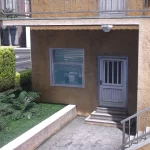
Here is my mapping Apartment
The mapping is in YMAP.
Installation SINGLEPLAYER (GTA5):
A – Extract the rar file, take home.YMAP from the folder
B – Open OpenIV, install it if you do not already have it.
C – Make sure you switch to edit mode!
D – Click Update> x64> dlcpacks> custom_maps> dlc.rpf> x64> levels> gta5> citye> maps> custom_maps.rpf
E – Then take home.YMAP and drag it into OpenIV, then start your game!
Installation FIVEM:
A- Open the file with Winrar or any other program that allows you to unzip these types of files
B- Create a folder ‘mapping’ (if you do not have one)
C- Put the folder “home” in the folder ‘mapping’
D- Go to the root of your server and open the server.cfg file
E- Start mapping (home)
Good day or evening to you and have fun 🙂
Credits:
YePeezFive
Download mod
| File | File size |
|---|---|
 home
home | 41 KB |

![Malibu Apartment [YMAP | .NET] 1.0](https://gta5mod.net/wp-content/uploads/2021/12/Malibu-Apartment-150x150.jpg "Malibu Apartment [YMAP | .NET] 1.0")
![Venice Beach Apartment [Menyoo / YMAP] 1.0](https://gta5mod.net/wp-content/uploads/2022/03/Venice-Beach-Apartment-150x150.webp "Venice Beach Apartment [Menyoo / YMAP] 1.0")
![Vespucci Beach Apartment + Stash [ymap] [xml] 1.0](https://gta5mod.net/wp-content/uploads/2022/04/Vespucci-Beach-Apartment-150x150.webp "Vespucci Beach Apartment + Stash [ymap] [xml] 1.0")
