
![Car Show [MapEditor] 1.0](https://gta5mod.net/wp-content/uploads/2020/11/Car-Show.jpg)
![Car Show [MapEditor] 1.0](https://gta5mod.net/wp-content/uploads/2020/11/Car-Show5.jpg)
![Car Show [MapEditor] 1.0](https://gta5mod.net/wp-content/uploads/2020/11/Car-Show2.jpg)
![Car Show [MapEditor] 1.0](https://gta5mod.net/wp-content/uploads/2020/11/Car-Show3.jpg)
![Car Show [MapEditor] 1.0](https://gta5mod.net/wp-content/uploads/2020/11/Car-Show4.jpg)
Installation
1. Install ScriptHookV
2. Install the latest ScriptHookVDotNet
3. Download NativeUI version
4. Download Guadmaz’ Map Editor
5. Move Autosave.xml file from the .zip into your GTA 5 main directory,
6. Load Autosave.xml with Map editor.
Changes:
Added more peds & vehicles
Credits:
Gamer9999
Download mod
| File | File size |
|---|---|
 CarShow
 | 15 KB |
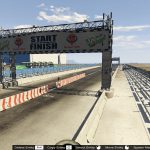
![Car Show [Menyoo] v2.0](https://gta5mod.net/wp-content/uploads/2020/06/Car-Show-150x150.jpg "Car Show [Menyoo] v2.0")

![Car Show [Menyoo] 1.0](https://gta5mod.net/wp-content/uploads/2020/12/Car-Show-150x150.jpg "Car Show [Menyoo] 1.0")

Please I wanna play this game please