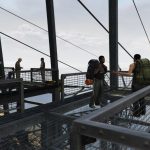


This mod adds a custom map location to GTA V using a YMAP file. The map was created to enhance the environment with a detailed and optimized scene. It is suitable for gameplay, screenshots, and Rockstar Editor recordings.
Features
– Custom YMAP map
– Optimized performance
– Compatible with Rockstar Editor
– High quality map placement
– Easy installation
– Supports Singleplayer and FiveM
Coordinates
-950.7408, 6266.09473, 3.045925
Installation
FiveM:
– Place the resource folder into your server resources directory
– Add ensure khaospackone to your server.cfg
– Restart the server or start the resource manually
Singleplayer:
Requirements:
– OpenIV
– Map Builder
Installation:
– Install Map Builder if not already installed
– Open OpenIV and enable Edit Mode
– Go to mods/update/x64/dlcpacks/custommaps/dlc.rpf
– Navigate to x64/levels/gta5/maps/custommaps/
– Add the included files of the map
– Make sure custommaps is enabled in dlclist.xml
– Add dlcpacks:/custommaps/ to dlclist.xml
– Start GTA V and the map will load in Singleplayer
Credits:
Khaostore
Download mod
| File | File size |
|---|---|
 khaospacktwo
 | 858 KB |
![Traffic Plus+ Lore-Friendly, The Scenarios Update [Cargens | Scenarios | SP / FiveM] 3.0 (The Contract)](https://gta5mod.net/wp-content/uploads/2022/07/Traffic-Plus-150x150.jpeg "Traffic Plus+ Lore-Friendly, The Scenarios Update [Cargens | Scenarios | SP / FiveM] 3.0 (The Contract)")
![Scenarios Pack One [YMAP / FiveM] V1.0](https://gta5mod.net/wp-content/uploads/2026/02/Scenarios-Pack-One-150x150.webp "Scenarios Pack One [YMAP / FiveM] V1.0")