
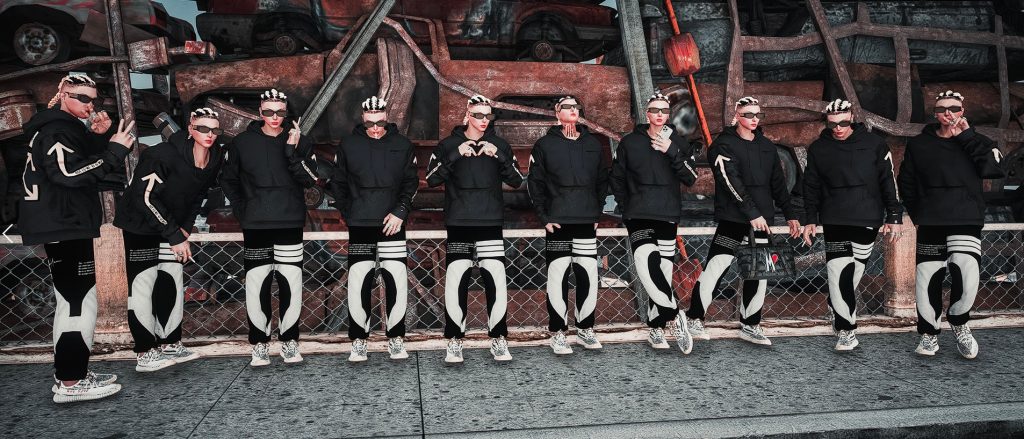
Installation
— Singleplayer
1. Install the YCD files by click and dropping to:
Grand Theft Auto V\mods\update\x64\dlcpacks\patchday4ng\dlc.rpf\x64\anim\ingame\[email protected]\
2. We suggest to use Menyoo trainer for the pose. Go to menyooStuff and edit the FavoriteAnim.xml and add the code provided in “FavoriteAnim for Menyoo”. Copy paste the Anim Dict after your last favorite animation.
3. Go play
— FiveM
1. Drop the YCD files inside stream/CasinoEmotes/ or if you don’t have stream folder, drop the stream folder to the dpemotes folder.
2. Copy the “Code for DPEmotes” code into AnimationList.lua found in Client folder. If you are a dev, please know what you’re doing. Check the codesample where to paste it or whatever.
P.S. Please use Notepad++ or Visual Code Studio (this is what I use)
Credits:
Justkidding
Download mod
| File | File size |
|---|---|
 stand Pose
 | 64 KB |
![Mechanic-CarDealer-Gas station-Food Stand [YMAP / FiveM] 1.0](https://gta5mod.net/wp-content/uploads/2020/07/Mechanic-CarDealer-Gas-station-Food-Stand-150x150.jpg "Mechanic-CarDealer-Gas station-Food Stand [YMAP / FiveM] 1.0")
![[MLO] Legion Hotdog Stand Interior 1.0](https://gta5mod.net/wp-content/uploads/2020/08/Legion-Hotdog-Stand-Interior-1.0-150x150.jpg "[MLO] Legion Hotdog Stand Interior 1.0")
![POLICE STAND [MapEditor] 1.0](https://gta5mod.net/wp-content/uploads/2020/10/POLICE-STAND-150x150.jpg "POLICE STAND [MapEditor] 1.0")
![Pink Motel Food Stand Blarneys GTAV Map-Harita [ YMAP / FiveM / SP ] 1.1](https://gta5mod.net/wp-content/uploads/2022/08/Pink-Motel-Food-Stand-Blarneys-GTAV-Map-Harita2-150x150.png "Pink Motel Food Stand Blarneys GTAV Map-Harita [ YMAP / FiveM / SP ] 1.1")
