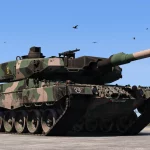
![Leopard 2 PSO "Desert Odyssey" [Livery] V1.0](https://gta5mod.net/wp-content/uploads/2026/05/Leopard-2-PSO.jpg)
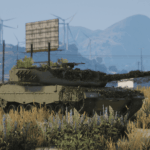
![Leopard 2 PSO "Desert Odyssey" [Livery] V1.0](https://gta5mod.net/wp-content/uploads/2026/05/Leopard-2-PSO2.jpg)
![Leopard 2 PSO "Desert Odyssey" [Livery] V1.0](https://gta5mod.net/wp-content/uploads/2026/05/Leopard-2-PSO3.jpg)
INSTALATION
in order to install you need:
Open IV
and
Leopard 2 PSO [Add-On]
Next you need to open the file in OpenIV.
in order to do that u drag the leo2pso folder into OpenIV and go this path –
leo2pso >dlc.rpf >x64 >levels >gta5 >vehicles >vehicles.rpf
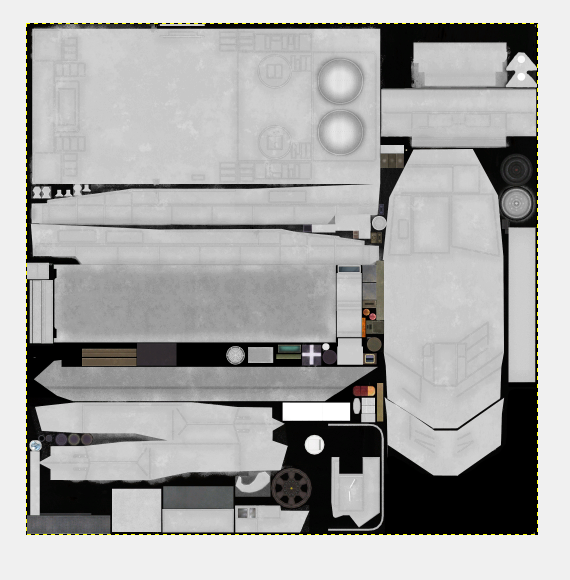
inside the vehicle.rpf folder you will find YTD file which you delete and move the new YTD file you downloaded.
After that u can check if livery was applied by opening leo2pso.yft
Credits:
R_xMilo
Download mod
| File | File size |
|---|---|
 Leopard 2 PSO-livery
 | 63 MB |
![Leopard 2 PSO [Add-On] V1.0](https://gta5mod.net/wp-content/uploads/2023/10/Leopard-2-PSO-150x150.webp "Leopard 2 PSO [Add-On] V1.5")
![Leopard 2A7 [Add-On] 1.0](https://gta5mod.net/wp-content/uploads/2022/10/Leopard-2A7-150x150.webp "Leopard 2A7 [Add-On] 1.0")