


Bloodhound Q50 Hand Tatt
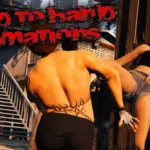
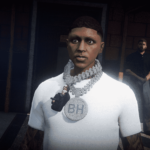
Custom hand tatt I did. Can be used in FiveM or Single Player.
Replaces
Big Cat – Left Arm
Grenade – Right Arm
1.Start by opening OpenIV, and make sure to activate ‘Edit mode’ for modifying game files.
2.Navigate to the Tattoo Files: Go to the following path Grand Theft Auto V\x64v.rpf\models\cdimages\ped_sp_overlay_txds.rpf
3.Add the Mod File: Transfer the mod file to this location within OpenIV, and then save your changes to add the new tattoo to game.
Credits:
Hrdbdyz
Download mod
| File | File size |
|---|---|
 BHQ50
BHQ50 | 155 KB |
![BloodHound dog [Replace / FiveM]](https://gta5mod.net/wp-content/uploads/2025/10/BloodHound-dog-150x150.webp "BloodHound dog [Replace / FiveM]")
![2014 Infiniti Q50 VIP [Add-On / Replace] 1.0](https://gta5mod.net/wp-content/uploads/2020/09/2014-Infiniti-Q50-VIP-150x150.jpg "2014 Infiniti Q50 VIP [Add-On / Replace] 1.0")
![2014 Infiniti Q50 [Add-on | Fivem] V1.0](https://gta5mod.net/wp-content/uploads/2025/02/2014-infinity-G50-150x150.webp "2014 Infiniti Q50 [Add-on | Fivem] V1.0")
