
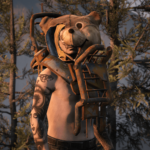
![FO4 Mascot Mask for MP Male/Female [FiveM & Singleplayer] V1.0](https://gta5mod.net/wp-content/uploads/2025/03/FO4-Mascot-Mask-for-MP-Male-1024x530.webp)
![FO4 Mascot Mask for MP Male/Female [FiveM & Singleplayer] V1.0](https://gta5mod.net/wp-content/uploads/2025/03/FO4-Mascot-Mask-for-MP-Male.webp)
![FO4 Mascot Mask for MP Male/Female [FiveM & Singleplayer] V1.0](https://gta5mod.net/wp-content/uploads/2025/03/FO4-Mascot-Mask-for-MP-Male2.webp)
Old model I worked on a while back, works really well made new textures
(includes 5 textures)
How to Install:
Single Player:
– Start OpenIV and enable “Edit Mode”
– Open the folder labeled “Singleplayer” located in this mods download
[Using OpenIV]
(for male)
update/x64/dlcpacks/mpstunt/dlc.rpf/x64/models/cdimages/mpstuntmalep.rpf/mpmfreemode01pmpmstunt01
(for female)
update/x64/dlcpacks/mpstunt/dlc.rpf/x64/models/cdimages/mpstuntfemalep.rpf/mpffreemode01pmpfstunt01
(they both replace the stunt helmet (phead012.ydd)
FiveM:
– Just drag and drop the files located inside the [FiveM] Folder, there is replace options as well as add-on
(replace will replace the mpstunt helmet like it does for singleplayer installation).
[Replace FiveM]
drag and drop the folder called (fo4mascotreplace) into your resources folder for your FXServer
Credits:
Kofii_Dev
Download mod
| File | File size |
|---|---|
 kd_fo4mascot
 | 37 MB |
![Canadian Armed Forces for MP Freemode Male [Singleplayer & FiveM Addon] [SinglePlayer Addon] V1.1](https://gta5mod.net/wp-content/uploads/2025/01/Canadian-Armed-Forces-for-MP-Freemode-Male-150x150.webp "Canadian Armed Forces for MP Freemode Male [Singleplayer & FiveM Addon] [SinglePlayer Addon] V1.1")
![Cold War Era - United States Armed Forces [Singleplayer & FiveM Addon] [SinglePlayer Addon 1.0]](https://gta5mod.net/wp-content/uploads/2025/11/Cold-War-Era-United-States-Armed-Forces-150x150.png "Cold War Era - United States Armed Forces [Singleplayer & FiveM Addon] [SinglePlayer Addon 1.0]")

![M53 Gas Mask [Flip Up & Down] [EUP] 1.1 (Singleplayer path added)](https://gta5mod.net/wp-content/uploads/2021/05/M53-Gas-Mask-150x150.png "M53 Gas Mask [Flip Up & Down] [EUP] 1.1 (Singleplayer path added)")
