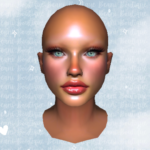
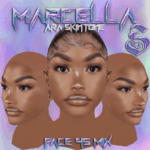
This mod includes 1 female skin head replacement. Information on mod & download instructions can be found below.
Kali:
Female Skin Head – 35
Skin tone – CHI
HOW TO INSTALL:
> Single Player:
– Go to “OpenIV” and click on the top right side where it says “EDIT MODE”
– In your files go to: mods\x64v.rpf\models\cdimages\streamedpeds_mp.rpf\mp_f_freemode_01\head_diff_017_a_chi
– Once in the folder just drag and drop the file to replace.
> FiveM:
– Super simple, just drag the YTD file to your stream folder (:
– Skin will replace SKIN ID 17 or you can change the end number to replace any CHI head. [6, 7, 17, 18, 27, 28, 39, 40]
Credits:
KuzaCustoms
Download mod
| File | File size |
|---|---|
 Kali 017-CHI
 | 1 MB |