


💰 Enhanced Banking & ATM Transactions for GTA V 💳
🔹 Features:
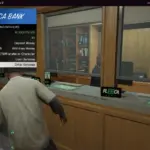
✅ Bank & ATM System – Withdraw or deposit money at Fleeca Bank branches and ATMs.
✅ Interactive Blips – Green 🏦 Bank Blips and Blue 💵 ATM Blips now show on the map.
✅ User-Friendly Transactions – Easily input amounts using the Numpad and confirm with Enter.
✅ Realistic Banking Mechanics – Track your bank balance and cash balance seamlessly.
✅ Easy-to-Use Controls:
At Fleeca Banks (🟢) – Press U to withdraw, T to deposit.
At ATMs (🔵) – Press 5 (Numpad) to withdraw, T to deposit.
Enter Amount – Use Numpad 0-9 to type an amount.
Confirm Transaction – Press Enter to complete.
Delete Amount – Press Backspace to correct mistakes.
📌 How to Install?
1️⃣ Drag & drop BankATMSystem.dll into your scripts folder.
2️⃣ Ensure you have ScriptHookV & ScriptHookVDotNet installed.
3️⃣ Launch the game and enjoy banking like never before! 🚀
Changelog:
🆕 What’s New in v1.1?
✔️ Added ATM & Bank Blips on the mini-map for easy navigation.
✔️ Optimized Transaction System for better accuracy & faster input.
✔️ Bug Fixes – Resolved minor UI issues with notifications.
Credits:
Jamalrodney77
Download mod
| File | File size |
|---|---|
 Bank & Fleeca ATM System (v1.1)
 | 4 KB |


![[MLO] Vespucci Mall Fleeca Bank [alt:V / RageMP / Add-On SP] 1.0](https://gta5mod.net/wp-content/uploads/2021/06/Vespucci-Mall-Fleeca-Bank.webp "[MLO] Vespucci Mall Fleeca Bank [alt:V / RageMP / Add-On SP] 1.0")
