
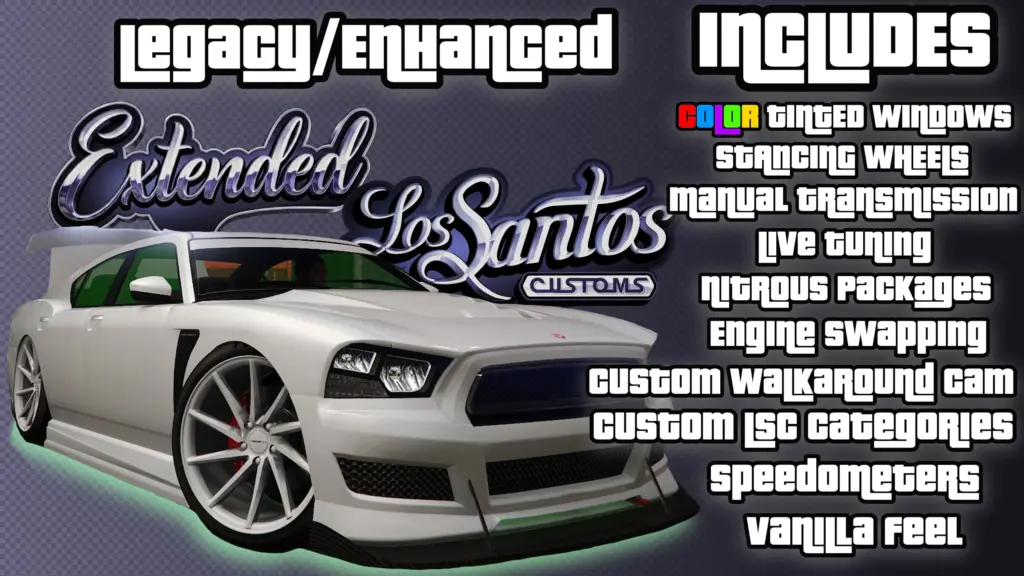
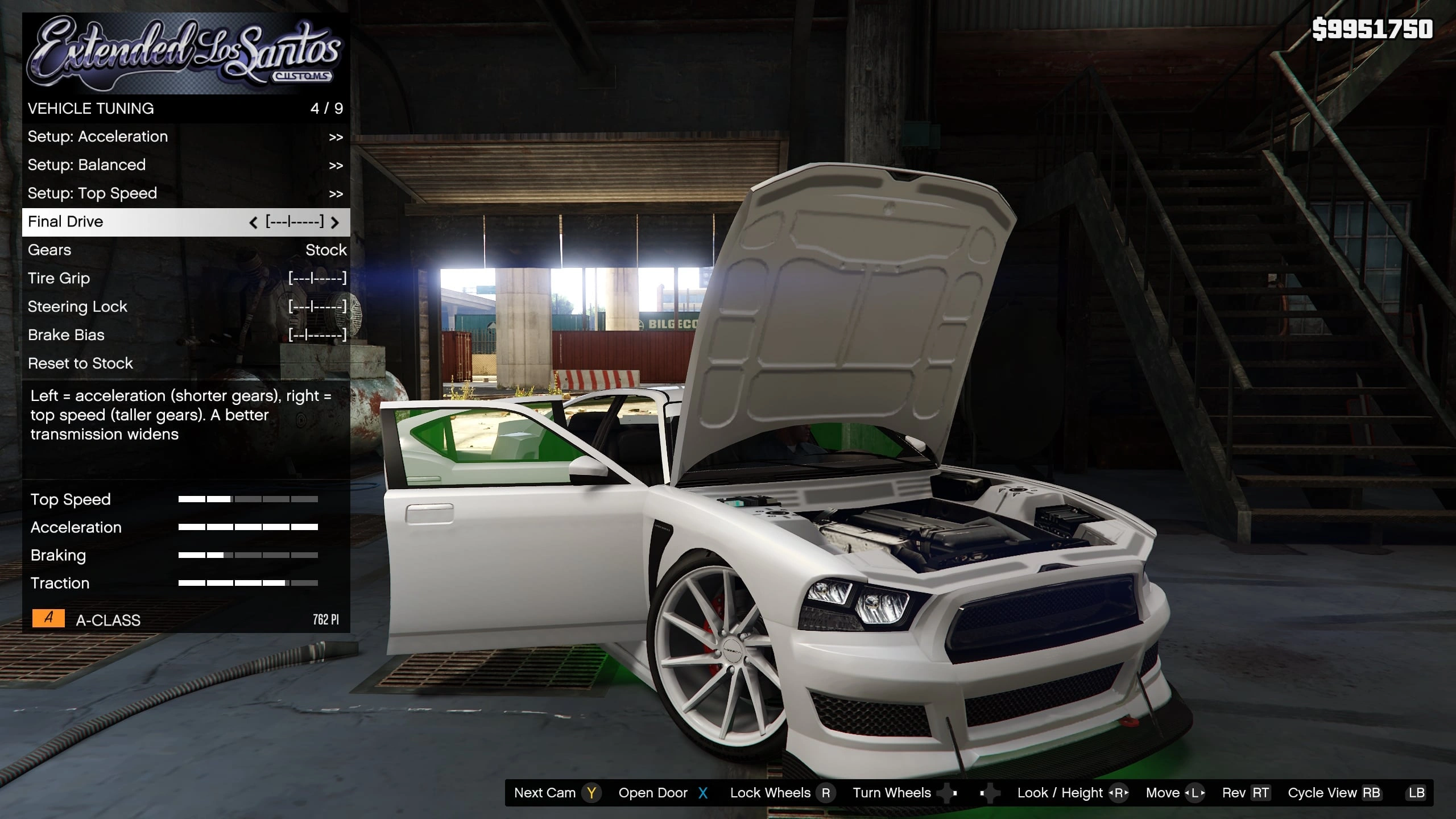
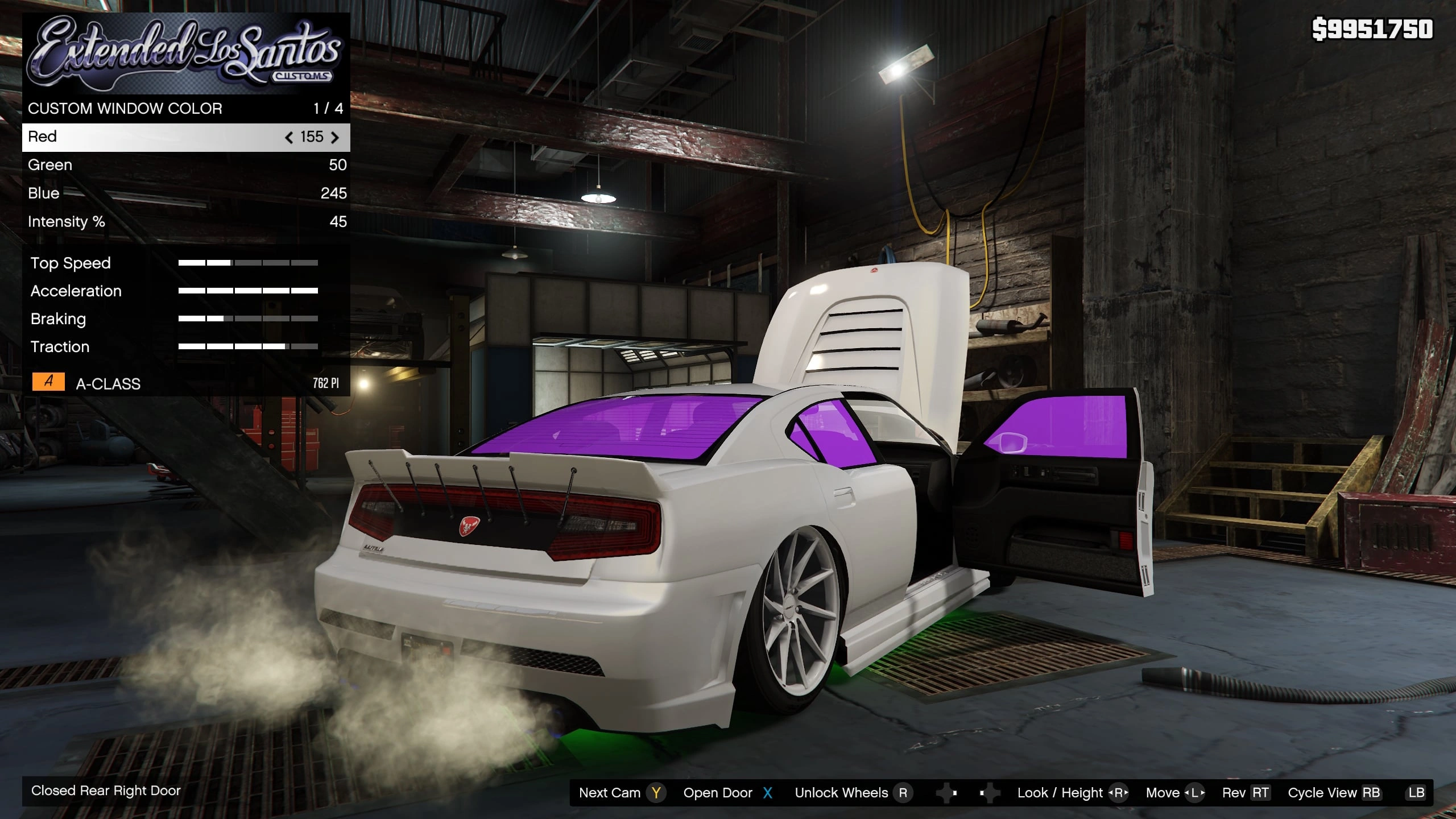
A single-player script that rebuilds Los Santos Customs from the ground up. An authentic LSC experience with a stack of optional power-user features layered on top, for BOTH GTA V Legacy AND Enhanced (one DLL auto-detects your edition).
>> DESIGNED CONTROLLER-FIRST. ELSC was built and tuned around a CONTROLLER. Keyboard & mouse is fully supported, but it’s the secondary scheme controller is the intended way to play.
*** THIS IS MY FIRST SCRIPT MOD ***
ELSC is the first script (.NET/SHVDN) mod I’ve made — everything before this was vehicles. It’s a big, ambitious project that touches a lot of the game, so there ARE going to be bugs and rough edges, especially on different setups and resolutions. I’ll fix issues as they roll in, so please report anything you hit (with as much detail as you can) and I’ll get to it. Thanks for your patience while it matures.
It’s also fully OPEN SOURCE — build it yourself, learn from it, or send fixes:
https://github.com/TabbedScamper/ExtendedLSC
FEATURES
The mod is built as a “Main Course + Side Course.” The Main Course is always on; every Side Course feature can be toggled in settings.ini (set them all to false for a pure LSC clone).
MAIN COURSE (the core LSC clone – always on)
– Faithful Los Santos Customs menu recreation
– Real performance stat bars (Top Speed / Acceleration / Braking / Traction) read straight
from the car’s handling, plus a live Performance Index
– Mod preview on hover (see the part before you buy)
– Per-vehicle ownership tracking with car sprite icons
– A pile of quality-of-life improvements over the vanilla LSC menu
SIDE COURSE (optional – toggle in settings.ini)
– Custom Camera …….part-focused camera presets + a full walk-around / free-roam cam
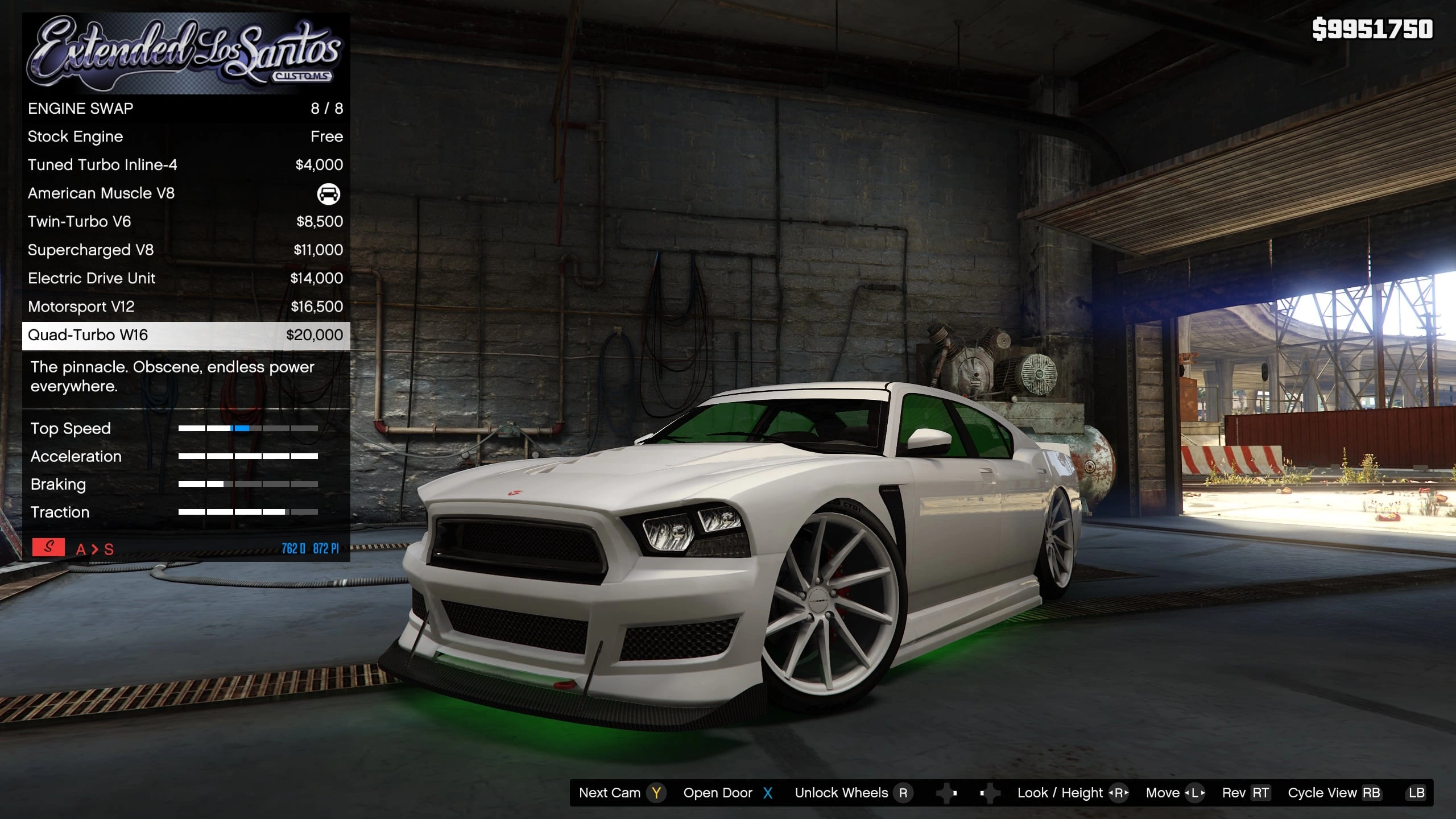
– Extended Categories … engine swaps (swaps the SOUND and power), extras, etc…
– Vehicle Packages …… save & load complete mod presets per car
– Vehicle Tuning …….. live handling editing with sliders
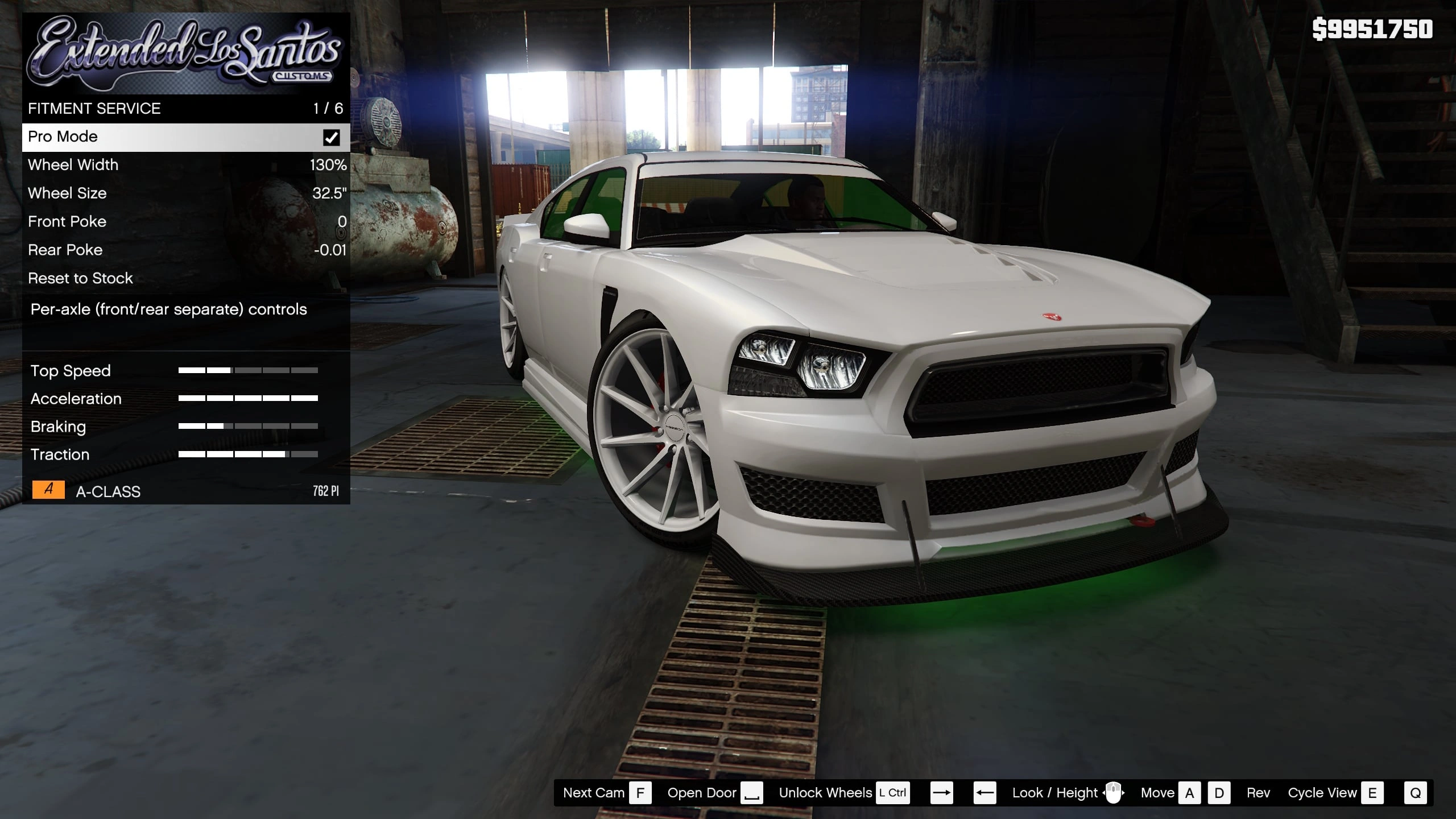
– Wheel Fitment / Stance per-axle camber, track/poke, height, and wheel size + width
– Manual Transmission … a per-vehicle manual gearbox with clutch, rev limiter, shift feel, exhaust pops, and optional nitrous
– Light Customization … headlight + neon color and brightness
– Window Glass Color … custom window tints (needs optional Glass DLC, see below)
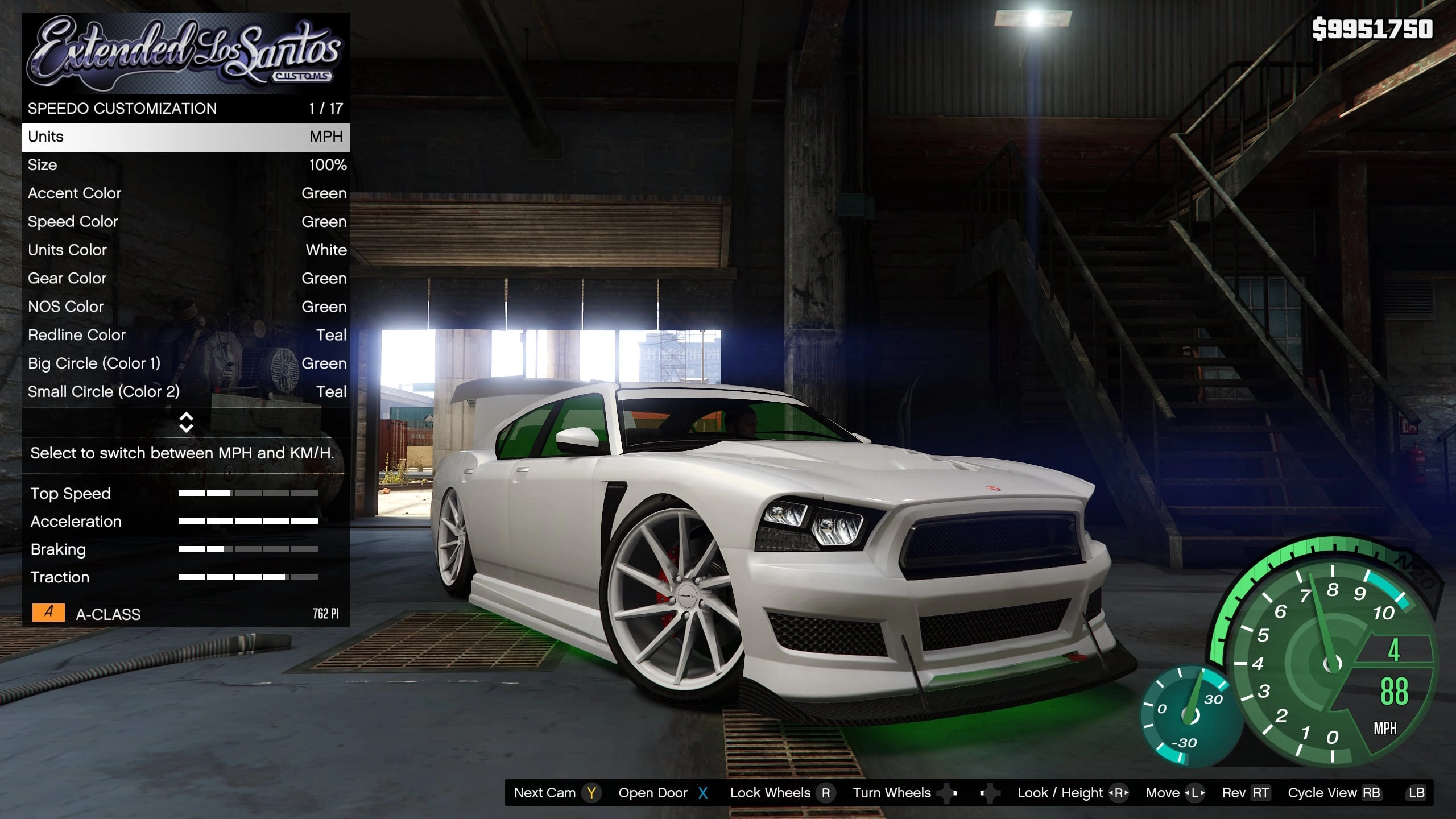
– Speedometers ………. several styles, customizable colors
– Customize Radio ……. loop YOUR OWN mp3/wav files (drop them in scripts\ExtendedLSC\radio)
– Idle Cinematic …….. a showcase orbit camera after a few seconds of no input
– Keep Steering Angle … the front wheels stay turned where you left them on exit
FOR MODDERS — SHIP A CUSTOM MENU WITH YOUR VEHICLE OR WHEEL PACK
ELSC isn’t only for players — it’s a framework for creators. If you build add-on cars or wheel packs, ELSC lets you organize YOUR custom parts into your OWN named categories in the Los Santos Customs menu (instead of the generic flat slot list), with custom names and prices, and ship that layout as a tiny folder that auto-loads for your vehicle. No more “Spoiler / Spoiler 1 / Spoiler 2” — give your parts real names like “Widebody Kit” or “Baja Bumpers.”
– IN-GAME EDIT MODE (no code): set EditorMode = true in settings.ini, open the menu (F5), press F6. Add named categories, pick parts from the game slots, rename them, set prices, and hide the default categories you don’t want. It all saves to scripts\ExtendedLSC\Vehicles\{yourCar}\ automatically — just zip that folder and ship it next to your vehicle.
– OR HAND-WRITE THE JSON (a folder per category + items.json) for full control and nesting.
– WHEEL-PACK MAKERS: ship named wheel categories that appear on EVERY car. The included B-RIMS categories (scripts\ExtendedLSC\Universal\) are a working example.
– The included PURE quad menu (scripts\ExtendedLSC\Vehicles\) is a ready-made per-vehicle example.
Full modder guide with the JSON format: docs\CUSTOM-MENUS.md in the GitHub repo.
RECOMMENDED COMPANION MODS (they power the example menus already inside ELSC)
ELSC already ships with ready-made ELSC menus for two of my other mods — working showcases of the custom-menu framework above. Install them (both are free, Legacy + Enhanced) and the menus fill up with real content, no setup:
B-Rims (368 Rim Pack)
ELSC includes pre-built wheel categories for this pack. Install B-Rims and all 368 rims appear sorted into named categories on EVERY car in ELSC — that’s what the included
scripts\ExtendedLSC\Universal\ menus are for.
PURE (250 Parts Add-On)
ELSC includes a ready-made custom menu for the PURE add-on car. Install PURE and its 250+ parts drop into clean named categories — a live example (scripts\ExtendedLSC\Vehicles\) of exactly what YOU can build and ship for your own vehicle.
REQUIREMENTS
GTA V (story mode) – Legacy OR Enhanced
.NET Framework 4.8 (built into Windows 10/11)
Visual C++ 2019 x64 Redistributable
*** TESTED / KNOWN-GOOD VERSIONS (Legacy) ***
– GTA V Legacy build 1.0.3788.0 (v3788)
– ScriptHookV the build for v3788 (Apr 2026)
– ScriptHookVDotNet 3 NIGHTLY v3.7.0.167 (API 3.7.0)
>> IMPORTANT: the STABLE 3.6.0 release was NOT enough for me — I had to use the SHVDN 3 NIGHTLY to get it to load. If ELSC won’t load, an out-of-date ScriptHookVDotNet is the #1 cause.
GTA V LEGACY:
– ScriptHookV (Alexander Blade)
– ScriptHookVDotNet 3 (crosire)
(use the NIGHTLY — see the tested versions above)
GTA V ENHANCED:
– ScriptHookV for Enhanced (Alexander Blade)
– Script Hook V .NET Enhanced
(place ScriptHookVDotNet.asi + the .dll/.ini AND MinHook.x64.dll in your game folder)
INSTALL (the script – same for both editions)
1: Copy everything inside this “scripts” folder into your game’s “scripts” folder:
scripts\ExtendedLSC.dll
scripts\LemonUI.SHVDN3.dll
scripts\NAudio.dll
scripts\Newtonsoft.Json.dll
scripts\ExtendedLSC\ (the data folder – banner, speedos, wheel/vehicle menus, etc.)
>> DON’T HAVE A “scripts” FOLDER? Create one. Make a new folder named exactly scripts next to GTA5.exe (the same folder that has ScriptHookV.dll), then copy the files above into it.
2: Launch story mode and drive into any Los Santos Customs — ELSC opens AUTOMATICALLY, right where the vanilla LSC menu would. No key needed.
Want to open it anywhere (not just at an LSC shop)? Set OpenAnywhere = true in
scripts\ExtendedLSC\settings.ini, then open the menu wherever you are with:
CONTROLLER: RB + B KEYBOARD: F5
F7 = modder / debug tools. All other keys + toggles are in settings.ini.
OPTIONAL: Glass DLC (for VIVID window colors)
The Window Glass Color feature works without this, but vanilla glass is near-black so the color comes out muddy. This add-on DLC whitens the tintable glass panes (windshield kept clear) so your chosen color shows vividly. It overrides nothing permanently and is fully removable.
LEGACY:
1: Drag the “Glass DLC (Optional)\Legacy\elsc” folder into mods\update\x64\dlcpacks\
2: In OpenIV, open mods\update\update.rpf\common\data\dlclist.xml (Edit Mode)
3: Add this as the LAST line before :
<item>dlcpacks:/elsc/</item>
4: Save, launch, set a window colour in ELSC.
ENHANCED (requires OpenRPF)
https://www.gta5-mods.com/tools/openrpf-openiv-asi-for-gta-v-enhanced:
1: Install OpenRPF, and disable BattlEye in the Rockstar launcher.
2: Drag the “Glass DLC (Optional)\Enhanced\elsc” folder into mods\update\x64\dlcpacks\
3: Open your dlclist.xml and add as the LAST line before
<item>dlcpacks:/elsc/</item>
(LAST is important – it must load after the game’s own patches to take effect.)
4: Save, launch, set a window color in ELSC.
ANTIVIRUS
Like every memory-editing SHVDN mod, ELSC can trip a false positive (it reads/writes the game’s own memory to do things the natives can’t). It is single-player only and makes NO network connections. Add your GTA folder to your AV exclusions, or build the DLL yourself from the source.
Credits:
TabbedScamper
Download mod
| File | File size |
|---|---|
 ExtendedLSC 1.1
 | 101 MB |
![MP Los Santos Customs Clothes [SP / FiveM] ] 1.0](https://gta5mod.net/wp-content/uploads/2020/10/MP-Los-Santos-Customs-Clothes2-150x150.jpg "MP Los Santos Customs Clothes [SP / FiveM] ] 1.0")
![Los Santos Customs ATM [SP / FiveM] 1.0](https://gta5mod.net/wp-content/uploads/2021/01/Los-Santos-Customs-ATM-150x150.jpg "Los Santos Customs ATM [SP / FiveM] 1.0")
![[MLO] Los Santos Customs [Add-On SP / FiveM] 1.0](https://gta5mod.net/wp-content/uploads/2021/05/Los-Santos-Customs-150x150.png "[MLO] Los Santos Customs [Add-On SP / FiveM] 1.0")
