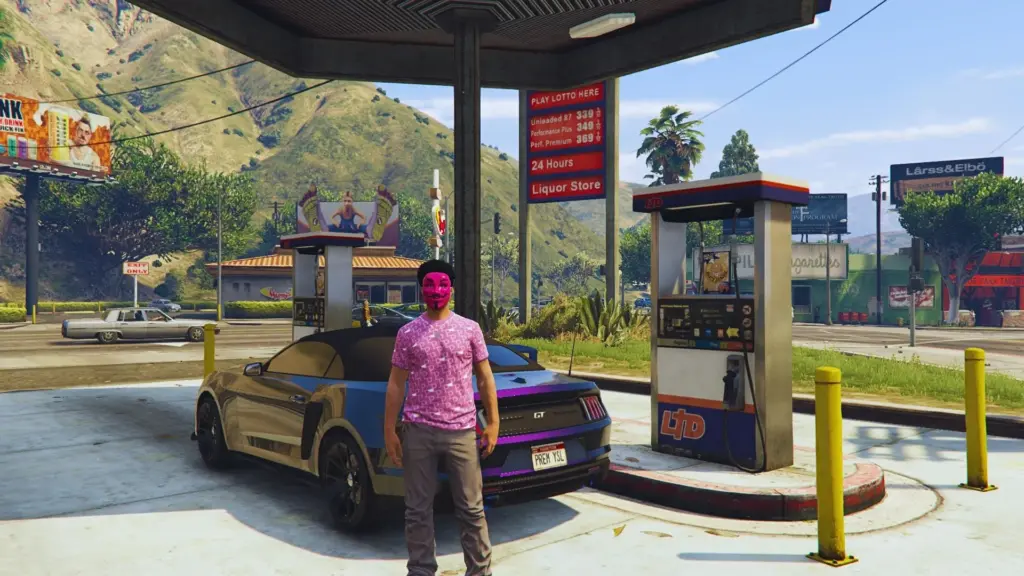
Fuel System is an extensive script that adds a key simulation mechanic to the single-player mode of Grand Theft Auto V: fuel consumption and the necessity of refueling vehicles. Bring realism to Los Santos! Available in both English and Polish.
Requirements:
ScriptHook V
ScriptHookVDotNet 3 (latest nightly version)
Installation:
1) Download and unpack the archive.
2) Choose the language version (ENG or PL).
3) Copy the “.dll” and “.ini” files (optionally the “.wav” file) to the Grand Theft Auto V/scripts/ .
4) Launch the game — done!
Changelog:
v1.6
✔️ The script has been rewritten to ensure minimal CPU usage and better performance.
✔️ Implemented a new station detection system. You must now be closer to the physical fuel pump to begin refueling.
✔️ Added two new configurable variables: BreakdownCheckIntervalMinutes and RefuelDelayMs.
✔️ The fuel gauge is now rendered in a much more engine-friendly manner to ensure smooth gameplay.
✔️ Introduced an automated “memory cleanup” system. The script now automatically clears data for vehicles that have been destroyed or despawned from the game world.
✔️ Added randomized fuel levels. Ambient street cars no longer always start with 100% fuel; levels are now randomized between 30% and 90%.
✔️ The system now utilizes in-game time instead of system time. If you enter the pause menu or minimize the game, fuel consumption and breakdown timers will also pause.
✔️ Fixed a logic bug that could cause negative fuel prices under certain extreme configuration settings.
✔️ Fixed an issue where station blips would duplicate and overlap when reloading scripts in-game.
v1.5.1
✔️Fixed a visual character glitch.
✔️Fixed an issue that reset the character to its default state.
v1.5
✔️ Gas Station Breakdowns: Added a dynamic station breakdown mechanic. Stations can be temporarily disabled for a random duration. An option to enable/disable the breakdown system has been added to the configuration file.
✔️ Refueling Block: Refueling is disabled at malfunctioning stations, and a notification displays the remaining time until repairs are finished.
✔️ Visual Warning: Broken stations are marked with a red Jerry Can blip on the map.
✔️ HUD Editor: Added the ability to freely customize the fuel bar’s position on the screen. The default activation key is F12, and there is an option to completely disable the editor.
✔️ Width Adjustment: Added an option to adjust the fuel bar width (range 0-100), where 100 is the default width and 0 is half the size.
✔️ Fuel Display: Added a precise fuel amount display in Liters (e.g., 45.3 L / 100 L). This can be toggled via the “EnableFuelTextDisplay” option.
✔️ Dynamic Bar Color: The fuel bar turns Red when the fuel level drops below the defined “LowFuelThresholdPercent” threshold.
v1.4
✔️ Realistic Fuel Consumption: Vehicle fuel is consumed dynamically while driving. When the tank is empty, the engine is immediately switched off!
✔️ Fuel Gauge (HUD): An intuitive bar in the bottom-right corner of the screen that informs you about the current fuel level in the tank.
✔️ Refueling at Stations: Visit one of the 27 defined gas stations throughout San Andreas. Drive up, turn off the engine, and press the E key (default) to start refueling.
✔️ Dynamic Prices: Fuel prices at stations can randomly change every 15 minutes (default), introducing an economic element.
✔️ Markers and Blips: Gas stations are clearly marked with yellow cylindrical markers nearby and visible on the map as yellow blips. Option to hide blips (F10 key).
✔️ Low Fuel Warning: A built-in audible alarm warns the player when the fuel level drops below 10%.
✔️ Engine Startup Procedure: After turning the engine on, you must wait a short time (2 seconds) before you can drive the vehicle.
✔️ Manual Engine Shutdown: The T key (default) allows for manually turning off the vehicle’s engine, which is required to begin refueling.
Credits:
premysl_official
Download mod
| File | File size |
|---|---|
 FuelSystem v1.6 by premysl_official
 | 72 KB |