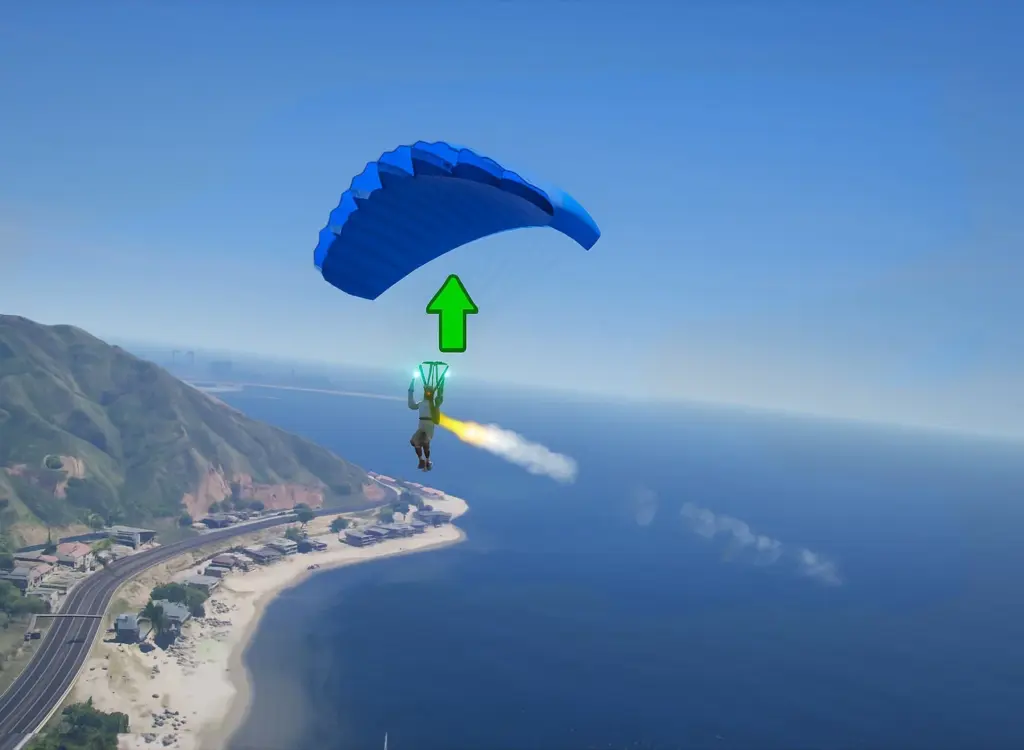


Adds a throttleable engine to your parachute. Hold the thrust key to power-glide,
climb gently, and cruise with a soft speed cap. Includes subtle smoke FX and a custom engine sound. Controls and throttle parameters can be edited in the .ini file.
CONTROLS (default):
– E: Toggle engine on/off
– Space: Apply thrust while parachute is open
– NumPad 8: Increase throttle (10 percent steps)
– NumPad 2: Decrease throttle (10 percent steps)
– F5: Reload INI
INI OPTIONS (scripts/PoweredParachute.ini):
[Controls]
ToggleEngine=E
ThrottleUp=NumPad8
ThrottleDown=NumPad2
ThrustKey=Space
ReloadIniKey=F5
[Flight]
DefaultThrottle=1.0 Range 0.0 to 1.0 (e.g., 0.5 = 50 at start)
INSTALL:
1) Requirements
– Script Hook V (Alexander Blade)
– Script Hook V .NET v3
– .NET Framework 4.8
2) Files
– Copy PoweredParachute.dll, PoweredParachute.ini & PoweredParachute.wav to: Grand Theft Auto V/scripts/
3) Launch
– Press E to enable. Hold Space to thrust while using parachute.
– Edit the INI in-game and press F5 to reload without restarting.
NOTES:
– Thrust only works when the canopy is deploying/open (not in freefall).
– Throttle is capped between 0 percent and 100 percent.
Changelog:
v1.1
– Fixed bug that allowed you to keep accelerating after disabling powered parachute
– Slight tweak to engine sound
Credits:
euphoricrager
Download mod
| File | File size |
|---|---|
 GTA 5 - Powered Parachute Mod v1.1
 | 14 MB |