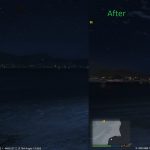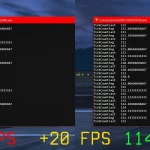
Update= This issue seems to appear only when using amd cpu with an amd discrete gpu.
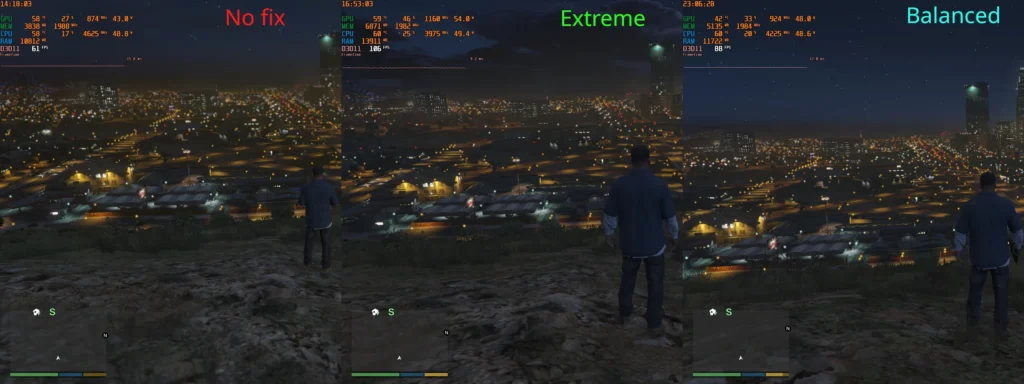
pc parts used in pictures= 5800x and rx 6800
Maybe this will also works on intel cpus, i dont know
This script will fix an issue with amd ryzen 1th/2nd gen processors. I dont know if everyone who use this processor have this issue, but if you have this issue heres a fix.
if you have a decent gaming pc and never experienced this issue,this may not change anything.
this issue decrease fps to 50-60 when looking city/or sandy shores at night, this happen with some ryzen processors.
So this script fix this issue, then you have 75-100fps rather than 50-60 fps(pictures), and this just disable/enable some far lights(lodlights) with a good enough timming, so this script allow more performance with few visual changes.
Requirements:
–ScripthookV.
-This works on a legit Gta V copy.
Install:
-Choose between balanced or extreme(see pictures).
then
drop “Ryzenlightsfix.asi” in your “Grand Theft Auto V” main folder.
Changelog:
V0.9: added mp maps option
V0.8=
-Extreme= lodlight range is reduced, this means more fps but more noticeable lack of lodlight.Very good if you want to achieve 80-90fps everywhere.
– Balanced= lodlight range is increased, this means less fps than extreme, but less noticeable lack of lodlights. Very good if you want to achieve 60fps everywhere.
Credits:
thebegin10
Download mod
| File | File size |
|---|---|
 RyzenFixgta5V0.9
 | 123 KB |