
![Persistence (Save Vehicles) [Enhanced] 1.5.4](https://gta5mod.net/wp-content/uploads/2026/06/Persistence2.png)
![Persistence (Save Vehicles) [Enhanced] 1.5.4](https://gta5mod.net/wp-content/uploads/2026/06/Persistence3.webp)
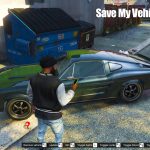
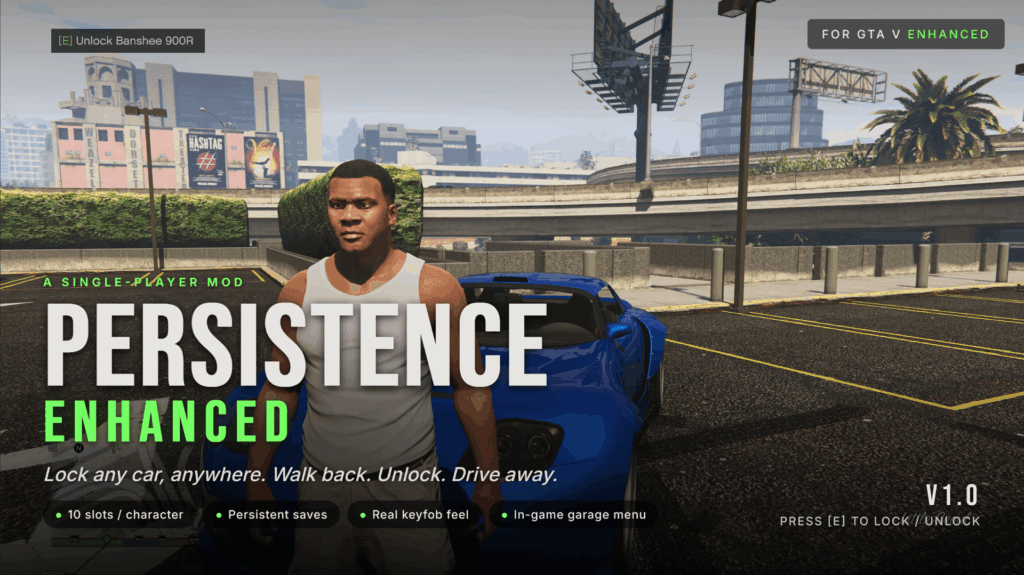
Persistence Pro lets you save any vehicle anywhere on the map and walk back to it later, even after restarting the game. Park it, press [E], and it will be waiting exactly where you left it. No unlock step, no extra menus. Includes per-character garages, colour-coded map blips, and a full in-game menu accessible with [F7].
Installation
Make sure you have installed ScriptHookV (Enhanced-compatible build) and ScriptHookVDotNet (Enhanced nightly).
Locate your GTA V Enhanced install folder (the one containing GTA5 Enhanced.exe). Open or create a scripts subfolder inside it.
Copy the following files from the downloaded ZIP into <GTA V Enhanced>\scripts\:
PersistencePro.dll (required)
PersistencePro.ini (config file, auto-generated on first launch if missing)
Launch the game. Within a few seconds a green ticker will confirm: “PersistencePro loaded. [E] lock/unlock, [F7] menu.”
To configure, edit scripts\PersistencePro.ini in any text editor. Every setting includes an inline comment. Press [Insert] in-game to reload after making changes, or relaunch the game.
Features
Save with [E]. One keypress saves your vehicle. A horn beep and headlight flash confirm the save.
Always drivable. Saved vehicles require no unlock prompt. Pedestrian AI ignores them while parked, so they will not be carjacked while you are away.
Position tracking. Move the car to a new spot and the save updates automatically. Persists through crashes and restarts.
60-slot shared garage by default, or 10 slots per character. Switchable from the in-game Settings menu.
Map blips. Live blips with per-character colours (Michael blue, Franklin green, Trevor orange) and class-specific icons for cars, bikes, helicopters, boats, and planes. Configurable size, with automatic minimap declutter at distance.
Full customisation saved. Paint, custom RGB colours, liveries, all 50 mod slots, wheel type, tyre variation, extras, window tint, interior and dashboard colour, neon lights, tyre-smoke colour, xenon headlight colour, licence plate, vehicle health, and towed trailers.
Trainer and LS Customs compatible. Any modifications applied to a saved vehicle are re-captured automatically when you step out.
In-game garage menu [F7]. Per-character submenus with options to rename vehicles, set a GPS waypoint, respawn a repaired copy at the saved location, unstuck a vehicle from water or geometry, and delete a vehicle from tracking without removing it from the world.
In-game Settings. Toggle shared or per-character garages, adjust blip size, configure minimap display, toggle the horn beep, and rebind the menu hotkey.
Safe by default. Automatically disabled in GTA Online and during scripted cutscenes.
Changelog:
v1.6.6
Fixed: map blips were huge and the Blip Size setting did nothing on some PCs. If your Windows region uses a comma as the decimal separator (common in Europe), the mod read its number settings wrong – so blips came out about 10x too big and covered the map, and every “Blip Size” option looked like it did nothing. All settings are now read correctly no matter your region, and blip size is capped so it can never cover the map again.
Changing Blip Size now applies instantly – no more reloading the game to see the new size.
Smaller default blip size for a cleaner map out of the box. Adjust any time in F7 – Settings – Blip Size (Small / Medium / Large).
Fixed: “Teleport to me” now faces the car toward you. A teleported car could spawn pointing the wrong way: it now lines up with you, and that facing is saved so it stays correct after a respawn or reload.
Fixed: save-file version tag is now written correctly, preventing problems with future updates. Your existing saves are unaffected.
Under the hood: reduced log spam from map blips and removed some dead code. No change to how the mod plays.
If you were affected, just install the new version – you don’t need to edit anything. To make blips even smaller, set F7 – Settings – Blip Size – Small.
v1.6.4
Saves now capture every customization – added licence plate style/colour (Blue-on-White, Yellow-on-Black, Yankton, etc.) and bulletproof tyres, on top of the paint, custom RGB, wheels/tyres, drift upgrade, HSW and all other Los Santos Customs mods, neon, xenon, interior/dashboard colours, window tint, livery, turbo and plate text that already saved.
Damage and dirt are no longer kept – a saved car now always comes back clean and fully repaired.
The pause-menu big map now shows ALL your saved cars, while the minimap still only shows nearby ones – so the map stays uncluttered during play but you can always find any car.
The F7 menu stays open after an action. Teleport / Respawn / Unstuck / Set waypoint keep you on the same car so you can chain actions: Rename shows the new name: Delete drops you back to the list.
New “Teleport to me” per-car option – brings the car to a clear spot right next to you, and it won’t clip into traffic or your other cars (teleport several and they line up around you).
Favorites – star a car to pin it to the top of the menu, give it its own Favorites list, and keep its map blip always visible.
Search – find a saved car by name or licence plate.
Smarter map blips – only nearby cars clutter the minimap, which keeps you under the game’s blip limit so mission blips don’t disappear.
Map blips now show the licence plate next to the name instead of a live distance readout.
The mod keeps working during cutscenes – it only pauses for actual loading screens (and stays off in GTA Online).
Credits:
Dynamic
Download mod
| File | File size |
|---|---|
 PersistencePro-v1.6.6
 | 531 KB |
![Save Vehicles (No More Despawning) [OFFICIAL] 3.1(FINAL)](https://gta5mod.net/wp-content/uploads/2020/06/Save-Vehicles-150x150.jpg "Save Vehicles (No More Despawning) [OFFICIAL] 3.1(FINAL)")