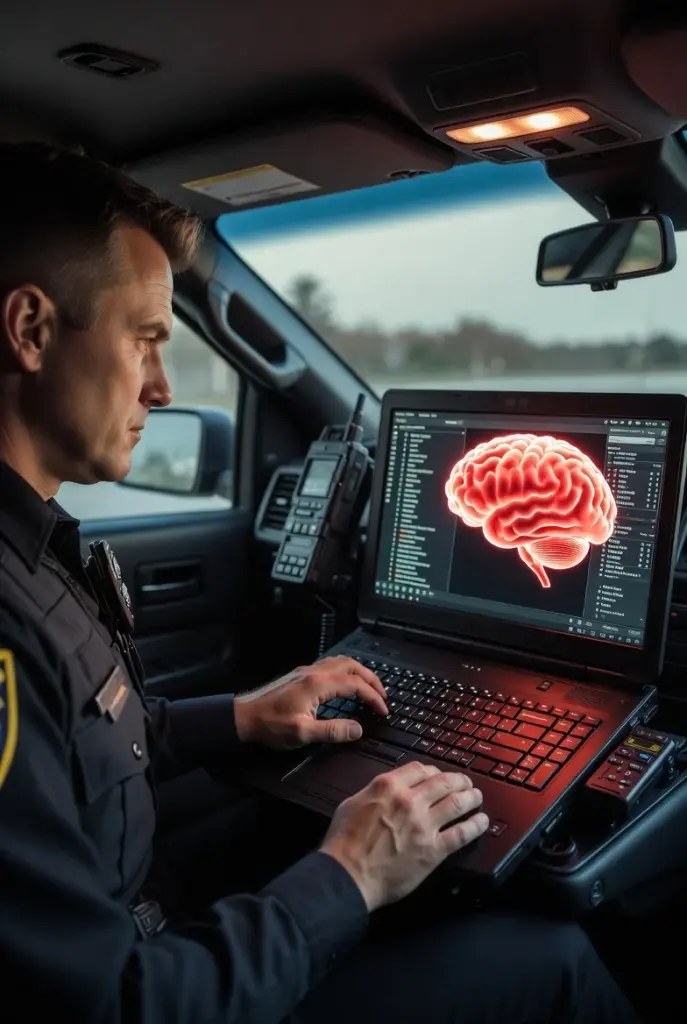
Plugin with a local database, Internal Police Computer. External Police Computer and an Admin tool for Database edits
The plugin requires
LSPDFR
System.Data.SQLite (included )
SQLite.Interop (included)
How to install:
System.Data.SQLite (included ) and SQLite.Interop (included)
files go into the root of the GTA folder.
The persistentWorld.dll, persistentWorld.pdb, and persistentWorld folder go into the GTAV/plugins/lspdfr folder
This will be the main engine the Remembrance systems runs on. This GTAV plugin is called Persistent World. This is a GTAV/LSPDFR plugin that uses a local SQL lite database. The database stays the same across game sessions and updates in real time. If you write a ticket, see the ticket forever on the record unless you delete it in the admin tool. This mod also handles vehicle plate and spawning so peds always have the same plate. Vehicles will change across sessions, however, the database updates automatically.
This is compatible with any plugin that can read name/vehicle data. This was tested with StopThePed. You can use stoptheped to get i.d.’s and vehicle plates but you would want to use the computer system displayed below, CompuLite or LSPDR computer WILL NOT be compatible, they have no way of reading or knowing about the local database. You can still use those computer systems if you wish but be warned they are not related to the local database described below.
Features:
Plate / Name Matching automatically updates in game world
Vehicle model / color updates automatic in Database
Local Database: The main feature of this plugin
Preloaded with over 2500 LSPDFR database names.
Saves info to a local database that stays consistent across sessions.
Names, vehicle plates, and citations/records stay the same. Vehicle model and color updates to the database as plates are changed.
This allows the plugin to run without spawning people or cars and letting the game naturally spawn them.
If you don’t come across a name in the database, you have the ability to add someone in the admin tool.
Changelog:
V1.6:
Updated in-game computer screen to have categories for charges
Updated vehicle attach to change names of unknown peds to database names/plates
For new installs:
Use the new install folder. Place the files in the GTAV folder in the root of your GTAV folder.
For updating:
To update:
Replace the .pdb and .dll files that are in the GTA5\plugins\lspdfr folder.
Replace the two files citations.ini and vehicleattach.xml in the persistentworld folder.
Version 1.5:
Small update to increase performance and fix possible crash issues
Version 1.3 contains a major update that required me to explain some new features.
Incarceration System
Stolen Vehicle Logic
Fleet Vehicles with Company Owners
Incarceration System:
The incarceration system is now fully functional with drivers and vehicles.
Before: You would arrest people and they become incarcerated but could spawn again.
Now: Incarcerated people and plates are changed to a non-incarcerated person and plate so you no longer see incarcerated people spawn in traffic patrol.
(Will work when future plugins use these new programmed methods to spawn wanted but not incarcerated people)
Stolen Vehicle Logic
Stolen vehicles now spawn with different drivers than owners,
Before: Due to continued testing, all drivers were matched with vehicle owner,
Now: Stolen vehicle plates stay locked (so stay stolen) but driver name changes and stays locked so driver is not the owner of the stolen vehicle.
Fleet Vehicles with Company Owners (Test Release)
A whole new system that has been created to allow vehicle models to belong to companies.
For example, if you have a car model named “AmazonVan” and wanted it to belong to a company “Amazon”, this is supported.
You must create the companies in the company tab on the admin tool and then create vehicles on the vehicle tab and link them to companies.
NOTE: Whatever you create and link in the company and vehicle sections in the admin tool is what will show up in the database. There is an xml file that you may see that says/looks like it will link car models to companies but it currently does not work, DO NOT USE THE VEHICLEFLEETXML FILE. You must create the companies then create vehicles for each company.
Scenario l:
AmazonVan is set to company Amazon Inc.
Everytime you pullover any AmaazonVan car models, the computer will return “Amazon Inc” as the owner but the driver will be a person.
Depending on the citation, you could write a ticket to either the person or the company.
I would probably write expired registration/insurance issues to company and speeding/everything else to person.
Credits:
GTAPatrol2026
Download mod
| File | File size |
|---|---|
 PersistantWorld V1.6
 | 9 MB |


![Persistent Weapon Flashlight [RPH / .NET] V1.5](https://gta5mod.net/wp-content/uploads/2023/02/Persistent-Weapon-Flashlight-150x150.webp "Persistent Weapon Flashlight [RPH / .NET] V1.5")