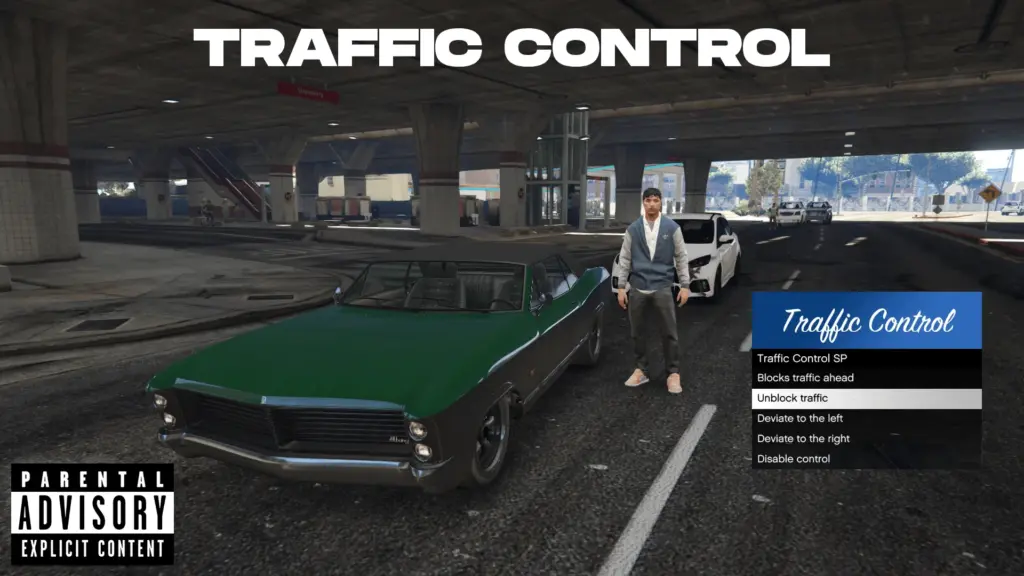


This script allows players to control traffic in GTA V’s single-player mode. You can block vehicles, release them, or divert them left or right, all using a simple RP-style menu. Perfect for roleplay scenarios, machinima, or testing traffic AI behavior.
Features:
Block traffic ahead: Stop all nearby civilian vehicles within a certain radius with a single menu command.
Release traffic: Restore blocked vehicles and reset AI behavior.
Divert traffic: Move vehicles to the left or right to create temporary detours.
Menu NativeUI: Easy-to-use menu with arrows and Enter for selection, fully integrated with a clean RP-style banner.
Singleplayer safe: Works only in single-player and does not interfere with multiplayer sessions.
Persistent block: Vehicles remain blocked until manually released.
Installation instructions:
Download the script and extract the .dll files.
Place TrafficControl.dll and NativeUI.dll in the scripts folder of your GTA V directory.
Make sure you have
NativeUI
Credits:
modmode
Download mod
| File | File size |
|---|---|
 TrafficControl
 | 40 KB |
![Traffic control Blaine County [MapEditor] 1.0](https://gta5mod.net/wp-content/uploads/2020/11/Traffic-control-Blaine-County-150x150.jpg "Traffic control Blaine County [MapEditor] 1.0")
![Traffic control Grand Senore Drive [MapEditor] 1.0](https://gta5mod.net/wp-content/uploads/2020/11/Traffic-control-Grand-Senore-Drive-150x150.jpg "Traffic control Grand Senore Drive [MapEditor] 1.0")