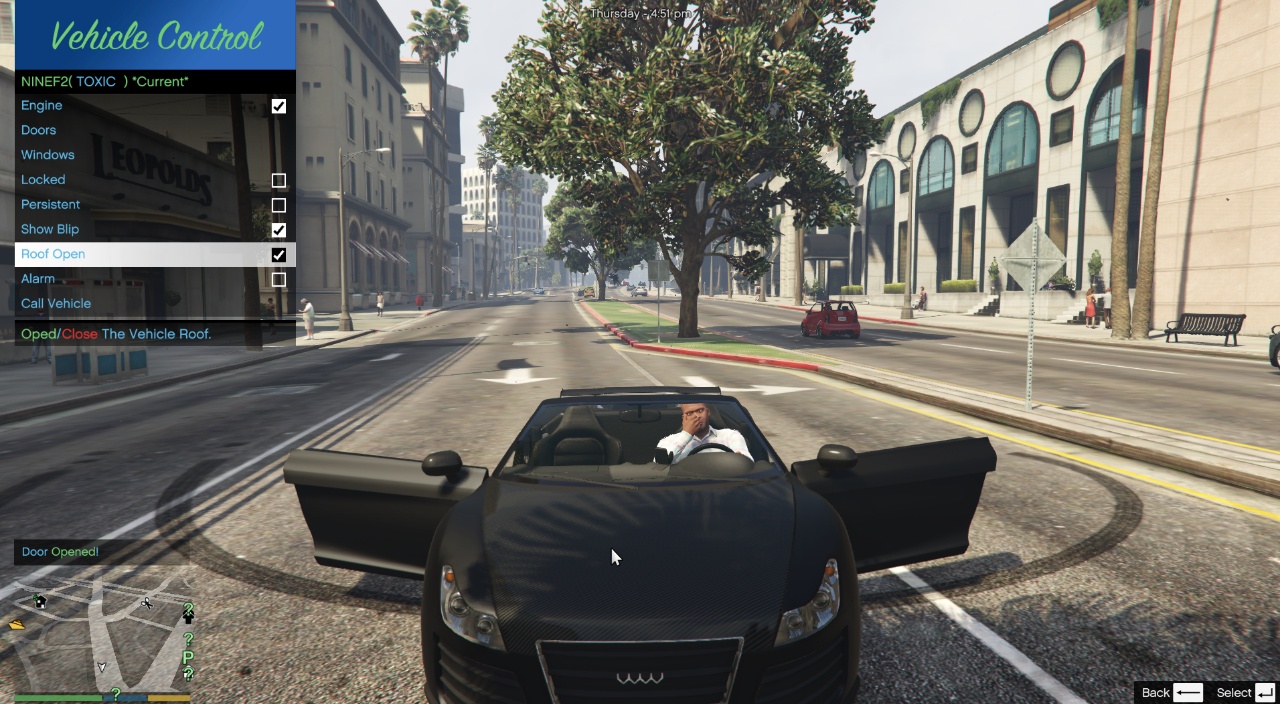
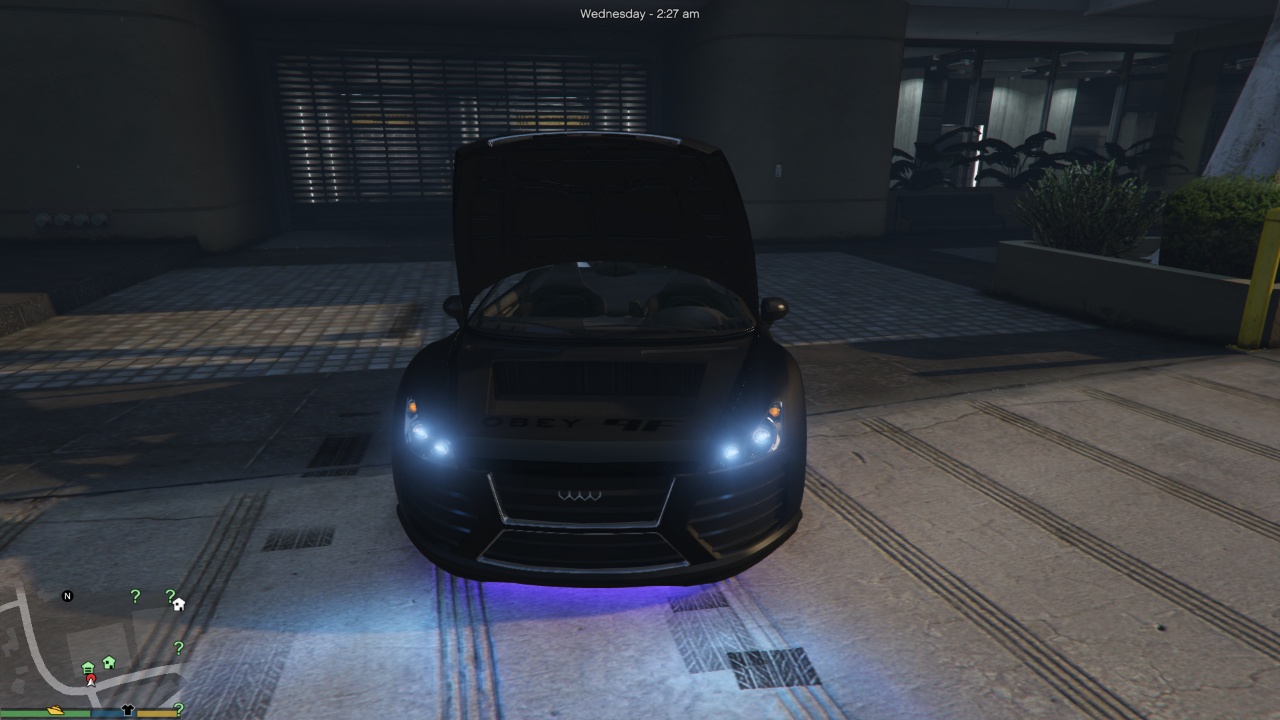
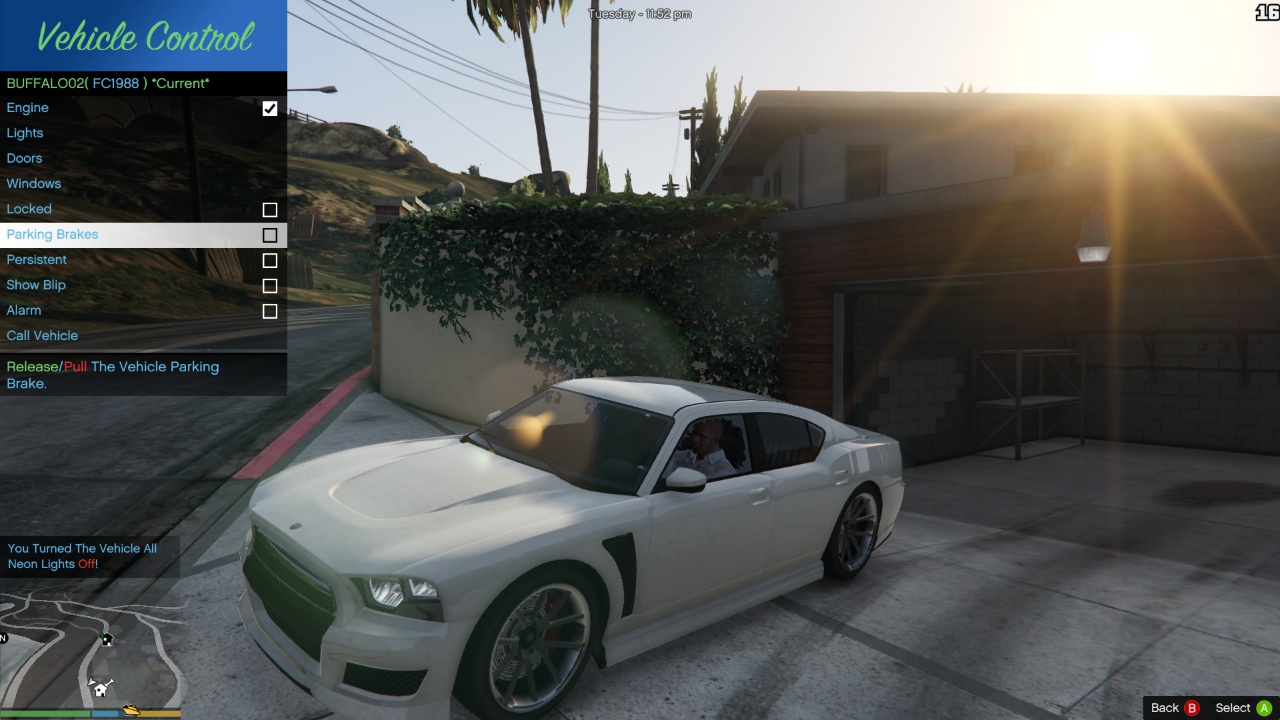
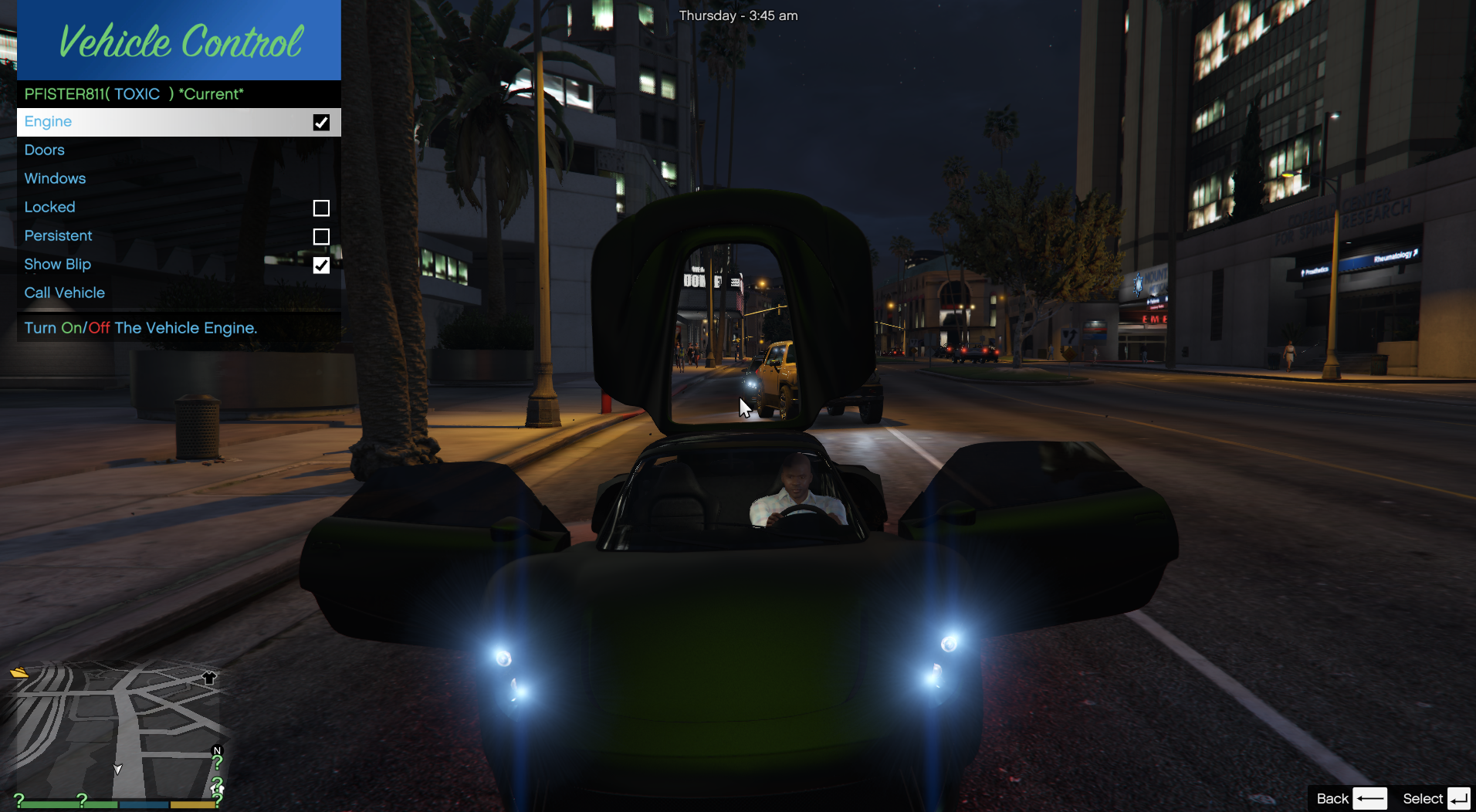
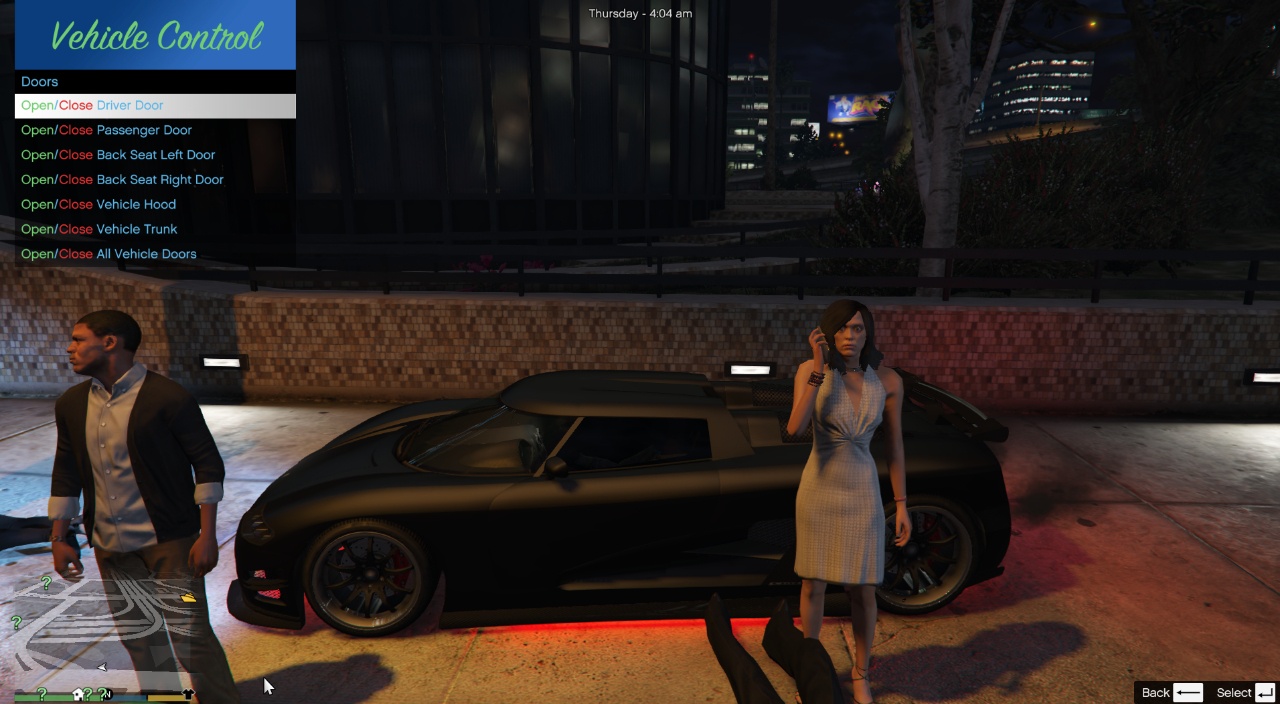
This mod allows to remotely control vehicles, you can control the engine keep it on if you like, you can control the lights/neons, you can control the windows, you can control the doors, you can control indicator lights, interior lights, and you can even call your vehicle to drive to your location 😀 !!!, and this mod doesn’t affect any other mods, like fuel mods, or vehicle spawners.
Changelog:
V1.5
Updates
– All Keyboard Keys are now available For Controller, You Need To Change Them In Game.
– Key Modifications Will Now Keep Their Order.
– Fixed A Bug Where If You Release A Key While Holding Any Mod Key, The Mod Will Do That Key’s Function.
V1.4c
Updates
– Fixed V1.4 Bug Vehicle Radio Not Changing When Outside Of The Car
– Fixed V1.4b Bug When Engine Auto Off is on the engine won’t work outside the car
– Fixed V1.4b Bug When Leaving The Car And Engine Is Off, It Will Shutdown For A Second And The Radio Will Stop Playing Too.
V1.3b Below
Features:
1) Added An Option To Remove A Vehicle From The Managed Vehicle List, You Have To Press Remove Vehicle Twice To Confirm Action.
2) Added A Mod Log, This Will Help Tracking Issues And Bugs Easier.
3) Added An Option To Have Modifiers For Example If If You Press G To Leave Vehicle, It Wont Work If It Is Found in The REQEXTRAKEYS You Need To Press The Selected Modifier Key And G To Make The Function Work, You Can Add Any Key To Require A Modifier Press As Long As It Is In The [KEYS] Set, By Adding It To REQEXTRAKEYS Like This: REQEXTRAKEYS = EXITCARENGINEON KEY,CONTROLCARENGINE KEY, ECT You Will Make The Key Require EXTRA KEY To Be Pressed With It By Default It Is ALT, If You Want Every Key To Require Modifier Set REQEXTRAKEYS to _all(This Will Include Menu Keys Too) or if you want none set it to _none.
4) Added A Personal Driver To The Mod(Still In Beta) You Can Enter Mod Menu By Pressing PageUp By Default You Can Change It By TOGGLEMENU KEY *NOT RemoteMenu_KEY* You Can Modify Name, Speed, Model, And Driving Style Of The Driver, You Can Delete The Driver You Create, But MAX SPEED Is Under development It Is Not Functional, To Get A Personal Driver, Press G near Any Car You Will Enter It As Passenger And The Driver Will Be Created, Set A Waypoint To The Location You Want Him To Go To(Any Nearby Vehicle Will Be Deleted{Working On Fix} To Avoid Driver Crashes), You Can Leave The Driver In The Vehicle Go Somewhere And then Come Back, He Will Still Be There.(The Driver Is Still Under DEV, Don’t Judge Please).
5)Made Some Bug Fixes
Note: Huge Thanks To @EvilDIE For His Suggestions.
V1.2.1 Below
Features:
Note: If You Call Your Vehicle Twice It Will Be Teleported To Your Location, Forgot To Mention That.
1) If The Exit Car Key Engine Hold Is On Then When You Hold The Button You Will Exit Leaving Engine On And If You Just Press It Once Then You Will Exit With The Engine On
2) If You Hold Y(Xbox Controller) You Will Exit Vehicle Leaving The Engine On(Can Be Changed In The Config File, It Is “EXITCARENGINEON CONTROL”)
Note: Huge Thanks To @putraflash For These Suggestions.
V1.2 Below
Features:
Note: If You Call Your Vehicle Twice It Will Be Teleported To Your Location, Forgot To Mention That.
1) Added Parking Break In Remote Menu Or (Comma By Default)
2) Added A Lights Menu To Modify Vehicle Lights
3) Added Sounds To The Menu
4) Added An Option To Hold The Exit Vehicle While Engine On Key Rather Than Just Clicking It (G By Default) (This Option Is In The Configurations Menu)
5) Added A Motorcycle Blip Support For Type Bike Vehicles.
6) Added An Option To Turn On The Vehicle Horn (Still Waiting Approval)
7) Added An Option To Turn On Self Radio In The Vehicle (Still Waiting Approval)
8) Added An Option To Remove A Managed Vehicle From The List.
Bug Fixes:
1) Fixed An Issue Where The Engine Button In The Remote Menu Will Not Turn Off The Vehicle Engine If You Are In It And Same For Turning The Engine On.
2) Fixed Multiple Issues With The Blip, It Should Function Properly Now.
3) Decreased The Radius Of The Called Vehicle So It Will Drive Closer To You.
4) Fixed The Call Vehicle Was Not Moving Sometimes For No Reason.(Waiting Approval)
5) Fixed An Issue Where An Ex-Managed Vehicle Was Destroyed It Will Stay In The List Although It Will Not Be Shown.(Waiting Approval)
6) Fixed An Issue Where If You Move Away Too Far From A Managed Vehicle Is Would Be Removed From The List.(Waiting Approval)
V1.1 Below
Features:
1) Turn On/Off Vehicle Engine (T By Default OR Controller A(Xbox))
2) Exit The Vehicle While The Engine Is Still On(By Default G)
3) Turn On/OFF The Hazard Lights(K By Default)
4) Control Left/Right Indicator Lights(J/L By Default)
5) Control Interior Light On/Off(I By Default)
6) Open/Close Trunk/Hood (Y/U By Default)
7) Enable The Breaking Light While The Vehicle Is Not Moving(Can Be Disabled In The Config)
8) Control The Windows So If You Open A Windows And Then Open All The Windows And Close Them Again The Window You Opened Will Not Close Until You Close It(Can Be Changed In The Config Set EnablePreviousWindowStateOnUpdate To True)
9) You Can Modify The Config File Live While Your Playing In The Configurations Tab, You Can Change The Key Binds In The Config File And Reload The Config File From The Game It Will Directly Change.
Remote Control Functions: (B By Default OR X & L1 [Left Shoulder](Xbox))
1) Turn Engine On/Off
2) Control All The Vehicle Doors(Open/Close All Shortcut By Default : X)
3) Control All The Vehicle Windows (Open/Close All Shortcut By Default: Z)
4) Lock/Unlock The Vehicle
5) Make The Vehicle Persistent(So It Doesn’t Get Removed By The Game)
6) Show A Map Icon On The Vehicle So You Can Track It
7) Call The Vehicle To Drive It Self To You (You Can Modify The Driving Style And The Speed In The Config File But Read The Note First)
8) Support Multiple Vehicles To Be Controlled At A Time(Default 5, Can Be Changed In The Config)
9) Turn On/Off Vehicle Alarm
10) Open/Close The Roof Of A Convertible Vehicle
Instructions:
1) You Need ScriptHookV, ScriptHookVDotNet And NativeUI
2) Put The OpenVC.dll And OpenVC Folder In Your scripts folder.
3) To Modify The Controller Key Binds Check The Controller-Buttons File In OpenVC Folder
4) To Modify The Driving Style Of The Vehicle When Its Driving To You, You Have 6 Types:
0-Avoid Traffic
1-Avoid Traffic Extremely
2-Ignore Lights
3-Normal
4-Rushed
5-Some Times Overtake Traffic
I Am Current Using 1 Because It Is The Fastest To Change It Put The Number Of The Traffic You Want.
This Project Is Now Open Source:
– If Any One Wants To Continue Working On This Project Please Contact Me.
– You Can Republish It With My Permission.
– You Have To Give Me Credits.
– You Can Use It For Personal Use.
Link: https://github.com/DatScam/VehicleControl
Credits:
Toxic Scams
– Alexander Blade For ScriptHookV
– crosire & contributors For ScriptHookVDotNet
-Guadmaz For NativeUI h
Download mod
| File | File size |
|---|---|
 VehicleControl_V1.5c
 | 29 KB |

![German Skin Luxart Vehicle Control [ELS-ALTERNATIVE] [FIVEM] 1.0.2](https://gta5mod.net/wp-content/uploads/2021/08/German-Skin-150x150.png "German Skin Luxart Vehicle Control [ELS-ALTERNATIVE] [FIVEM] 1.0.2")