About:
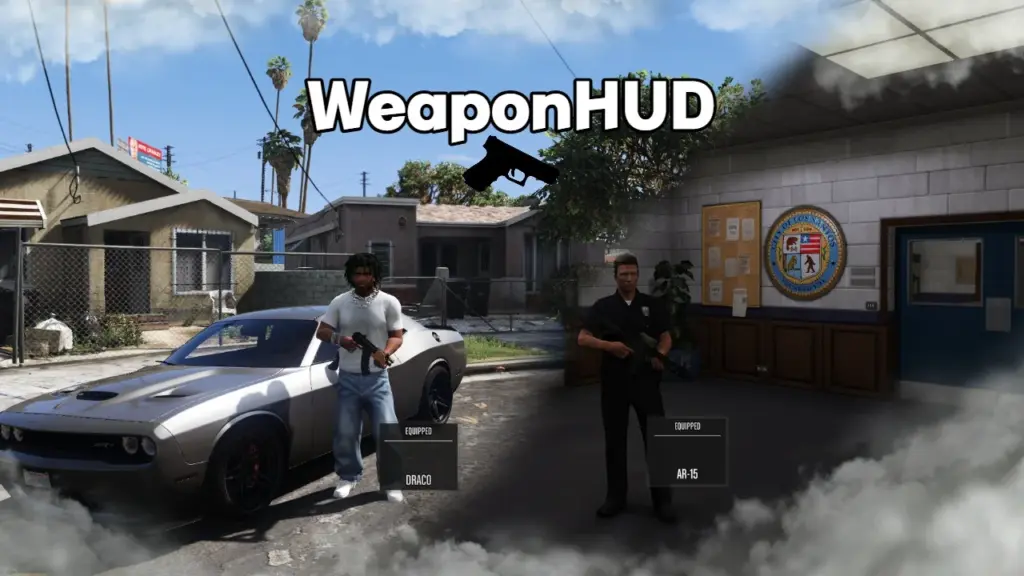
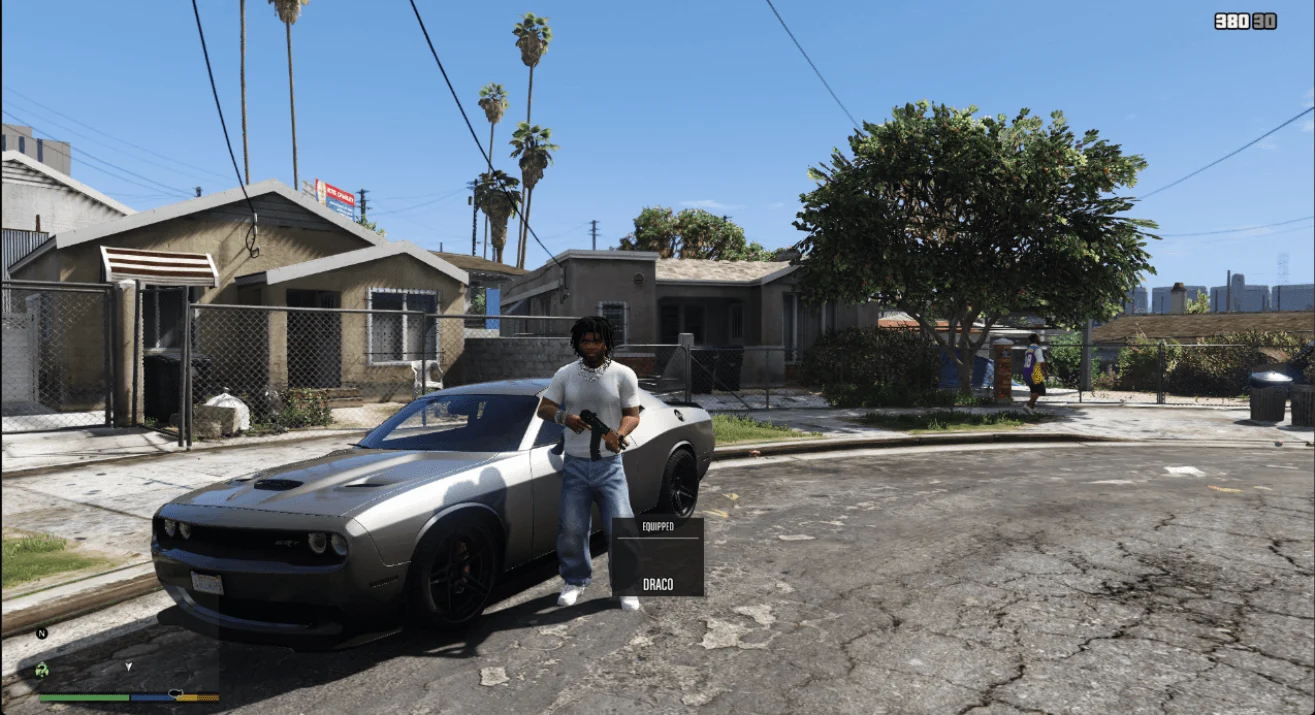
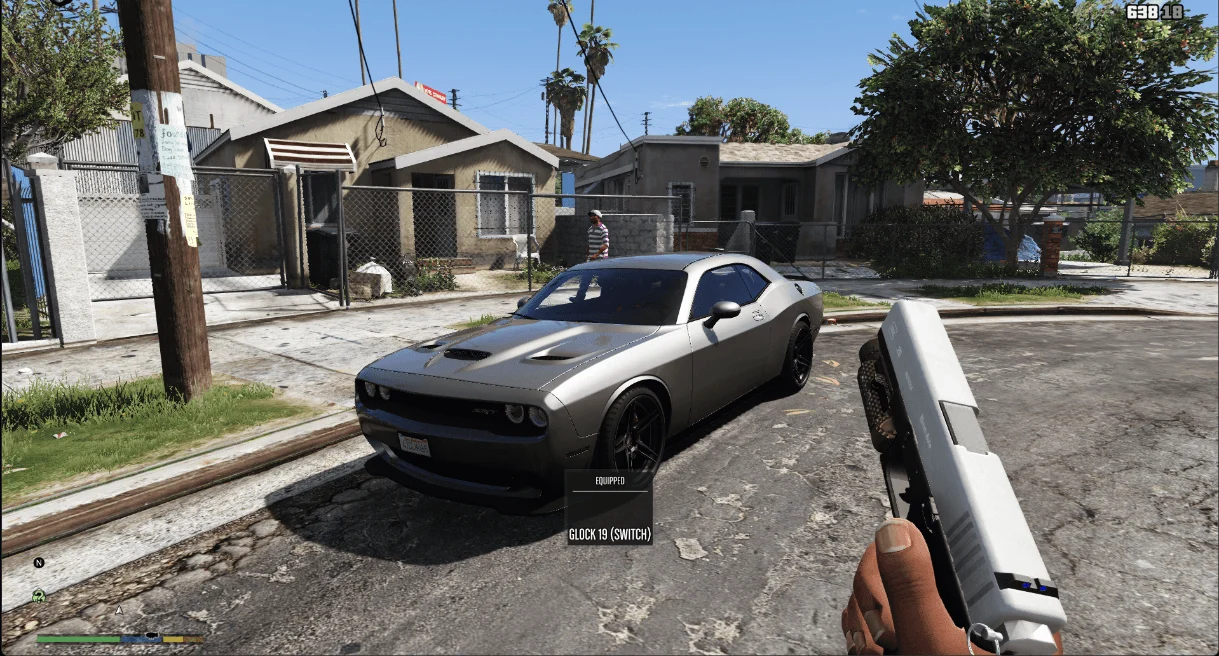
A script that gives you a clean, modern weapon HUD for GTA V singleplayer.
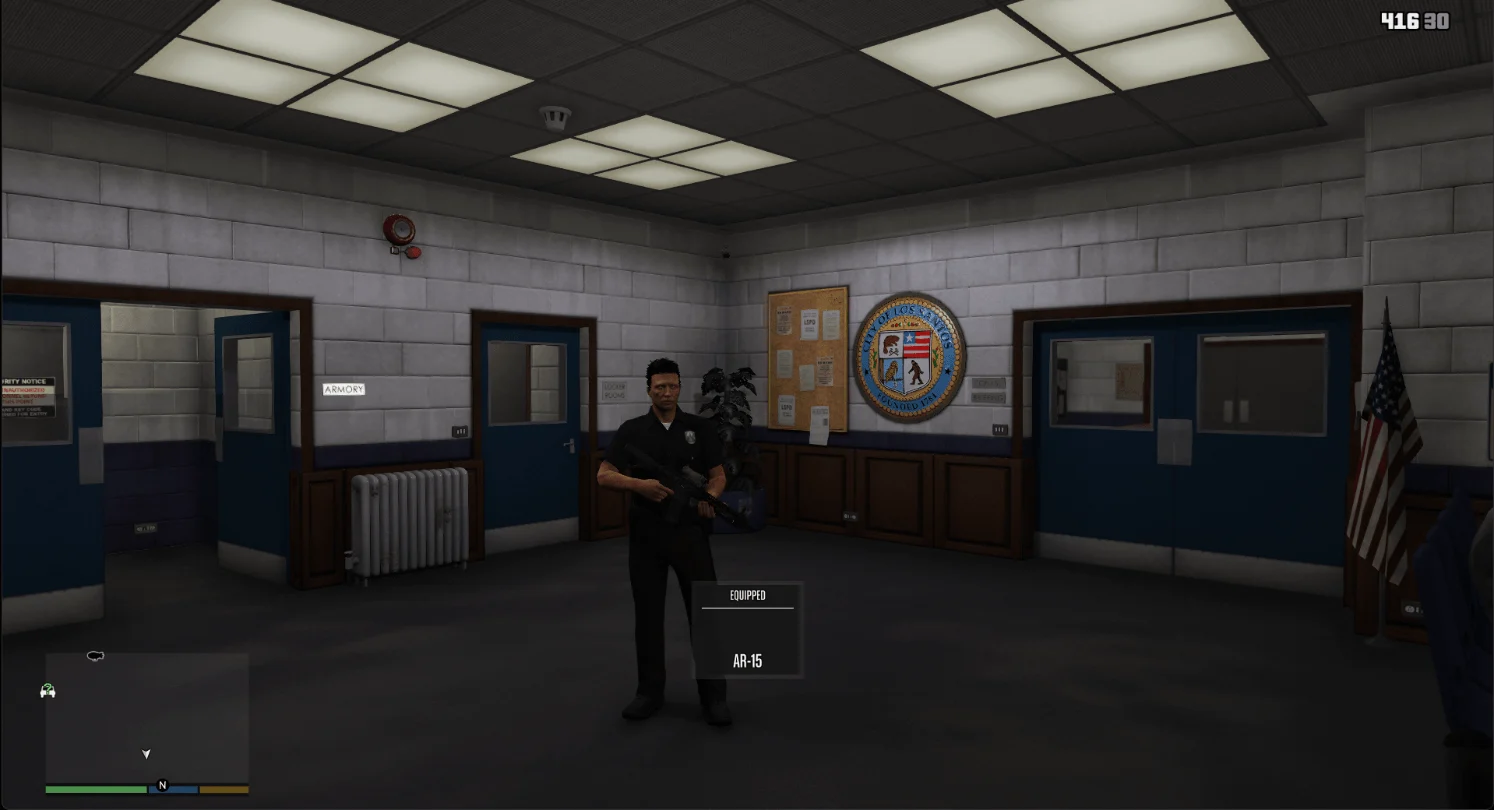
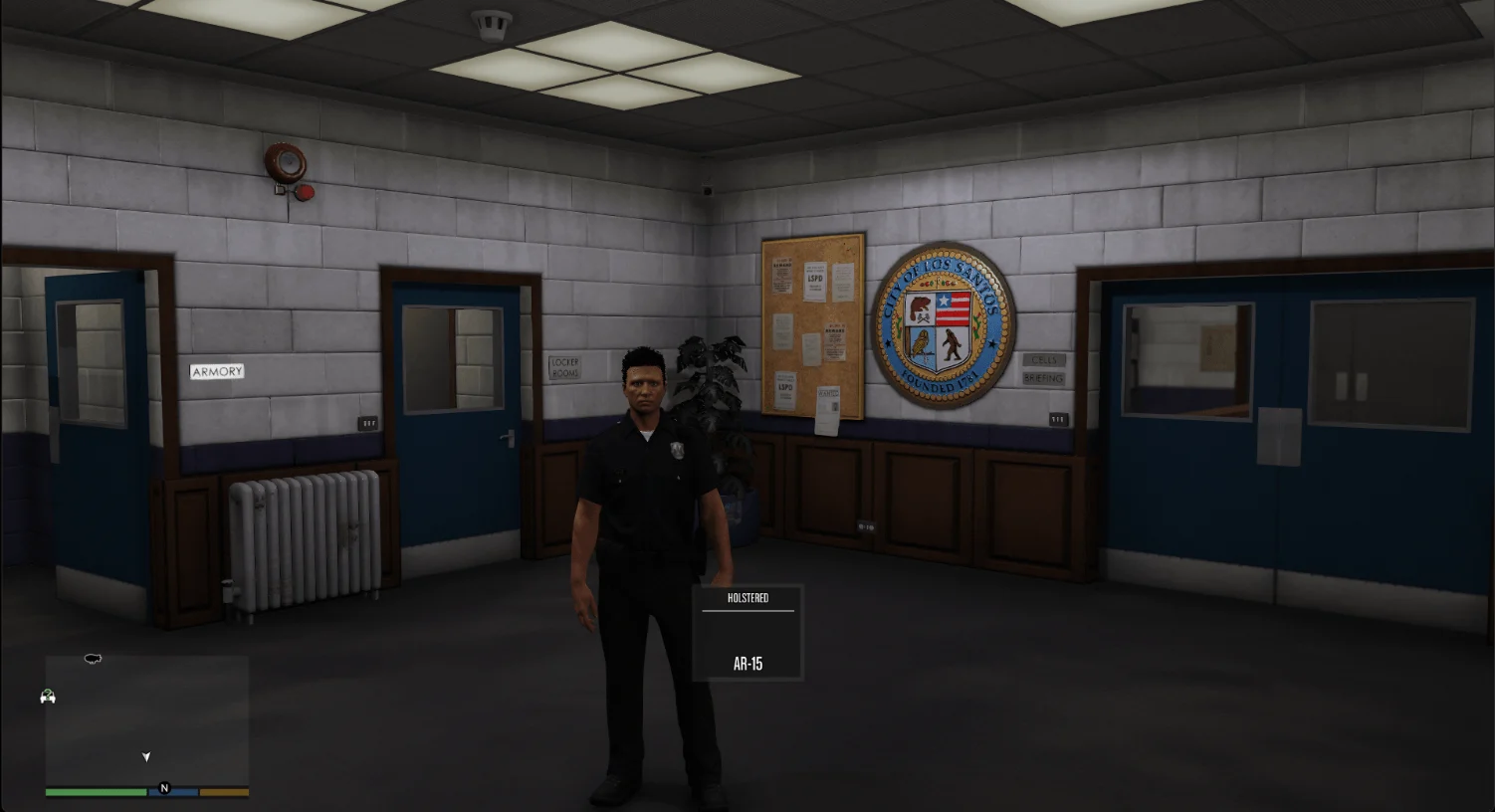
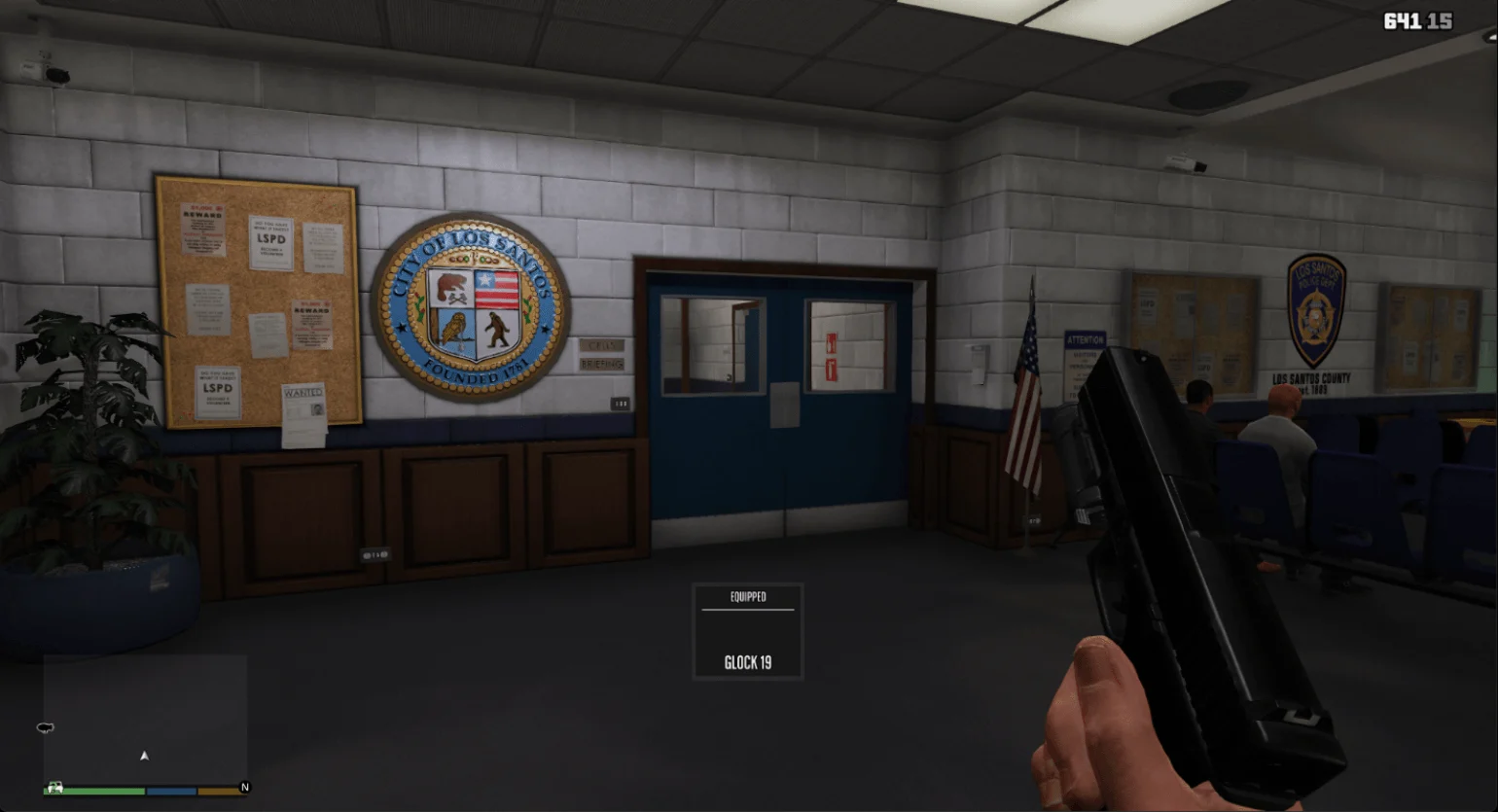
Shows your current weapon and its status (EQUIPPED / HOLSTERED) on-screen with smooth fade transitions. Fully customizable and lightweight, it won’t affect performance.
Features:
* Modern HUD box showing weapon name and status
* Smooth fade-in/fade-out animations for display
* Configurable position, size, and display duration
* Automatically detects current weapon
* Works for all weapons in GTA V (melee, pistols, rifles, shotguns, SMGs, LMGs, snipers, heavy weapons, throwables)
* Shows last weapon name when holstered
* Optional configuration reload with F9 key
Configuration:
* PosX, PosY: Position on screen
* DisplayDuration: How long the HUD stays visible (ms)
* Weapon names can be customized in the INI file
Requirements:
* Script Hook V
* Script Hook V .NET (🔸Nightly Build🔸)
Using outdated versions of SHVDN may cause crashes. Use latest versions!
Installation:
1. Make sure to delete older versions before installing
2. Drop “WeaponHUD.dll” and the folder with same name into your scripts folder
To uninstall, remove the DLL and folder
Changelog:
v1.0 – Initial release
v1.0.1 (hotfix) – Uploaded wrong .DLL, now it should work correctly.
v1.0.2 (hotfix) – Added INIFileParser.dll for those who dont have already, because the script needs to read data from the .ini file.
v1.1 – Major Update:
-> New In-Game Configuration Menu – Press ~ (tilde) key and type weaponhud to open a full customization menu.
-> Live Preview Mode – While the menu is open, the Weapon HUD stays visible permanently so you can see changes in real-time.
-> Massive Customization – Adjust position, size, colors, padding, scales, line settings, and more directly in-game.
-> F10 – Toggle menu open/close. Closing the menu automatically saves all changes to WeaponHUD.ini.
-> No more automatic folder/INI creation – Cleaner installation. Just place WeaponHUD.ini in your scripts folder.
-> Improved decimal parsing – Now supports both dot (.) and comma (,) for users from all countries.
-> Fixed critical initialization order – Prevents crashes and loading issues for many users.
-> Better ~ key detection – More reliable input handling.
-> Removed F9 reload – Replaced with the new menu system.
-> Overall stability improvements – Better compatibility with latest Script Hook V .NET nightly builds.
-> Code cleanup & optimization
* Fully functional modern weapon HUD
* Smooth fade animations
* Customizable via INI
* Supports all GTA V weapons
Credits:
aleksforreal
Download mod
| File | File size |
|---|---|
 WeaponHUD v1.1
 | 24 KB |

![Weapon System Metadata Modifier [ Cut Weapon | Metadata | OIV Only ] Version: 1.7 - Build 385](https://gta5mod.net/wp-content/uploads/2022/04/Weapon-System-Metadata-Modifier-150x150.webp "Weapon System Metadata Modifier [ Cut Weapon | Metadata | OIV Only ] Version: 2.0 - Build 500")