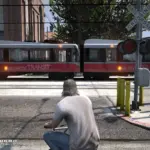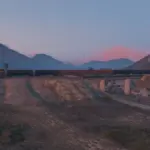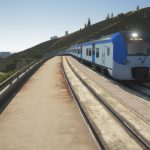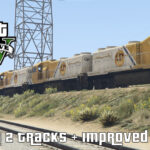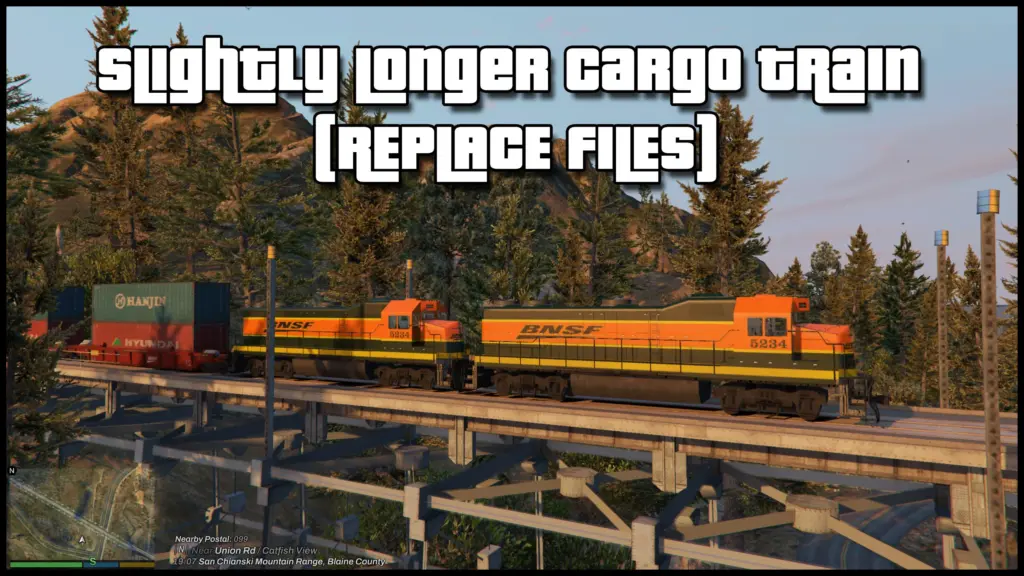


I always thought the trains were lacking realism. I spend a lot of time in Blaine County and I enjoy seeing them in the game as I’m out and about or whatnot. I wanted to make them longer and have different train cars so i created this simple replace pack. (no dlc)
Trains vary in length from 14-16 cars. Some trains have 2 locomotives, some inversed. Freight trains and cars are all BNSF. Lore friendly will be an option. There are 7 different replace files to put into your vehicles.rpf folder and 1 train meta file.
You can edit the meta if you want to add/remove/edit freight train or freight car files. The limitations on making longer trains is at 100 cars including each locomotive. Keeping the train cars around 15 and under will keep you sane. If for some reason you want longer there is a X2 train length meta.
Use OpenIV to select different liveries. The creator Foxunitone has made multiple variations of liveries for variety and has more on his page (link included). Each car can have a different livery than it has now. Also he was kind enough to leave a template in the files so you can create your own if you so please.
– NOTE – This does not contain a fix for the crossing arms not going back up or not coming down at high FPS. This is not an issues with this mod or your game and there is no known fix.
TO INSTALL
1. Place all the files from the “Train Vehicle Files” folder in to your vehicles.rpf folder.
Use OpenIV and navigate to your vehicle mod folder and drop all files into the folder.
\dlc.rpf\x64\levels\gta5\vehicles.rpf\
2. Copy the trains.xml file in the “Train Meta” folder and place it into your vehicle meta folder.
In OpenIV navigate to your vehicle meta and drop the trains.meta file there.
\mods\update\update.rpf\common\data\levels\gta5
All done.
Changelog:
** What’s New and Changes in 3.1 **
– META FIX! – There is a floating train car (high) and the train is floating above the tracks (slightly). This was not noticed after converting file. All metas have been fixed. Please replace your meta with these files.
– The original Lore Friendly train was missing a livery for the last car. The file was replaced and the Original Lore Friendly cars have been placed in their own respective folder to drag and drop.
** What’s New and Changes in 3.0 **
– SLCT V3.0 Brings new satire cargo container companies.
– Re-textured the containers to 2k and added more detail for rust and worn items. Smoothed out the doors on the cargo containers so the logo will now be more visible.
– The orange color on the BNSF locomotive has been changed to look more realistic to the actual real life loco and the livery has also been re-done so all the lines around the train line up as close as possible to the original.
– New Lore Friendly Locomotive called Honey Badger Rail Lines – “Honey Badger Doesn’t Give A S#!T”!
– SLCT V2.1 I’ve listened to your feedback and now I have added separate folders for Lore and non-+lore so you can just drag and drop files over the other to change back and forth quickly rather than change each ytd. You can still change liveries on all lore and non-lore friendly sets.
– SLCT V2.0 finally is bringing lore friendly train cars! All new Logo’s. (Hope everyone likes. I want to make more so send some ideas if you have any for freight companies)
– New HD textures on all lore friendly containers (for now) and D-Rail logos for the cars themselves.
– Lowered train offset to sit better on the tracks now and not barely touching them.
– Lore friendly and non-lore friendly YTD’s are all in the same place so you don’t have to switch all cars out every time you want to change. You can also mix and match lore with non-lore friendly container cars. (If you want the original lore containers you will have to change them yourselves.
– Train car order has been randomized by AI to assure a proper variety of containers in sets of 1, 2 or 3. The max on any train now is 16 unless you add more yourself. (Max used for the longer train is 30).
– New Super Long Train.xml with 99 cars is now available in case you want to have a train that stretches across half the state.
What’s New and Changes in 2.1
– SLCT V2.1 got your feedback and now brings you separate folders for Lore and non-lore so now you can just drag and drop files over the others to change back and forth quickly rather than change each ytd. You can still mix and match however you want to or you can still change single car liveries on all lore and non-lore friendly train car sets.
– BNSF Freight Train files are in a separate folder now so it is easy to decide if you want to use it with either set and not just GoPostal
– If you do a custom setup I recommend backing all the custom files up into a separate folder just in case you want to switch up the train to a different set but still want to keep your other custom layout.
What’s New and Changes in 2.0
– SLCT V2.0 finally is bringing lore friendly train cars! All new Logo’s. (Hope everyone likes. I want to make more so send some ideas if you have any for freight companies)
– New HD textures on all lore friendly containers (for now) and D-Rail logos for the cars themselves.
– Lowered train offset to sit better on the tracks now and not barely touching them.
– Lore friendly and non-lore friendly YTD’s are all in the same place so you don’t have to switch all cars out every time you want to change. You can also mix and match lore with non-lore friendly container cars. Lore friendly will be the default.
– Train car order has been randomized by AI to assure a proper variety of containers in sets of 1, 2 or 3. The max on any train now is 16 unless you add more yourself. (Max used for the longer train is 30).
– New Super Long Train.xml with 99 cars is now available in case you want to have a train that stretches across half the state.
Credits:
itsjzee85
Download mod
| File | File size |
|---|---|
 Slightly Longer Cargo Trains 3.1
 | 194 MB |