
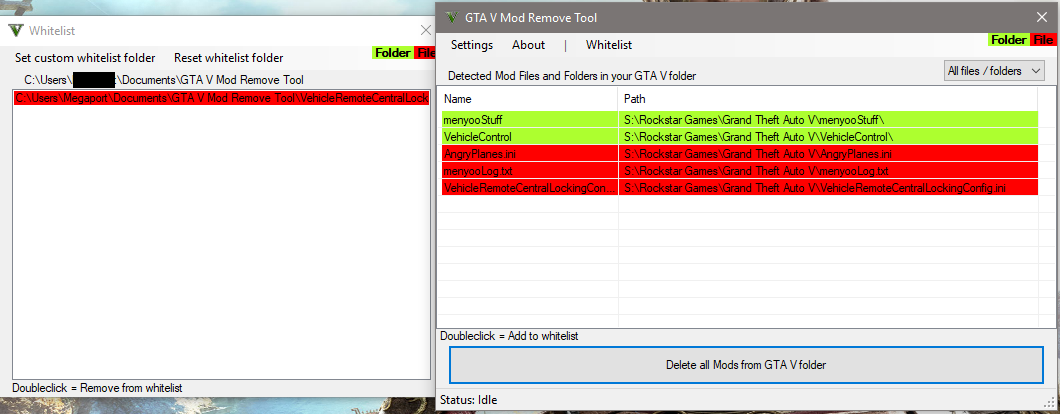
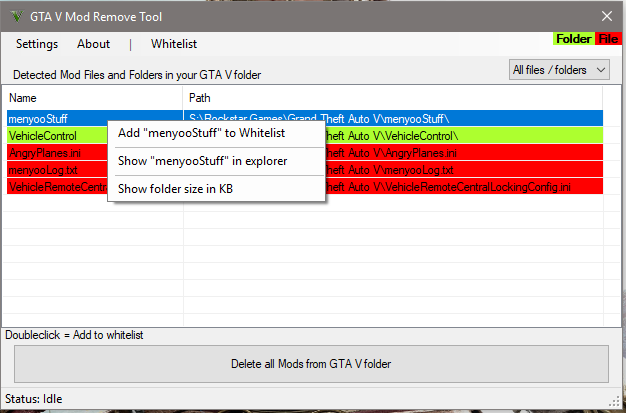
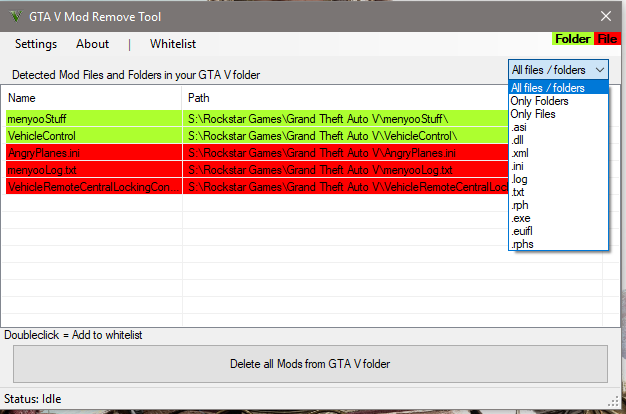
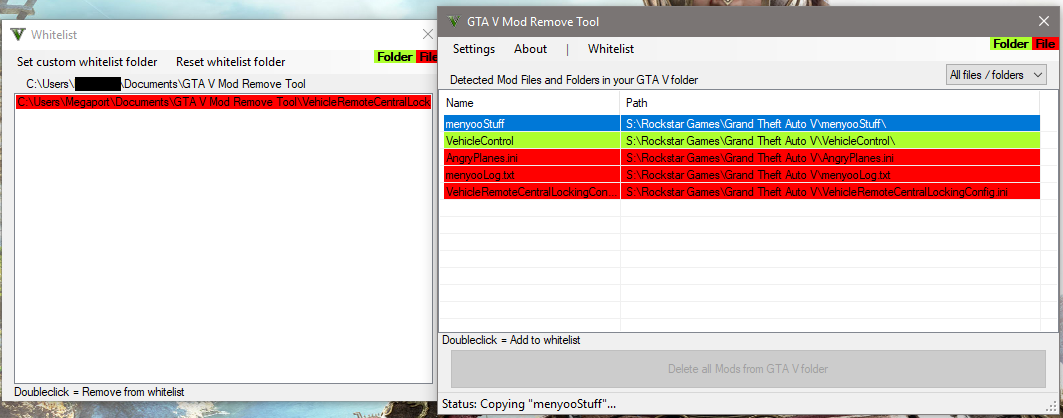
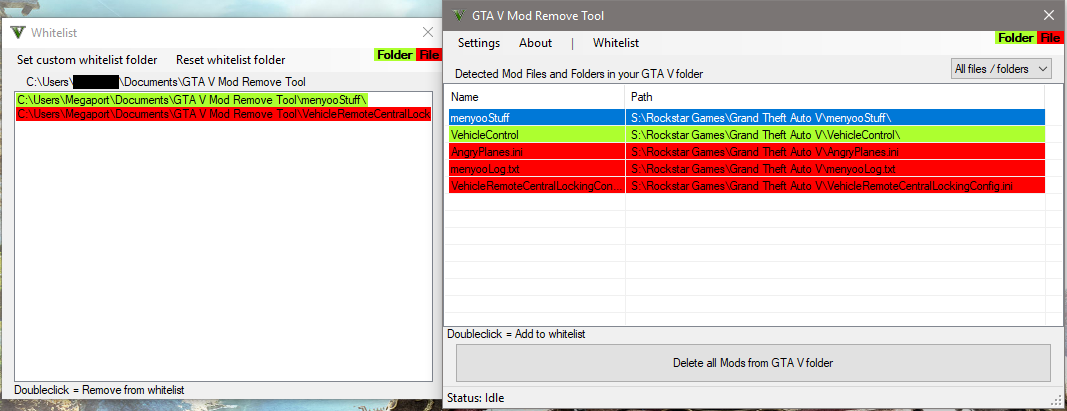
You want to clear your whole GTA V directory from mods and don’t know which files you need to delete?
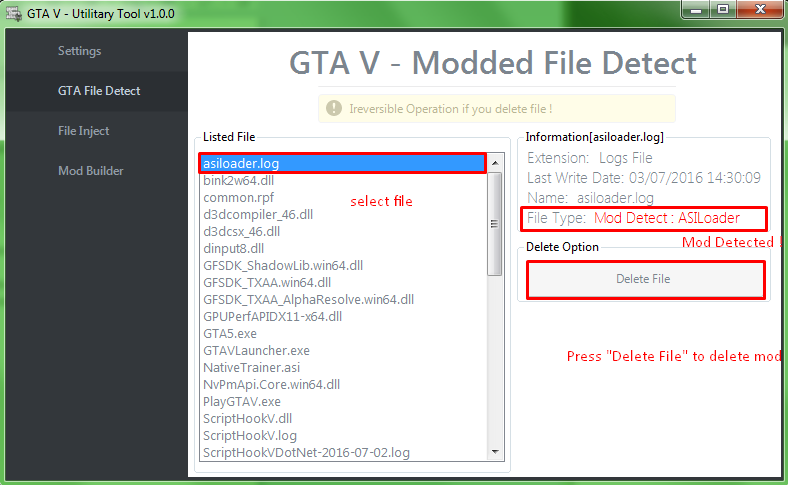
This tool helps you to detect all mod files and folders and gives you the chance to delete all mods.
Attention: Screenshots may differ from the current version!
CONTENTS
1. System Requirement
2. Information
3. How to use
4. FAQ
5. Known Bugs
6. Credits
7. Latest Changes
System Requirement
— Microsoft .NET Framework 4.5
Information
This Tool show all mod files and folders.
Tested for GTA Online!
No Guarantee or Support for Pirated Versions of GTA5!!!
How to use
1. Start this Tool
2. Look which files / folders you need to delete manually or
3. Click on “Delete all mods” and this delete all installed mod files and folders 🙂
FAQ
— What do this Tool exactly?
This tool shows you all your installed mods (files and folders)
— Are there more planned features?
Not yet. But I’m working to equip this tool with many features as possible.
Known Bugs
No Bugs or Errors for now.
Changelog:
2.4.8.2 was successfully released!
> [Added] All game files that was added on latest update (Epic games files)
2.4.8.1 was successfully released!
> [Added] All game files that was added on update v3570/v889
> [Added] EE (Enhanced Edition) & LE (Legacy Edition) check (The tool now will show if you selected EE or LE of the game)
2.4.8 was successfully released!
> [Added] Some Unhandled Exception/Crash messages and log for more information on action failure (To get more better and more information on crashes)
> [Added] All game files that was added on update v3570/v889 (Thanks to enmael)
> [Added] First run setup (If you installed both gta versions (Enhanced & legacy) you will see the setup)
> [Improved] Installation check on first run (Now the tool choose the installed gta version automaticly if only one installation is present)
Info: The crash log will be created encrypted, and it will never collect any personal info. Feel free to send me the crash log to help me to improve the tool!
2.4.7 was successfully released!
> [Added] Some steps to avoid possible tool failures (Blocked running tool from whitelist)
> [Added] Support for the Enhanced Version of the game
2.4.6.5 (BE Update)
> [Added] Some steps to avoid possible tool failures (Blocked running tool from GTA V folder & Winrar archive)
> [Improved] List loading
2.4.6.4
– [Added] All game files that was added on update v3323
2.4.6.2
– [Added] All game files that was added on update v3258
2.4.6.1
– [Improved] List refreshing – The tool now disables the control while refreshing (Thanks to Frangipane)
2.4.6
– [Re-Added] Remove GTA5 Directory read-only state on Tool startup (To improve the game file detection)
– [Fix] Rare bug where sometimes game files was listed as mods and deleted (Thanks to Utopia2717 for testing)
– [Fix] Right click menu actions doesnt work on “mods” folder
– [Improved] Mod deletion
– [Improved] Support Links
2.4.5
– [Added] All game files that was added on update v3095
2.4.3 [Hotfix to 2.4.2]
– [Fix] “mods” does not move to whitelist
2.4.2
– [Improved] Changed “Delete all mods from GTA V folder” button color to darker one
– [Improved] Changed visible file color from red to blue
– [Improved] Renamed “Filter list” to “Game files”
– [Improved] Renamed and removed “Show” text in “Whitelist” & “Game files” in menu
– [Improved] Highlighted text in “Whitelist” & “Game files” in menu
– [Improved] “mods” folder will highlighted in orange and on deletion it will ask again to delete this folder
– [Soon] Next update will contains bunch of improvements and fixes. Mainly for “Game files” and MD5 hash checks!
2.4.1
– [Added] “Support” section to menu (Contains all recommended support links)
– [Added] “Show filter list” [BETA] to menu (shows filtered files & folders from the game)
– [Added] Filter list: Folder explorer [BETA] (You can show files & folders inside a selected folder)
– [Added] Filter list: “Check MD5 for all showed files” [BETA] (to scan MD5 hash for all showed files) [Tool will freeze while scanning! (Further improvements soon)]
– [Added] Filter list: “Check MD5 Hash” to right click menu (for single file check)
– [Improved] MD5 Hash algorithm (Soon i will expand this to detect modded RPF files and showing them as modified)
– [Removed] MD5 hash check from main window (Because its not needed for mods)
– [Removed] Folder explorer from main window (Because of its critical bugs. Reverted to old double click function.)
2.4.0
– [Added] Folder explorer [BETA] (You can load files & folders inside a selected folder)
– [Added] “Check MD5 Hash” to right click menu (Soon i will expand this to detect modded RPF files and showing them as modified)
– [Temporary Disabled] Move single file to whitelist
– [Removed] Some unnecessary filters from selection
2.3.3
– [Fix] File management (It disable the “Read Only” state on the folder on tool startup)
2.3.2
– [Added] “refresh list” to Context menu [right click on list] (now it shows “refresh list” instead of unselectable options)
– [Fix] Whitelist folder creation (it still creates the default folder even though a custom folder was selected)
2.2.2
– [Fix] A bug where whitelist copy progress not working when the game installed on root of the hard drive
– [Improved] Copy progress (Its now moving instead of copying. This way works faster)
– [Improved] Slow Mode
2.2.1
– [Added] “Slow Mode” for more stability
– [Fix] “Error 1” bug (Hopefully)
2.2
– [Added] Seperate whitelist window
– [Fix] Some issues (that occur with the latest windows updates) [Thx to C0D3z0 for his bug report]
– [Improved] File copy system (now copy only with the windows copy shell/window)
– [Improved] Some Tool interface elements
– [Removed] Whitelist animation (and all animation options)
2.1
– [Added] Automatically starting with administrator rights
– [Fix] Some issues
– [Improved] For the LS Tuners update
– [Removed] Delete files/folder from GTA V folder after copy
1.4
– [Added] “current path” to Settings
– [Added] Text area to Settings to show current path
– [Added] Possibility to change the path
– [Fix] Steam file detection
Credits:
Gang1111
Download mod
| File | File size |
|---|---|
 GTA V Mod Remove Tool 2.4.8.2
 | 825 KB |
|
GTA V Mod Remove Tool V2.4.8.1 | 825 KB |
|
GTA V Mod Remove Tool V2.4.7 | 824 KB |
|
GTA V Mod Remove Tool V2.4.7 | 532 KB |
|
GTA V Mod Remove Tool 2.4.6.5 | 532 KB |
|
GTA V Mod Remove Tool-V2.4.6.4 | 531 KB |
|
GTA V Mod Remove Tool V2.4.6.2 | 531 KB |
|
GTA V Mod Remove Tool V2.4.6.1 | 531 KB |
|
GTA V Mod Remove Tool V2.4.6 | 531 KB |
|
GTA V Mod Remove Tool | 531 KB |


Please GTA 5 verification Ka tarika ba ta eiy