
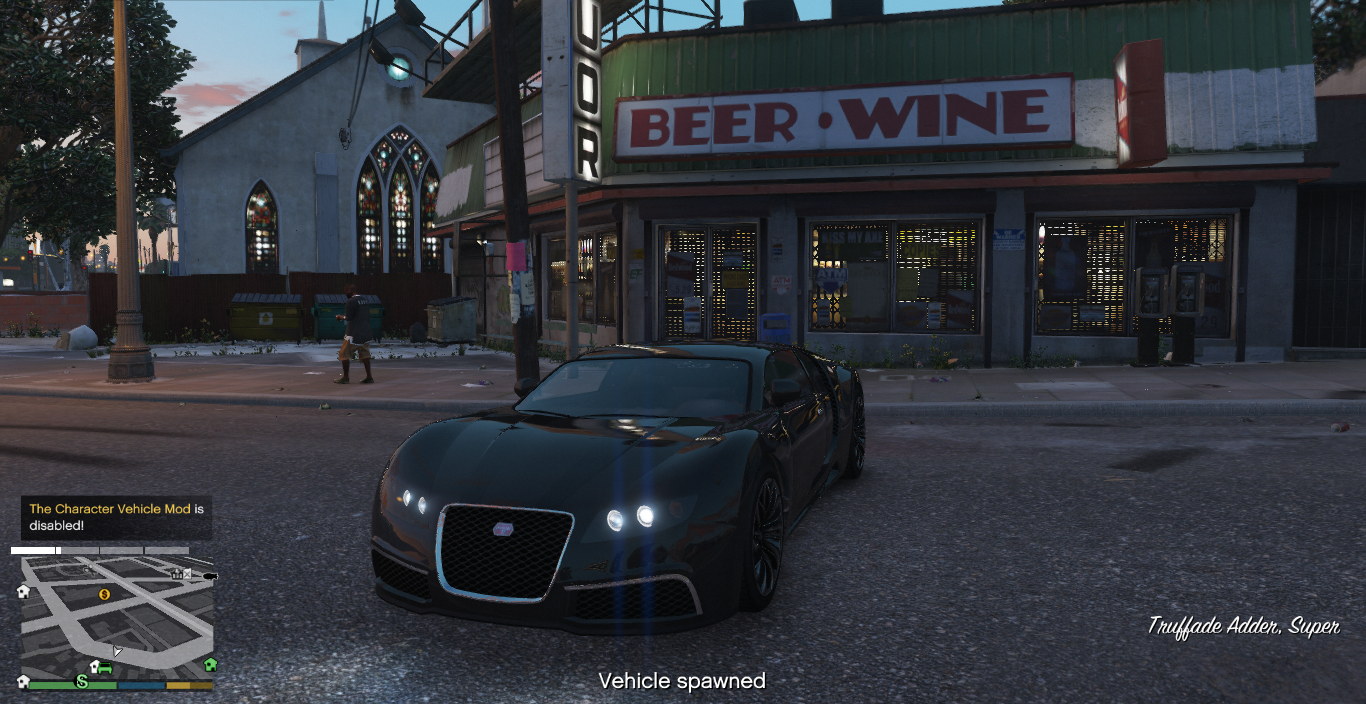
Welcome to the Simple Vehicle Spawn script! This mod provides a convenient way to spawn vehicles in GTA V single-player mode with customizable settings. The script is designed to be lightweight and easy to use, allowing players to quickly spawn their favorite vehicles with a single key press.
Features:
Customizable Key: Easily configure the key used to activate the vehicle spawn through the SimpleVehicleSpawn.ini configuration file.
Customizable Spawn Message: Modify the on-screen message displayed when a vehicle is spawned.
Vehicle Spawning: Spawn any vehicle you want at your current location in the game world.
Driver Seat Placement: Automatically places the player in the driver seat of the spawned vehicle.
Installation
Requirements:
Make sure you have ScriptHookV installed.
Install ScriptHookVDotNet version 3 (nightly builds if necessary).
Installation Steps:
Move the SimpleVehicleSpawn.dll and SimpleVehicleSpawn.ini files to the scripts folder located in the main GTA V directory.
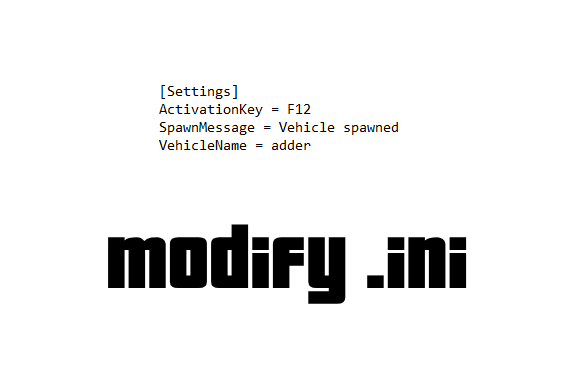
Modify the SimpleVehicleSpawn.ini file to customize your settings.
Configuration
ActivationKey: Define the key that will trigger the vehicle spawn.
SpawnMessage: Set the message that will appear on-screen when the vehicle is spawned.
VehicleName: Specify the default vehicle model name to spawn.
Known Issues
In-Game Notification: The script uses Screen.ShowSubtitle for notifications, which may appear as subtitles at the bottom of the screen. This method is generally reliable but might differ slightly from other notification methods.
Compatibility: Ensure that the vehicle model name specified in the .ini file is valid and available in the game.
Changelog:
SimpleVehicleSpawn v1.2 – Changelog
In this new version 1.2, SimpleVehicleSpawn receives a major update, bringing a range of new features and improvements that make the vehicle spawning experience even more intuitive and customizable.
What s New in Version 1.2:
In-Game Menu Introduction:
New interactive menu: Manage everything directly from within the game! With the newly added UI menu, you can select vehicles and much more, all at your fingertips with a simple press of the F12 key.
Simplified Vehicle Selection:
Configurable vehicle list: Easily add vehicles to the menu by entering the specific spawn name of each vehicle in the configuration file. Add as many vehicles as you like, with no limits, making selection quick and customizable.
Improved availability check: Version 1.2 automatically checks if the selected vehicle is available before attempting to spawn it, preventing errors and making the process more reliable.
Option to Spawn Inside or Outside the Vehicle:
Maximum freedom of choice: Choose whether the player should automatically enter the vehicle right after spawning or stay outside, directly from the menu.
Management and Deletion of Spawned Vehicles:
Delete with a click: Easily delete the most recently spawned vehicle directly from the menu.
Vehicle status check: Before deletion, the script checks if an existing vehicle is present, ensuring you don t waste time with unnecessary commands.
Simplified Configuration with INI File:
Enhanced customization: Save your preferences in the SimpleVehicleSpawn.ini configuration file. Modify the default vehicle, enable or disable auto-entry, and customize the list of available vehicles according to your needs.
General Improvements:
Optimized Efficiency and Stability: The code has been cleaned up and improved to ensure smooth and reliable performance, making the gameplay experience more enjoyable and uninterrupted.
Download SimpleVehicleSpawn 1.2 Now and Go Wherever You Want! With SimpleVehicleSpawn 1.2, the power is in your hands. Choose, spawn, and dominate the streets of Los Santos like never before!
SimpleVehicleSpawn v1.1 – Changelog
In this new version 1.1, SimpleVehicleSpawn receives a major update, bringing a range of new features and improvements that make the vehicle spawning experience even more intuitive and customizable.
What s New
In-Game Menu Introduction:
New interactive menu: You can now manage everything directly from within the game! With the newly added UI menu, you can select vehicles and much more, all at your fingertips with a simple press of the F12 key.
Simplified Vehicle Selection:
Configurable vehicle list: We have introduced a feature that allows you to easily add vehicles to the menu by entering the specific spawn name of each vehicle in the configuration file. You can add as many vehicles as you like, with no limits, making selection quick and customizable. This gives you full freedom to customize the menu according to your preferred vehicles.
Improved availability check: Version 1.1 automatically checks if the selected vehicle is available before attempting to spawn it, preventing errors and making the process more reliable.
Option to Spawn Inside or Outside the Vehicle:
Maximum freedom of choice: Do you prefer to jump right into the driver s seat or take a look at the vehicle first Now you can choose whether the player should automatically enter the vehicle right after spawning or stay outside, directly from the menu.
Management and Deletion of Spawned Vehicles:
Delete with a click: A feature has been added to delete the most recently spawned vehicle. No more worrying about vehicles scattered everywhere delete them easily right from the menu.
Vehicle status check: Before deletion, the script checks if an existing vehicle is present, ensuring you don t waste time with unnecessary commands.
Simplified Configuration with INI File:
Enhanced customization: The new version allows you to save your preferences in the SimpleVehicleSpawn.ini configuration file. Modify the default vehicle, enable or disable auto-entry, and customize the list of available vehicles according to your needs.
Customizable Notifications:
Real-time feedback: You ll never be left wondering if an action was executed. With the new notification messages, you ll know immediately when a vehicle has been spawned or deleted. You can even customize these messages to match your style.
General Improvements:
Optimized Efficiency and Stability: The code has been cleaned up and improved to ensure smooth and reliable performance, making the gameplay experience more enjoyable and uninterrupted.
Credits:
modmode
Download mod
| File | File size |
|---|---|
 SimpleVehicleSpawnV1.2
 | 6 KB |
|
SimpleVehicleSpawn-1.1 | 6 KB |

![Updated DLC Vehicle Spawn Colors [OIV] 1.0](https://gta5mod.net/wp-content/uploads/2024/04/Updated-DLC-Vehicle-Spawn-Colors-150x150.webp "Updated DLC Vehicle Spawn Colors [OIV] V2.0")