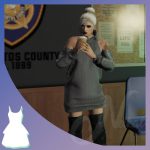
![Pull&Bear Retexture [SP & FiveM Ready] 1.0](https://gta5mod.net/wp-content/uploads/2022/04/Bear-Retexture-1024x576.png)
![Pull&Bear Retexture [SP & FiveM Ready] 1.0](https://gta5mod.net/wp-content/uploads/2022/04/Bear-Retexture.png)
![Pull&Bear Retexture [SP & FiveM Ready] 1.0](https://gta5mod.net/wp-content/uploads/2022/04/Bear-Retexture2.png)
![Pull&Bear Retexture [SP & FiveM Ready] 1.0](https://gta5mod.net/wp-content/uploads/2022/04/Bear-Retexture3.png)
![Pull&Bear Retexture [SP & FiveM Ready] 1.0](https://gta5mod.net/wp-content/uploads/2022/04/Bear-Retexture4.png)
![Pull&Bear Retexture [SP & FiveM Ready] 1.0](https://gta5mod.net/wp-content/uploads/2022/04/Bear-Retexture5.png)
[EN] This skin replaces a “Suburban” clothing store.
Setup with OpenIV (GTAV):
1. Drag and drop the content of “1” folder into …\x64j.rpf\levels\gta5\_citye\hollywood_01\hw1_23.rpf\
2. Drag and drop the content of “2” folder into …\x64j.rpf\levels\gta5\_citye\hollywood_01\hollywood.rpf\
3. Drag and drop the content of “3” folder into
…\x64h.rpf\levels\gta5\interiors\v_int_52.rpf\
Installation (FiveM):
1. Drag the pullandbear folder in to resources
2. Add the line “ensure pullandbear” in server.cfg
Coords: 130.17337036133, -203.19934082031, 54.504753112793
Credits:
davdd
Download mod
| File | File size |
|---|---|
 Pull&Bear
 | 63 MB |
![Hells angels denmark V1.1 [fivem ready][SP ready]](https://gta5mod.net/wp-content/uploads/2023/01/hells-angels-denmark-150x150.png "Hells angels denmark V1.1 [fivem ready][SP ready]")