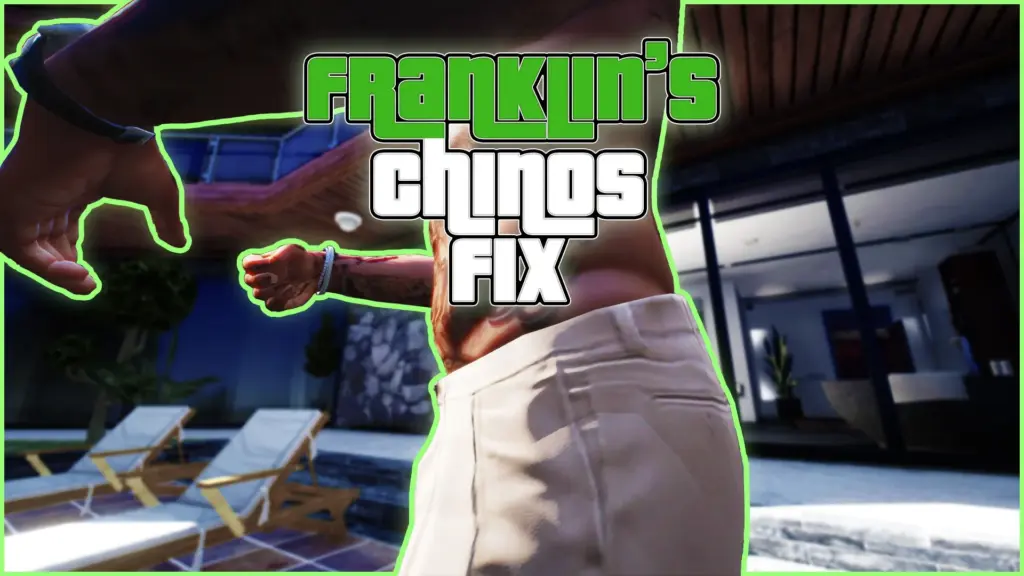


Ever noticed that Franklin’s Chinos clip like mad on his left side when wearing no shirt?
For some reason no ones ever made a mod to fix this issue, so I took it upon myself to make a quick fix.
This is my first mod and I have very limited blender experience, so be gentle.
Hope you all enjoy it!
Install Instructions:
DLC Install:
Open the “Franklin Chinos Fix 1.0” zip.
Drag the “franklinschinosfix” folder into C:\Program Files (x86)\Steam\steamapps\common\Grand Theft Auto V\mods\update\x64\dlcpacks
Open up OpenIV.
Click on edit mode and go to “C:\Program Files (x86)\Steam\steamapps\common\Grand Theft Auto V\mods\update\update.rpf\common\data”
Find “dlclist.xml” and edit it (You can right click and click edit, or click on it and Ctrl+Enter to edit it).
Copy and paste “dlcpacks:/franklinschinosfix/” into your “dlclist.xml”
Click save or press “Enter”.
Done.
I already defragged the dlc, so you don’t have to.
Manual Install:
Put files from “Manual Install Version” into
C:\Program Files (x86)\Steam\steamapps\common\Grand Theft Auto V\mods\x64v.rpf\models\cdimages\streamedpeds_players.rpf\player_one
Note for new modders:
Never replace vanilla files. Make sure you’re only putting mods into your “mods” folder.
Credits:
Sabbethry
Download mod
| File | File size |
|---|---|
 Franklin Chinos Fix 1.0
 | 5 MB |
![Fix Franklin Interior after mpsecurity Update [FiveM, RageMP, SP, alt:V] v 1.0.1](https://gta5mod.net/wp-content/uploads/2021/12/Fix-Franklin-Interior-after-mpsecurity-Update-150x150.png "Fix Franklin Interior after mpsecurity Update [FiveM, RageMP, SP, alt:V] v 1.0.1")