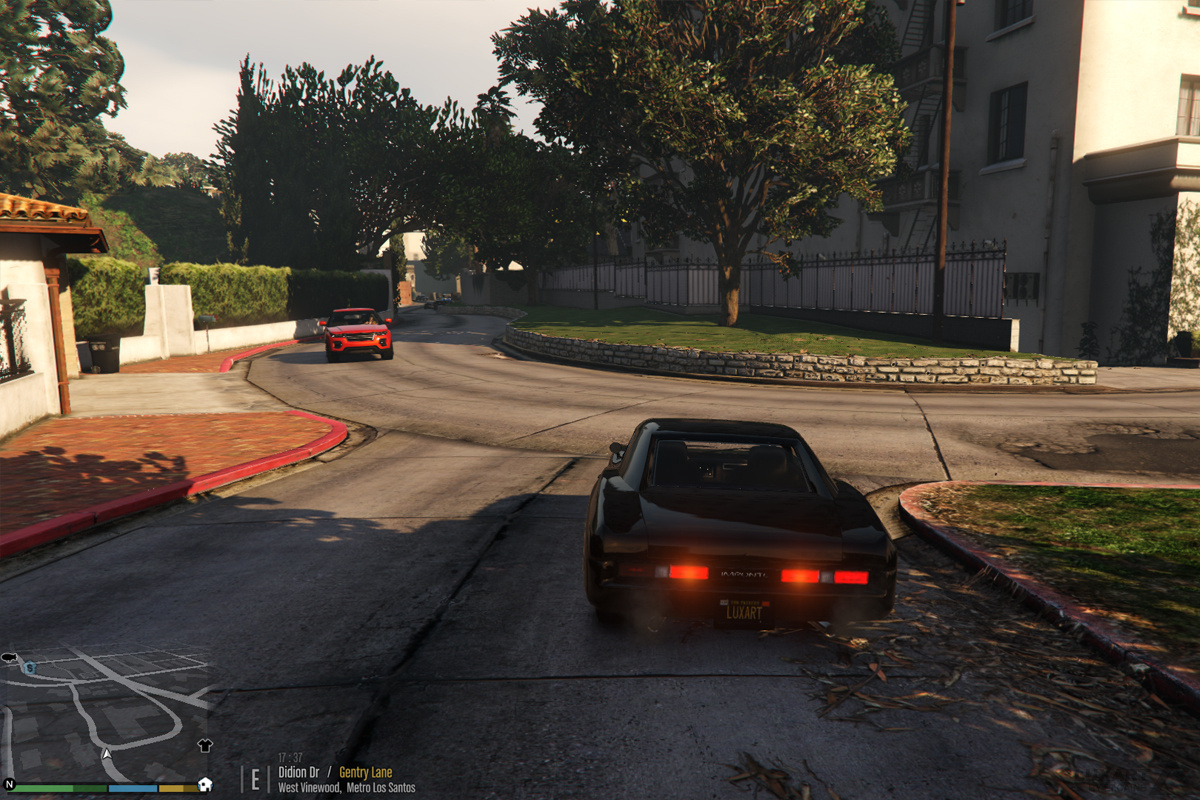
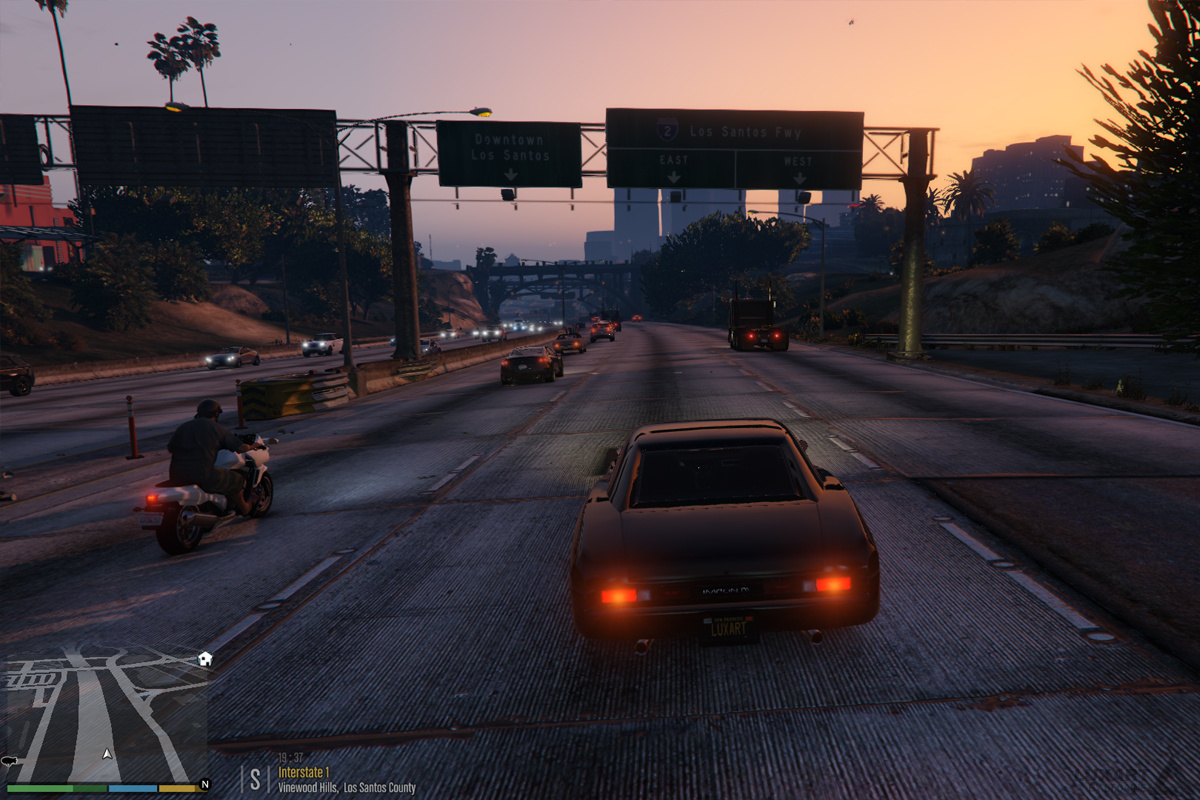
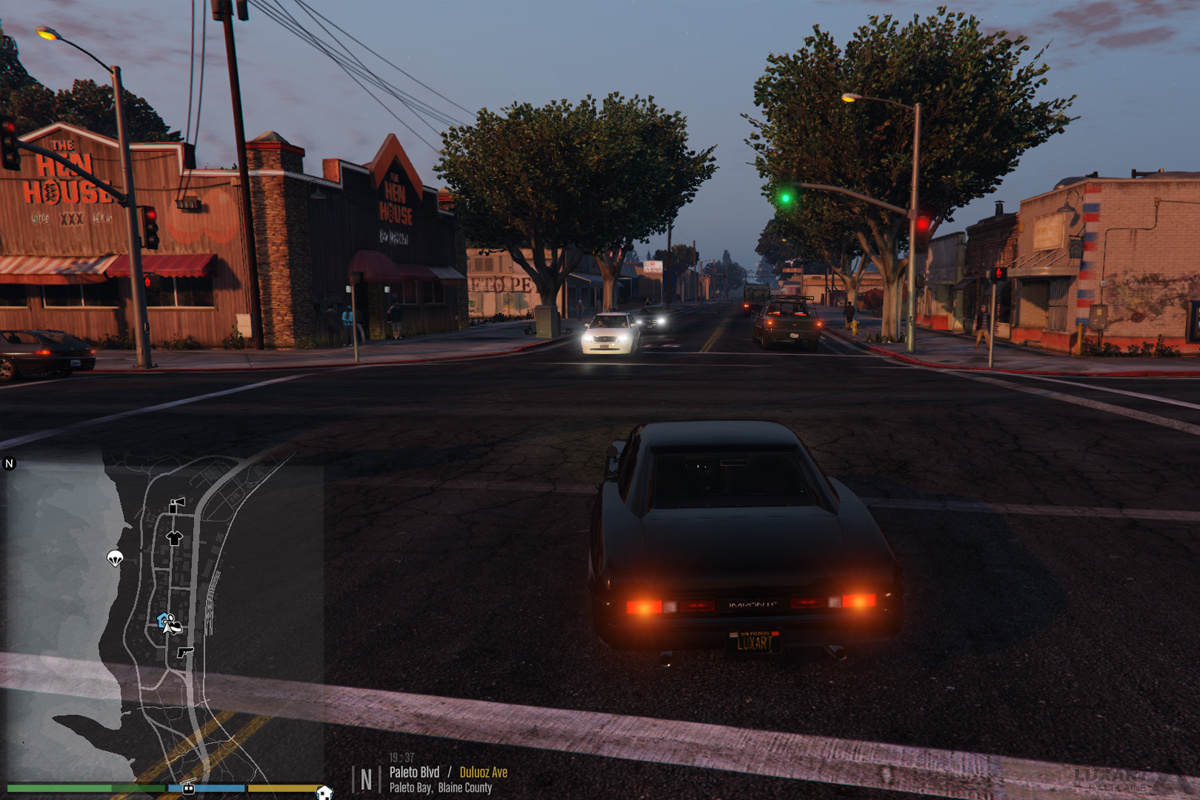
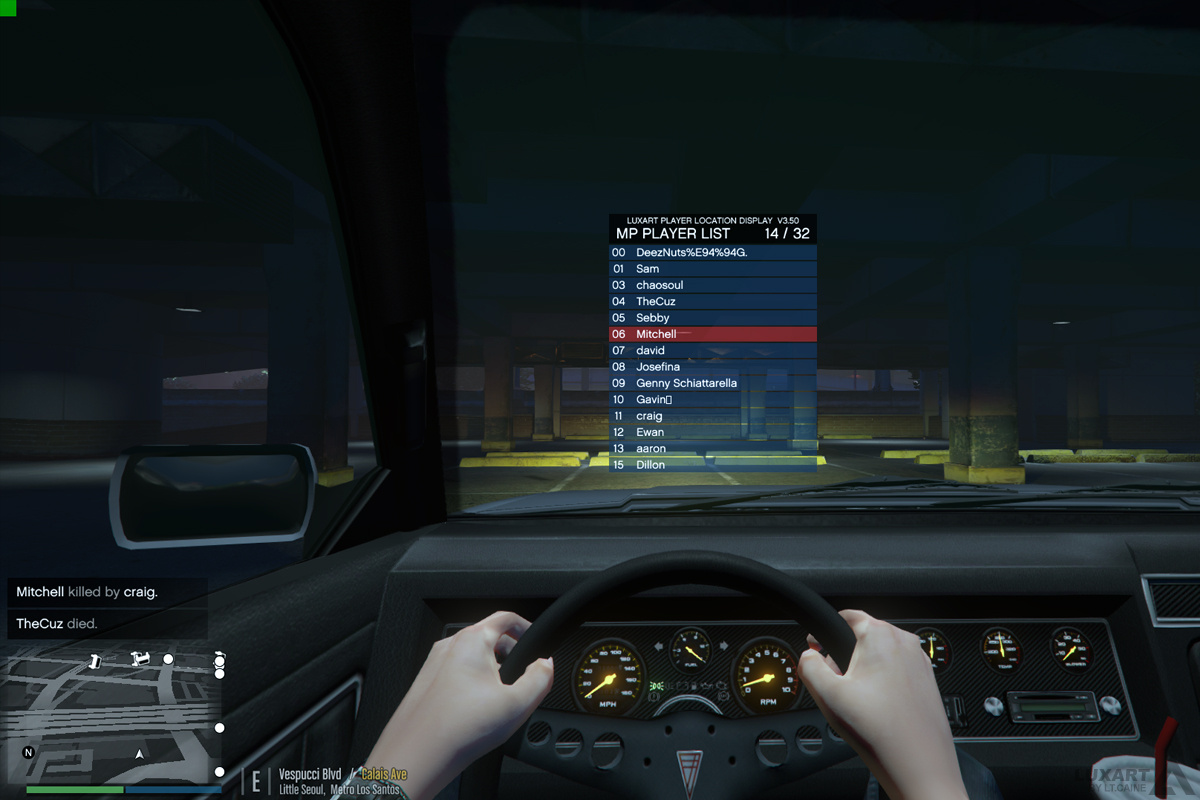
PLD–Player Location Display is a script modification that displays the player’s current location (including street name or intersection, area name, and region) at the bottom-left corner of the user’s screen.
DESCRIPTION
− PLD displays the player’s current in-game location on the screen.
− Location includes street name or intersection, district name, and region.
− PLD also displays the current in-game time.
− PLD allows the user to toggle the size of the radar and provides some informative multiplayer features.
NOTES
− Consult the FEATURE INFO file to learn more about PLD and its features.
− It is recommended that you disable subtitles (PAUSE > SETTINGS > DISPLAY > SUBTITLES) when using PLD to prevent overlap.
Changelog:
<>CHANGELOG
− Fixed issue where disabling the radar zoom feature would not always work as intended.
− Added option to allow or disallow controller use for PLD.
− Changed controller button for PLD radar zoom toggle to (A).
− Added game time display above location text.
− Added option to disable game time display.
− Minor fixes.
INSTALLATION
− A GTAV ScriptHook must be installed for any .asi modification to work.
− Using script modifications in GTA Online can result in a temporary or permanent ban from the service.
− 1. Place the .asi and .ini files provided in the download inside your main GTAV game directory.
− 2. Modify the .ini file as you see fit.
− 3. Start your game.
Credits:
− PLD is coded by Lt.Caine.
− Thank you to Alexander Blade without whose work scripting for GTAV would not be possible.
Download mod
| File | File size |
|---|---|
 PLD V4.00
 | 4 MB |
![Driver's Paradise Remastered [Single Player | FiveM] Single Player](https://gta5mod.net/wp-content/uploads/2021/03/Paradise-Remastered-150x150.jpg "Driver's Paradise Remastered [Single Player | FiveM] Single Player")