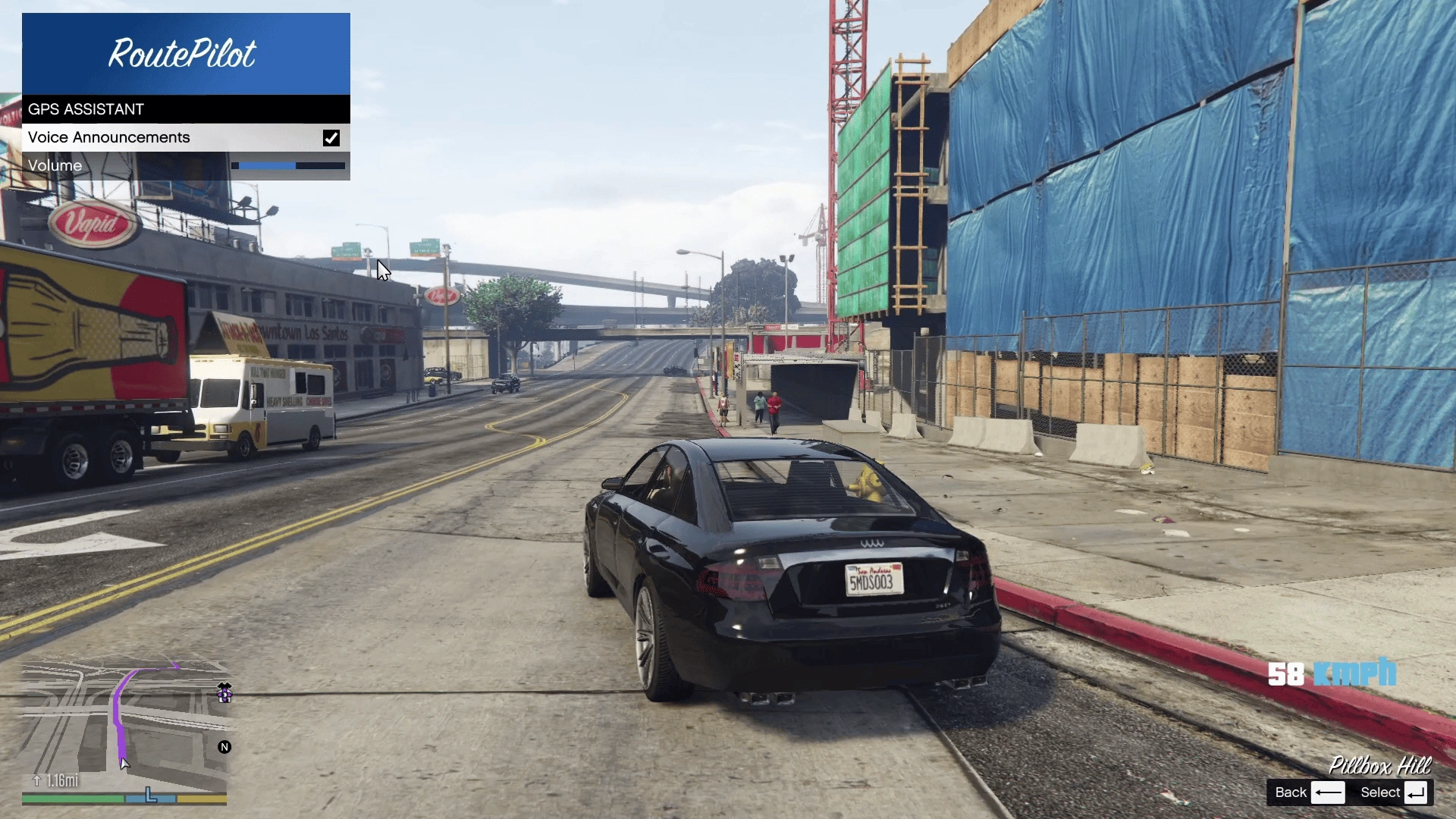
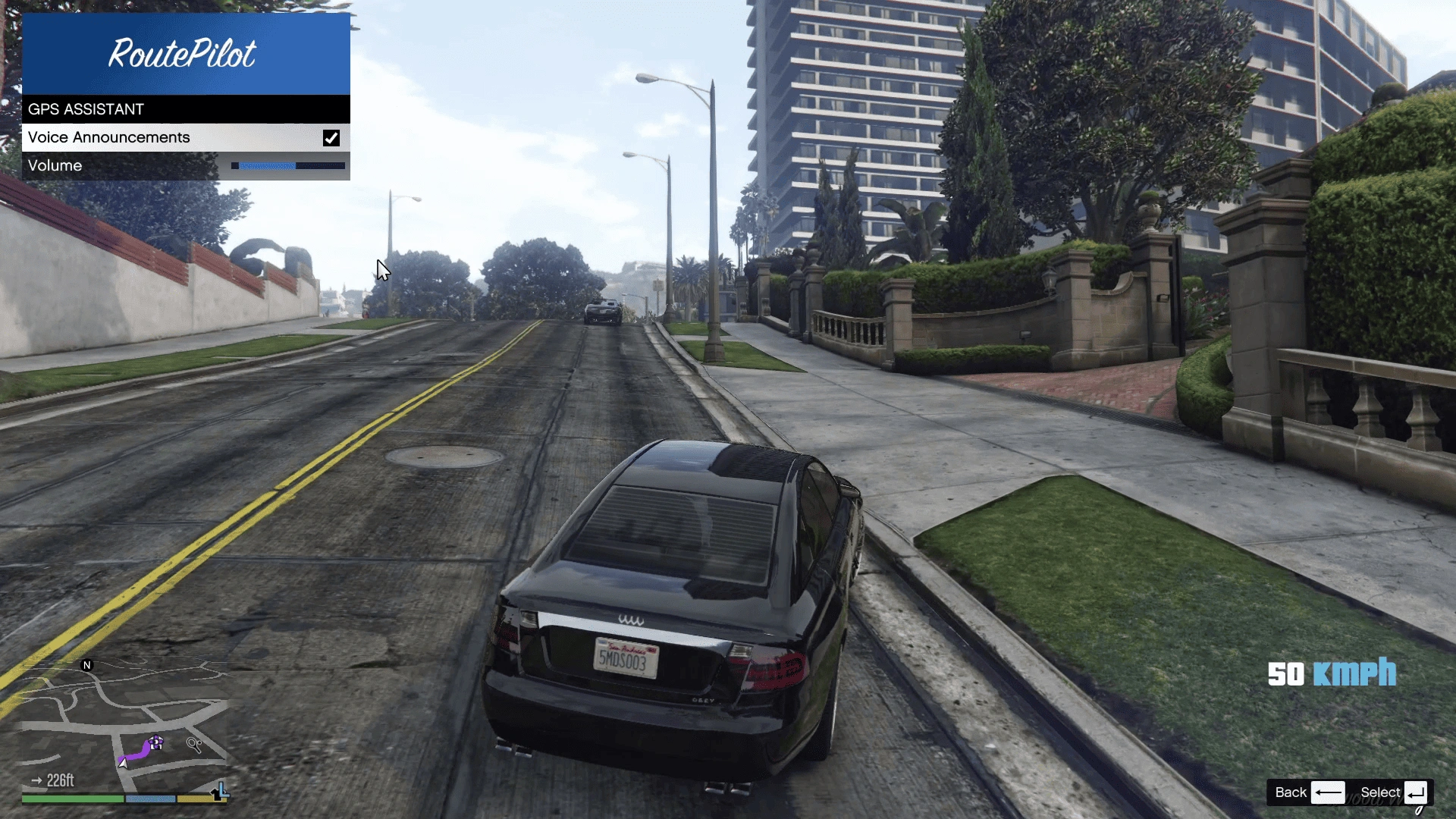
RoutePilot adds realistic turn-by-turn voice navigation to Grand Theft Auto V. Set a waypoint on your map, get into your vehicle, and RoutePilot will guide you to your destination with spoken driving instructions, creating a more immersive driving experience throughout Los Santos.
Features:
1. Immersive turn-by-turn voice navigation
2. Automatic waypoint detection
3. Spoken navigation instructions while driving
4. Simple in-game configuration menu
5. Enable or disable voice announcements
6. Adjust navigation voice volume
7. Configurable menu hotkey
8. Lightweight and performance-friendly
Requirements:
ScriptHookV
ScriptHookVDotNet
LemonUI (Required)
Installation:
Install ScriptHookV.
Install ScriptHookVDotNet.
Install LemonUI.
Copy all RoutePilot files into your GTA V scripts folder.
Launch GTA V Story Mode.
How To Use:
1. Enter a supported road vehicle (Cars, SUVs, etc.).
2. Motorcycles and bicycles are not supported.
3. Place a waypoint on the map.
Press the configured menu hotkey (Default: K).
Enable or disable voice guidance and adjust the volume as desired.
Start driving and RoutePilot will announce upcoming turns automatically.
Configuration (RoutePilot.ini):
[Navigation]
VoiceAnnouncements=true
Volume=20
Key=K
Controls
Key- Opens the RoutePilot settings menu.
VoiceAnnouncements – Enables or disables spoken navigation.
Volume – Navigation voice volume (0-100).
Known Limitations:
1. Single Player only.
2. Requires an active waypoint.
3. Voice navigation is available only while driving supported vehicles.
Version 1.0:
Initial public release
1. Voice-guided GPS navigation
2. In-game settings menu
3. Volume adjustment
4. Customizable menu hotkey
Credits:
BlaineCountyMods – Development
LemonUI
ScriptHookV
ScriptHookVDotNet
NAudio
Download mod
| File | File size |
|---|---|
 RoutePilot
 | 1 MB |


![GPS Route Colors for Protagonists [.NET] 2.0](https://gta5mod.net/wp-content/uploads/2025/01/GPS-Route-Colors-for-Protagonists-150x150.webp "GPS Route Colors for Protagonists [.NET] V2.0")