![Runway Strobe Lights [YMAP] or [Menyoo] V1.1](https://gta5mod.net/wp-content/uploads/2025/01/Runway-Strobe-Lights-1024x576.webp)
![Runway Strobe Lights [YMAP] or [Menyoo] V1.1](https://gta5mod.net/wp-content/uploads/2025/01/Runway-Strobe-Lights.webp)
![Runway Strobe Lights [YMAP] or [Menyoo] V1.1](https://gta5mod.net/wp-content/uploads/2025/01/Runway-Strobe-Lights2.webp)
![Runway Strobe Lights [YMAP] or [Menyoo] V1.1](https://gta5mod.net/wp-content/uploads/2025/01/Runway-Strobe-Lights3.webp)
![Runway Strobe Lights [YMAP] or [Menyoo] V1.1](https://gta5mod.net/wp-content/uploads/2025/01/Runway-Strobe-Lights4.webp)
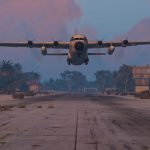
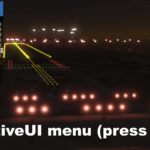
The Strobe Light Script is a mod for the single-player mode of GTA V. It creates dynamic flashing and wave animations for specific light objects. The script delivers realistic light animations, perfect for runways or special lighting effects.
Features:
Sequential Light Animations:
• Lights flash in groups and create wave patterns.
Compatibility with Light Objects:
• Supports models prop_wall_light_12a and tr_prop_wall_light_02a.
Simple Controls:
•Activate and deactivate using the B key.
Requirements:
• ScriptHookV
• ScriptHookVDotNet
• .ymap file loader.
Required Additional Mod:
• The .ymap files require the following mod to function properly: LS Alive / LosSantos Alive
Installing the Script:
• Download the StrobelightProp.dll file.
• Place the file in the following directory: Grand Theft Auto V/scripts
(If the scripts folder does not exist, create it manually.)
Installing the .ymap Files:
Place the two .ymap files included with this mod in your Mods folder at the following path:
GTAV/mods/update/update.rpf/dlcpacks/custom_maps/dlc.rpf/x64/levels/gta5/_citye/maps/custom_maps.rpf
Starting the Script:
• Launch GTA V in single-player mode.
• Press the B key to activate the Strobe Light Script.
Controls:
• Activate/Deactivate: Press the B key to toggle the script on or off.
• The mod operates in predefined areas at Los Santos International Airport.
Credits:
Hessen Community
Download mod
| File | File size |
|---|---|
 Strobelight Script (for LSIA and Heliport Davis) WIP
 | 22 KB |
![McKENZIE Airport Project Premium Version [ YMAP / Terminals / Runway / Lights / Gates ]](https://gta5mod.net/wp-content/uploads/2024/05/McKENZIE-Airport-Project-Premium-Version2-150x150.jpg "McKENZIE Airport Project Premium Version [ YMAP / Terminals / Runway / Lights / Gates ] V1.1")