The GTA V Tourist Chapter 1 Blaine County
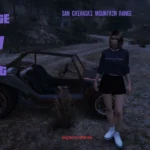
Imagine discovering iconic locations in GTA 5, or revisiting them once more. Introducing the GTA 5 Tourist, a ground-breaking menu mod designed for the ultimate explorer in you. Built on a unique and innovative Menu framework, this mod leverages LemonUI beyond the bland native menus you normally expect. You will effortlessly dive into every corner of Blaine County in the fictional state of San Andreas. Whether your heart longs for the action of the city or the serene beauty of the countryside, over 80 points of interest are accessible at your fingertips.
But this is just the beginning. With the next chapeter of this mod you’ll also discover the depths of Los Santos County and everything the city of Los Santos itself has to offer. Eventually, all points of interest and much more will be covered. Get ready to embark on the adventure of a lifetime. Become the ultimate tourist in the world of GTA V.
Are you ready to explore?
Additional Features
Some of the destinations will have a cutscene like rotation. In fact, the script integrates two independent camera scripts. One simply is for preview rendering, the other is a rotation around the player. The latter is from the Amazing Camera Script.
The original intent behind this project was to create a horizontal menu framework with LemonUI for developers. Like many projects, the scope crept considerably. I felt that demonstrating this framework’s capabilities required an application. So here it is and hopefully it will be practical and fun. Blaine County is just Chapter 1 of what I call the GTA V Tourist. Time allowing, the final two Chapters are Los Santos County and Los Santos (the city) respectively.
Installation in Two Steps
Step 1. As usual, unzip the download and place both the TheGTATourist.dll and TheGTATourist.ini files together in your scripts folder. The ini file will allow you to change the key to open the menu. By default, this is the End key to ensure smooth menu navigation (for most keyboards) as it is in close proximity to the up, down, left, and right navigation keys.
Step 2. The Banner textures are in the file GTAVTourist.ytd. You can change banner textures in game from the first menu or with the combination of control key (CTRL) and I keys. The file GTAVTourist.ytd goes here:
\mods\update\update.rpf\x64\textures\script_txds.rpf\
You can replace the textures if you wish, but keep the existing names, or they won’t be displayed.
Navigation and Usage
End key – opens menu
Enter key – displays items open (or move left or right)
Next Menu/Previous menu – use the left/right keys
Change Banner Images – Ctrl and I key (or select it from first menu)
Bugs and Known Issues
None discovered, particularly if you are reverted to a stable version of GTA V.
IMPORTANT: at time of writing the last Rockstar patch (v1.0.3258.0) has broken some of the functionality of ScriptHookVDotNet v3.6.0 so you will likely need to use one of the night builds
Requirements:
Script Hook V
Script Hook V .NET
LemonUI
OpenIV or RPF Explorer to install GTAVTourist.ytd – just drag and drop it with OpenIV in Edit mode.
Changelog:
Change Log for 2.0
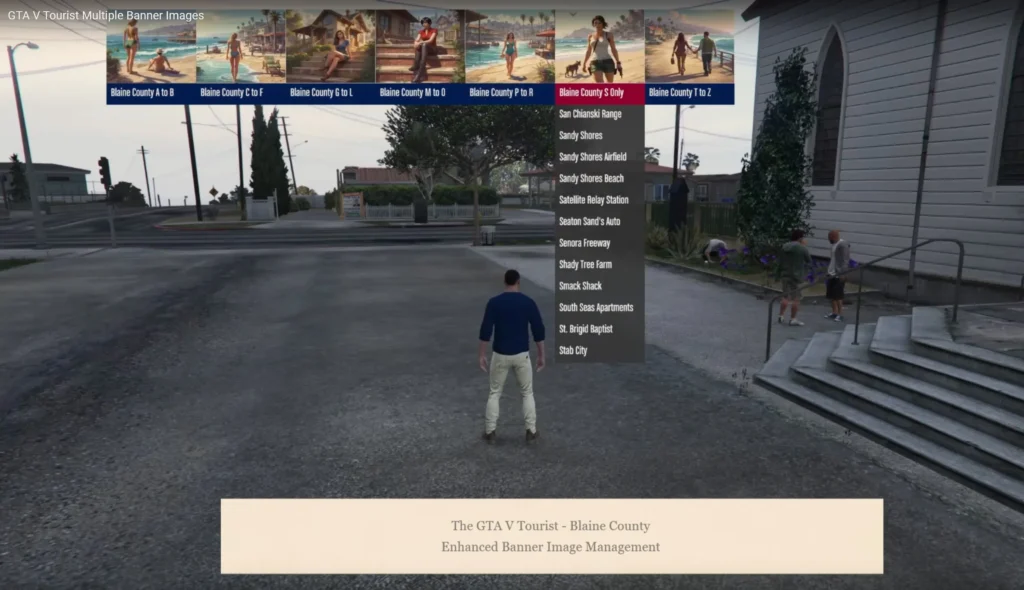
Another GTA V modding first, the ability to show or hide the banner images – over multiple menus as well.
Change Log for 1.3.1
1. minor changes to 3 locations to close menu after teleporting. No Image changes, just the script (.dll).
2. Minor changes to menu titles
Change Log for 1.3
1. Added 2 menus for Los Santos County locations
2. New banner images (ytd file updated)
3. Corrected Trevor Trailer coordinates
Change Log for 1.2
Although the last update was to be the final one, I had already started with some changes which I hope will enhance the mod’s experience. In addition to the helicopters, I’ve added planes, a sea shark, and an outlaw vehicle, all on auto pilot. For the adrenaline junkies, you can now parachute to selected locations, while still in control of your descent.
And finally, there is a Return to Los Santos which will fly you back to the city from any location. Look for the locations in blue text, they have these new features.
If you’re just updating, no need to reinstall the textures in ytd file, they haven’t changed.
Change Log for 1.1 (Final version)
Due to lack of interest from modding community, this will be the final version.
1.Helicopter flybys with automatic flight, landing, and exiting chopper have been added to selected locations – those in blue text.
2.Also, a new menu with “Points of Interest” has been added. A video will be linked to display the chopper rides.
Credits:
JohnFromGWN
Download mod
| File | File size |
|---|---|
 TheTourist
 | 8 MB |