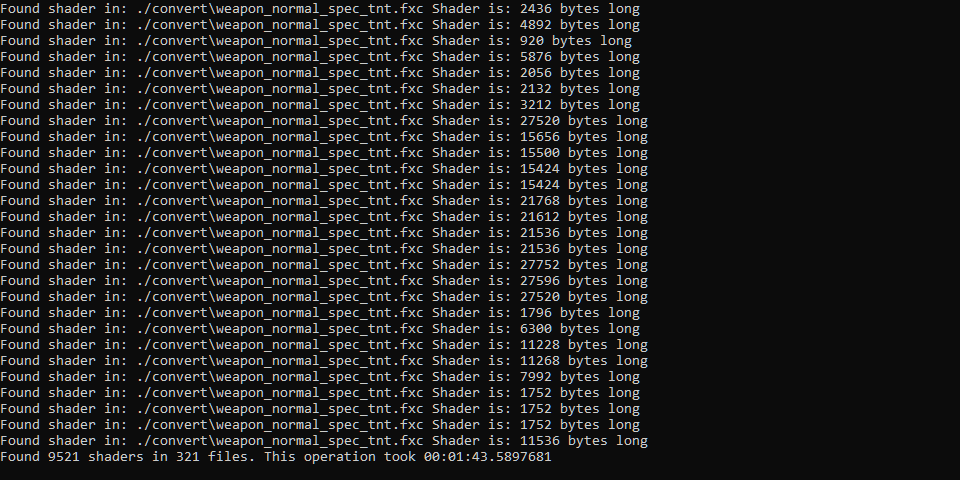
This tool is designed to batch unpack shaders in “.fxc” files located in “update/update.rpf/common/shaders”.
These shaders are generated with Microsoft HLSL Shader Compiler 9.29.952.3111
The github project SlimShader is capable of decompiling these unpacked shaders. It is suggested to compile SlimShader with the “D3DCompiler 46.dll” included with GTA 5.
There is currently no way to repack these shaders. I am currently looking into it.
Requirements:
.NET 4.5
Usage:
Unzip all files to a new folder
Place “fxc” files you wish to convert into the “convert” folder
Run fxcConverter
Unpacked files will be located in the “converted” folder
Note: the file extension is .o followed by a number, this number represents the offset the shader came from.
Credits:
Alweul
Download mod
| File | File size |
|---|---|
 fxcShaderUnpacker
 | 6 KB |
![NextGen Shader 2.5 [OIV]](https://gta5mod.net/wp-content/uploads/2022/04/NextGen-Shader-150x150.jpg "NextGen Shader 2.5 [OIV]")