
![Enhanced Silenced Pistol [Sound] V1.1](https://gta5mod.net/wp-content/uploads/2025/05/Enhanced-Silenced-Pistol-1024x563.jpg)
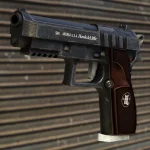
This mod changes the silenced pistol sounds to the silenced Glock 17 in V1, M9A3 in V2, and PB in V3 from Escape from Tarkov.
(The mod changes the sounds of all weapons.awc with the OIV option, so if you want to download it with weapon sounds other than Vanilla, that is with all the vanilla games sounds (Discontinued), Realistic Guns Sounds [RGS] Compatibility or with Realistic Weapons Sounds [RSE] Compatibility that is the one that I use, download the mod manually.)
Changelog:
2/10/2026 – V5 has been added. V4 has been modified to be noisier and have a fade-out at the end. I’ve also updated all the [RSE] .oiv files to be compatible with the new version 5.7 and updated the [RGS] .oiv files as well. The vanilla version is still discontinued.
9/22/2025 – I have added V4 and modified some all sound versions only for manual installation, but this version does not include RGS Compatibility, only RSE Compatibility. Please use manual installation for this update.
5/15/2025 – V2 and V3 added, and RGS Compatibility.
5/14/2025 – Initial release of the mod.
OIV Installation:
1) Open the .oiv file located in the “OIV” folder, and open it after that. Click on install, and then select the mods option if available.
2) You finished downloading the mod, enjoy…
Manual Installation:
1) Go to C:\Program Files (x86)\Steam\steamapps\common\Grand Theft Auto V\mods\x64\audio\sfx\RESIDENT.rpf\ (With OpenIV.)
2) Find weapons.awc, right click “Export to openFormats (.oac)” and choose your file destination.
3) Drop the files located in the folder named “Manual” into the folder created by the export called “weapons”.
4) Go into editing mode. Drag the weapons.oac into RESIDENT.rpf (DO NOT PUT THE WEAPONS FOLDER IN RESIDENT.RPF)
5) You finished downloading the mod, enjoy…
Recommended to use with the mod:
Realistic Weapons Sounds
HK USP-45 Tactical from EFT
Credits:
JZCHRiCP
Download mod
| File | File size |
|---|---|
 Enhanced Silenced Pistol [Sound] 1.1
 | 95 MB |
|
Enhanced Silenced Pistol [Sound] 1.2 | 111 MB |
|
Silenced Pistol Sounds 1.3 | 300 MB |

![Disable Pistol Whip aka "Stop with the F**king Pistol Whipping" [RPH] 1.0.3.1](https://gta5mod.net/wp-content/uploads/2026/05/Disable-Pistol-Whip-aka-150x150.webp "Disable Pistol Whip aka \"Stop with the F**king Pistol Whipping\" [RPH] V1.0.4.2")
![Custom Aircraft Engine Sounds [OIV + Add-On + Replace SP / FiveM Resource | Sounds] 1.3SP DLC](https://gta5mod.net/wp-content/uploads/2021/03/Custom-Aircraft-Engine-Sounds-150x150.png "Custom Aircraft Engine Sounds [OIV Add-On + Replace / FiveM | Sounds] 1.4")
![Custom Vehicle Engine Sounds Pack [Add-On / FiveM | Sounds] v3.6 SP](https://gta5mod.net/wp-content/uploads/2021/08/Custom-Vehicle-Engine-Sounds-Pack-150x150.jpg "Custom Vehicle Engine Sounds Pack [Add-On / FiveM | Sounds] v3.8")
