
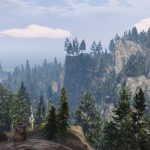
![Labyrinth [SP | OIV / FiveM] 1.0](https://gta5mod.net/wp-content/uploads/2022/06/Labyrinth-1024x576.webp)
![Labyrinth [SP | OIV / FiveM] 1.0](https://gta5mod.net/wp-content/uploads/2022/06/Labyrinth.webp)
![Labyrinth [SP | OIV / FiveM] 1.0](https://gta5mod.net/wp-content/uploads/2022/06/Labyrinth2.webp)
![Labyrinth [SP | OIV / FiveM] 1.0](https://gta5mod.net/wp-content/uploads/2022/06/Labyrinth3.webp)
IV Installation ( Need Open IV to Install )
SINGLEPLAYER
1 – Extract download to folder
2 – Go to openiv > Select Tools > Package Installer > Select OIV file
3 – Select MODS folder to install
4 – Have fun
FIVEM
1 – Copy labyrinth into your resource folder
2 – Add labyrinth in the server.cfg
3 – have fun
Credits:
Changer
Download mod
| File | File size |
|---|---|
 labyrinth
 | 11 MB |
![The Labyrinth [Map Editor] 1.0](https://gta5mod.net/wp-content/uploads/2021/09/The-Labyrinth-150x150.webp "The Labyrinth [Map Editor] 1.0")


![Volkswagen Golf 2016 [Replace / FiveM | OIV] 1.0](https://gta5mod.net/wp-content/uploads/2019/10/Volkswagen-Golf-2016.jpg "Volkswagen Golf 2016 [Replace / FiveM | OIV] 1.0")
