
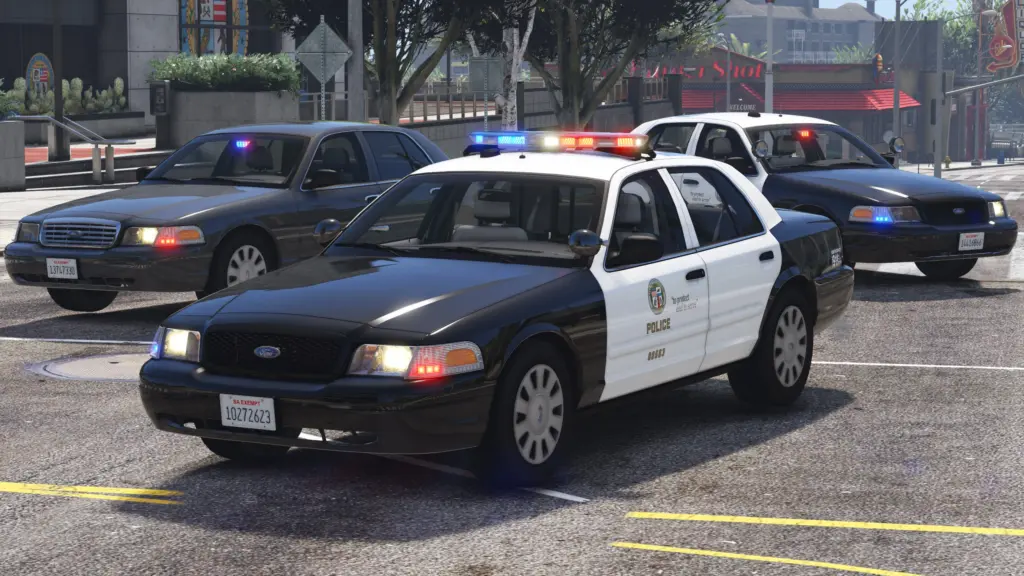
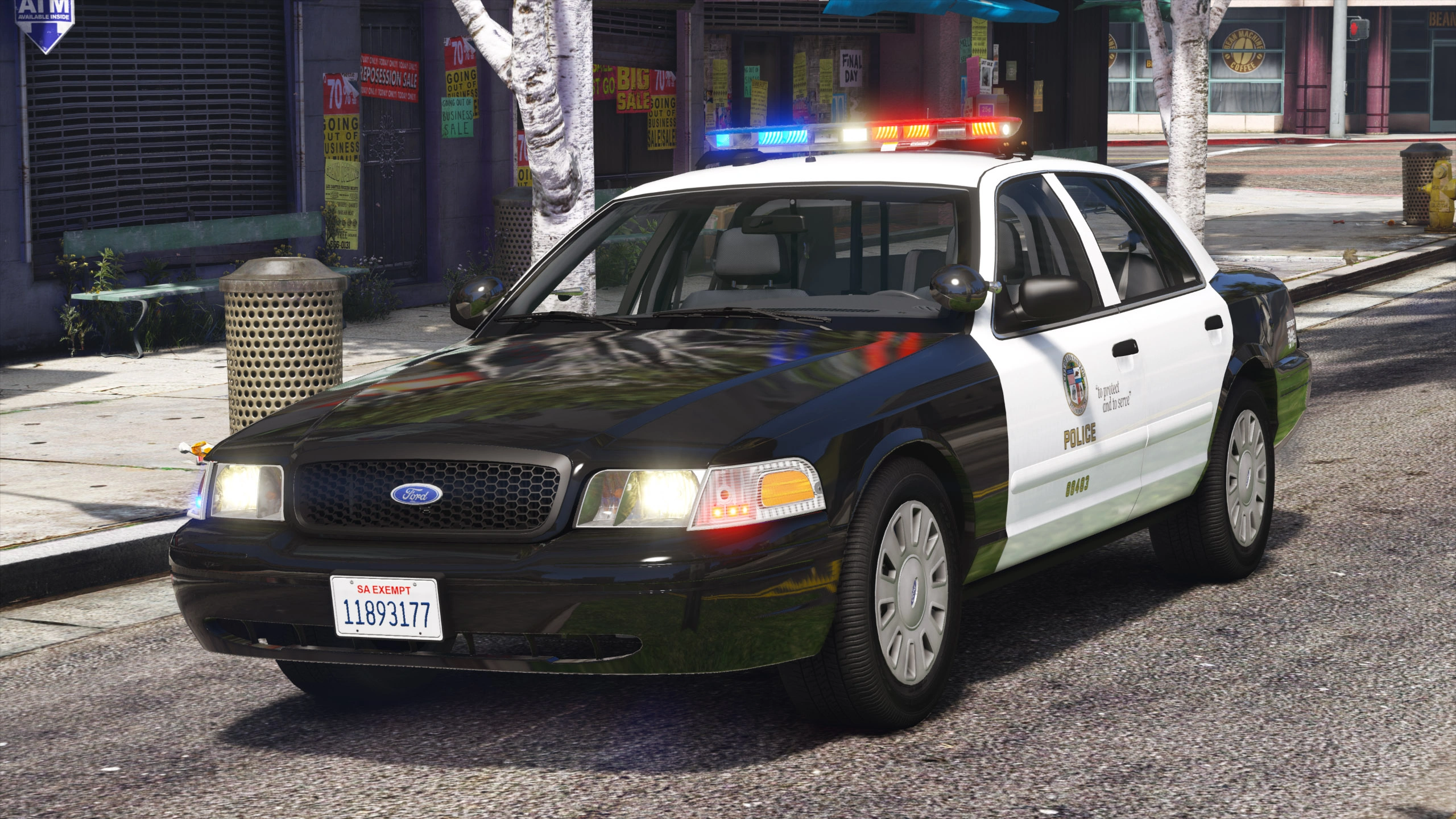
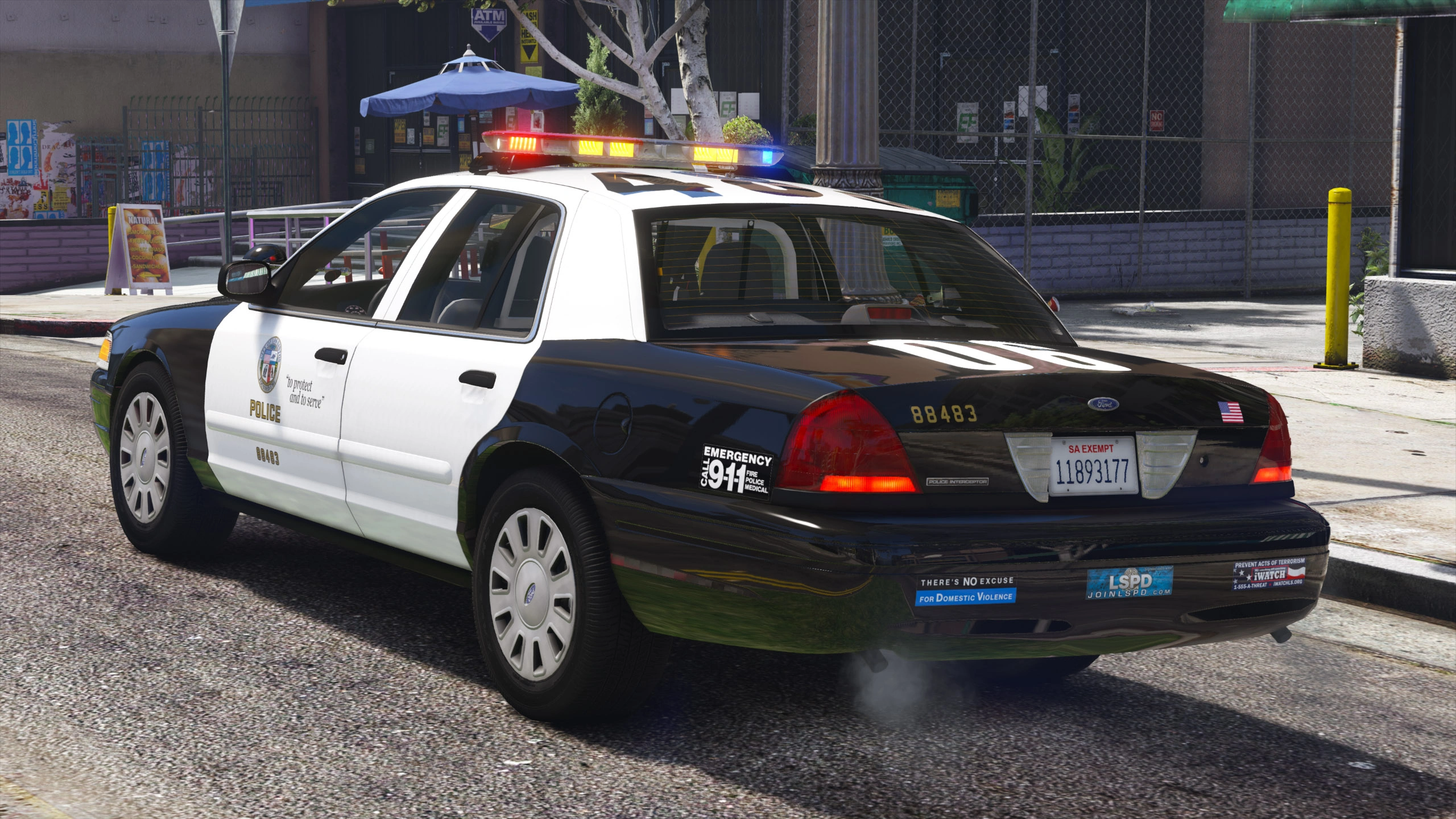
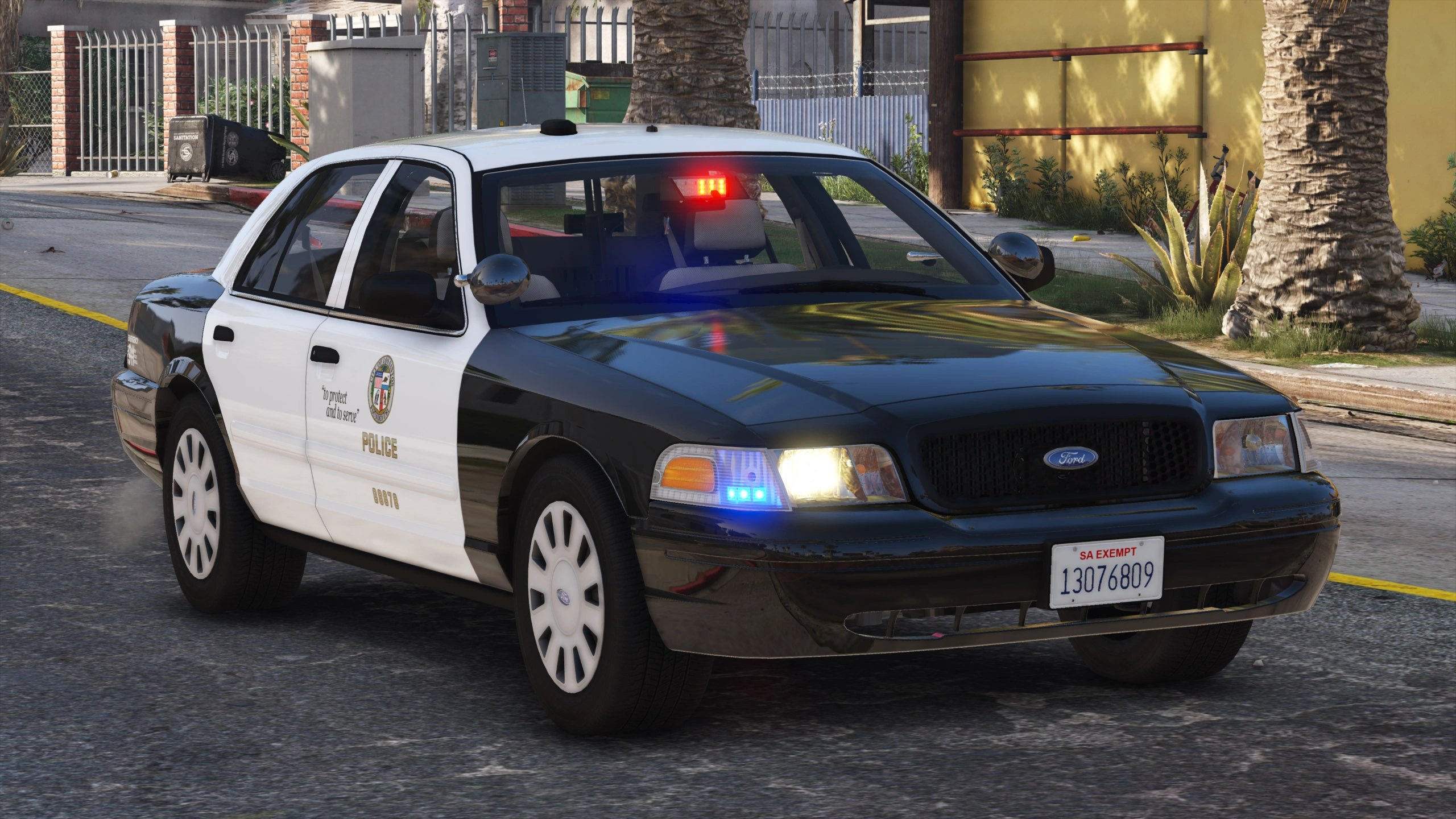
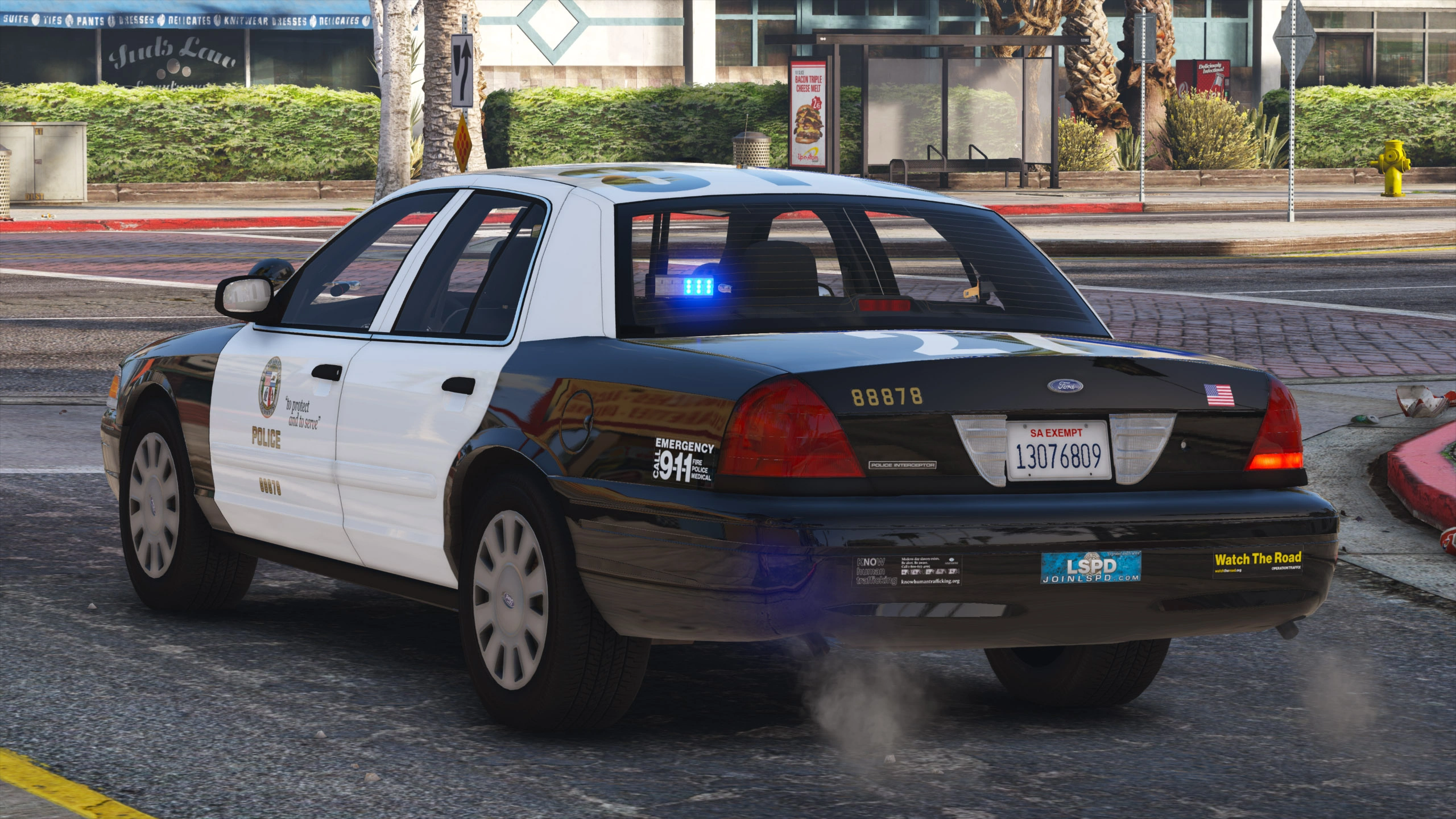
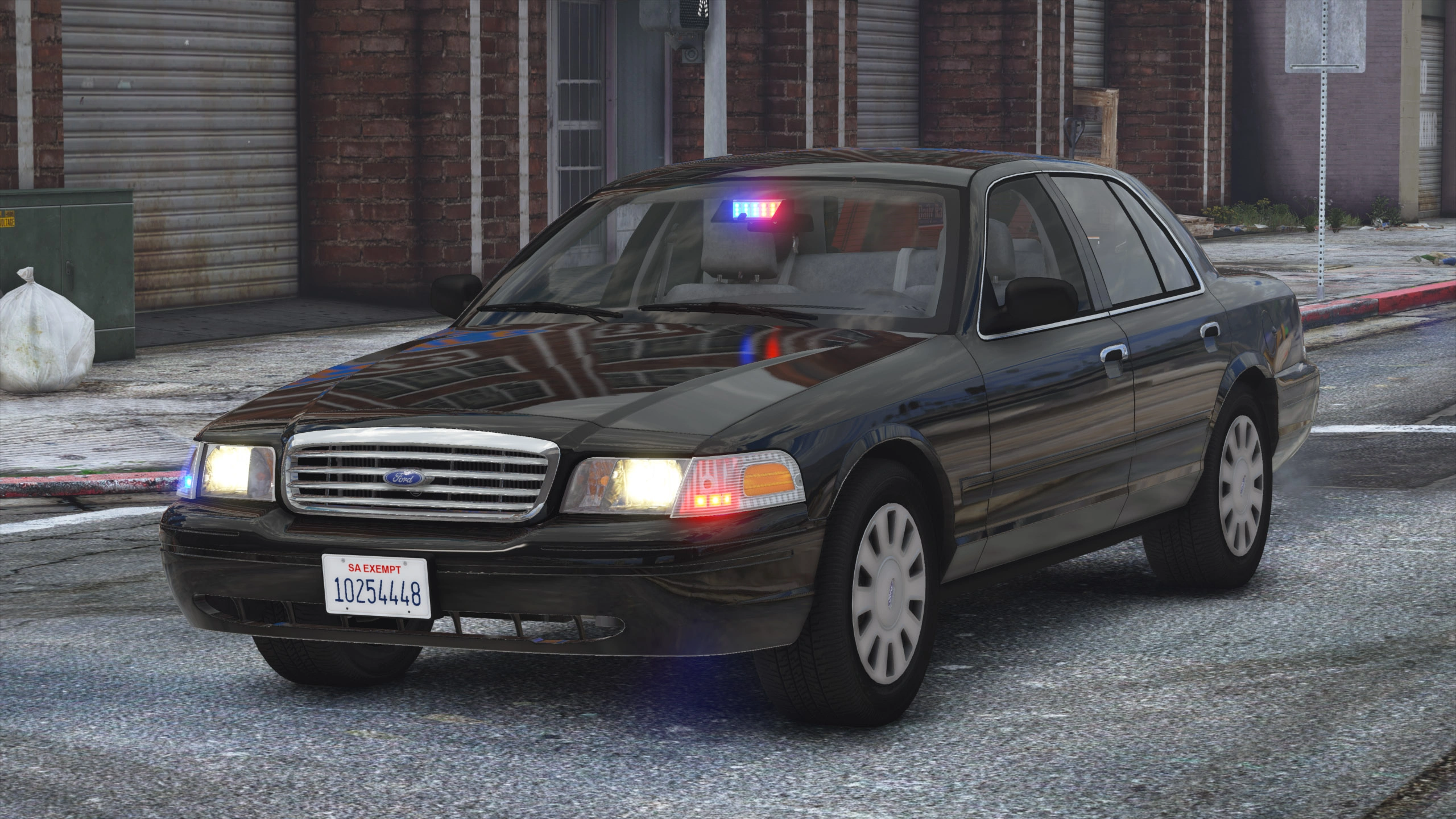
A pack with marked, slicktop, and unmarked Los Santos Police Department CVPIs, based accurately on the Los Angeles Police Department’s 2008 setups with many equipment options, including traffic and ALPR setups.
Vehicle Slot: lspdcvpi08, lspdcvpi08a, lspdcvpi08s, lspdcvpi08u (Add-On), police, police2, police3, police4 (Replace)
Lighting Equipment: Federal Signal Arjent S2 and Federal Signal Cuda TriOptic
DLS Support: DLS v2.1 (optional)
Multiple Liveries: Supported
Notes
Recommended mods:
– SirenSetting Limit Adjuster: Required for 32 siren support. If not installed, some lights on the marked CVPI such as the front and rear corner LEDs and the takedown lights will always stay off. Also adds additional siren setting IDs to minimize the risk of conflicts.
– DLS (Dynamic Lighting System): Light stages, siren controls and more. Only light stage 3 with simplified patterns will be available when not using DLS.
– Improved Emergency Lights: A modified visualsettings.dat file to increase emergency light brightness. Not necessary if a different graphics mod with brighter lights is used.
– Better License Plates
– Federal Signal SS2000 SmartSiren
Vehicle slots and extra components (view readme for details):
- Standard Marked, lspdcvpi08 (Add-on) or police (Replace): Spotlights up or down, pushbar, gun rack and partition options, dashcam, radar, and LoJack
- Marked with ALPR, lspdcvpi08a (Add-on) or police2 (Replace): Flat ALPR, round ALPR, Cuda visor light, gun rack and partition options, dashcam
- Slicktop, lspdcvpi08s (Add-on) or police3 (Replace): Spotlights up or down, pushbar, gun rack and partition options with siren controller options, passenger side rear Cuda light, dashcam
- Unmarked, lspdcvpi08u (Add-on) or police4 (Replace): Shotgun, antenna options, passenger side rear Cuda light
Installation
Prerequisites
An up-to-date version of Grand Theft Auto V for PC with a compatible gameconfig.xml, all required limit adjusters, and all required mods listed under Notes must be installed.
This modification requires the game to be run with DirectX 11.
Recommended – Add-On or Replace: Automatic installation with LML (Lenny’s Mod Loader)
Copy the Replace or the Add-On folder with its contents into your GTAV/lml folder. Open the Mod Manager, select the modification and click the “Copy files to game” button to install the DLS Vehicle Config File.
Manual Installation: Add-On Version
Open the Add-On folder and copy the contents of the Files/GTAV folder to your GTA V folder.
Export GTAV/update/update.rpf/common/data/dlclist.xml using OpenIV, open it with any text editor, and add the following line between </Item> and </Paths> at the bottom of the file:
<Item>dlcpacks:/aclspdcvpi08/</Item>
Replace the original dlclist.xml with the edited one.
To install the DLS Vehicle Config File, copy the contents of the Data Files/DLS/GTAV folder to your GTA V folder.
Manual Installation: Replace Version
Open the Replace folder and copy the contents of the Files/GTAV folder to your GTA V folder.
Export GTAV/update/update.rpf/common/data/dlclist.xml using OpenIV, open it with any text editor, and add the following line between </Item> and </Paths> at the bottom of the file:
<Item>dlcpacks:/aclspdcvpi08replace/</Item>
Replace the original dlclist.xml with the edited one.
To install the DLS Vehicle Config File, copy the contents of the Data Files/DLS/GTAV folder to your GTA V folder.
The following vehicles.meta edits are necessary to ensure that the correct extra components spawn by default.
Export GTAV/update/update.rpf/common/data/levels/gta5/vehicles.meta using OpenIV and open it with any text editor. Open Data Files/vehicles_meta.txt with any text editor.
Each vehicle has one block surrounded by <Item> and </Item>, it begins with <modelName>, followed by the name of the vehicle, and ends with </firstPersonDrivebyData>. In your exported vehicles.meta file, find the block for police, police2, police3, and police4 and replace it with the respective block from this mods’ vehicles_meta.txt file.
Replace GTAV/update/update.rpf/common/data/levels/gta5/vehicles.meta in OpenIV with your edited file.
Credits:
- Original vehicle model is Ford Crown Victoria Police Interceptor from Forza, converted to GTA V and edited to 2003-2011 CVPI by HANAKO. Special thanks to Cartres for information, 0taku and Officer Underwood for their base models that were used as references, EVI for his Crown Victoria that was used as a reference for the undercarriage, interior, and taillights, and Cj24, Oleg, Vans123, and the members of Modding Forum for technical support.
- Undercarriage, tires, and rims made from scratch by HANAKO, Tire textures by RobertTM and Cartres.
- Light emissive textures upscaled and colors adjusted by Cartres.
- Base edits with many minor fixes and improvements by Cj24, including many minor improvements to textures, model, LODs, and collisions for improved accuracy and optimization.
- FS Arjent S2 lightbar modeled and textured by Kane104, emissive textures by Cj24. FS Corner LED and Cuda TriOptic modeled and textured by Cj24. Front corner LED reflection and rear corner LED textures by Hanako, color adjustments by Cj24.
- Motorola radio modeled and textured by Kane104. Setina PB100 pushbar, FS Smart System LMS and Six-Button controllers, FS TS100 siren speaker, Havis console, map light, Setina partition, gun mounts, 870 shotgun, Coban Edge dashcam, Decatur Genesis I radar, LoJack display, Dell D610 laptop, dome light, Unity spotlights, and antennas modeled and textured by Cj24.
- Liveries, Lighting and DLS setup, and configuration files by Cj24.
Download mod
| File | File size |
|---|---|
 2008 CVPI - LSPD-LAPD Pack 1.1
 | 96 MB |
![2010 Ford Crown Victoria Police Interceptor - Blaine County Sheriff's Office (BCSO) [Add-On / Replace | DLS / non-ELS] 1.2RX](https://gta5mod.net/wp-content/uploads/2022/07/2010-Ford-Crown-Victoria-Police-Interceptor-150x150.webp "2010 Ford Crown Victoria Police Interceptor - Blaine County Sheriff's Office (BCSO) [Add-On / Replace | DLS / non-ELS] V1.5")
![Ford Crown Victoria Police Interceptor '2010 [Replace | AO | Template] 1.0.1509](https://gta5mod.net/wp-content/uploads/2019/09/Ford-Crown-Victoria-Police-Interceptor.jpg "Ford Crown Victoria Police Interceptor '2010 [Replace | AO | Template] 1.0.1509")
