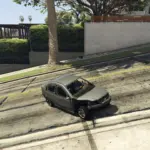
![GTA 4 handling [addon/replace] alt DRIVE V V1.0](https://gta5mod.net/wp-content/uploads/2026/02/GTA-4-handling-1024x636.webp)
![GTA 4 handling [addon/replace] alt DRIVE V V1.0](https://gta5mod.net/wp-content/uploads/2026/02/GTA-4-handling.webp)
![GTA 4 handling [addon/replace] alt DRIVE V V1.0](https://gta5mod.net/wp-content/uploads/2026/02/GTA-4-handling2.webp)
![GTA 4 handling [addon/replace] alt DRIVE V V1.0](https://gta5mod.net/wp-content/uploads/2026/02/GTA-4-handling3.webp)
![GTA 4 handling [addon/replace] alt DRIVE V V1.0](https://gta5mod.net/wp-content/uploads/2026/02/GTA-4-handling4.webp)
![GTA 4 handling [addon/replace] alt DRIVE V V1.0](https://gta5mod.net/wp-content/uploads/2026/02/GTA-4-handling5.webp)
STEP-BY-STEP (Edit addon car suspension)
Open OpenIV – navigate to:
turn on edit mode
mods > update > x64 > dlcpacks > (ur addon car name)>dlc.rpf(double click)
then common > data then click edit on [ handling.meta ]
under ur car handiling entry
change value of following to
fSuspensionForce 1.5
fSuspensionReboundDamp 0.40
fSuspensionCompDamp 0.50
fSuspensionUpperLimit 0.16
fSuspensionLowerLimit -0.23
fAntiRollBarForce 0.3
then clcik save
launch the game
STEP-BY-STEP (in game car suspension)
Open OpenIV – navigate to:
turn on edit mode
mods > update > update.rpf > common > data>handling.meta(click edit)
under ur desired car handiling entry
change value of following to
fSuspensionForce 1.5
fSuspensionReboundDamp 0.40
fSuspensionCompDamp 0.50
fSuspensionUpperLimit 0.16
fSuspensionLowerLimit -0.23
fAntiRollBarForce 0.3
then clcik save
launch the game
Credits:
Adik
Download mod
| File | File size |
|---|---|
 gta 4 handling for addon car
 | 2 KB |
![Drive Modes & Custom Vehicle Cameras [Handling Editor] 2.0.5](https://gta5mod.net/wp-content/uploads/2020/05/Drive-Modes-150x150.png "Drive Modes & Custom Vehicle Cameras [Handling Editor] 2.0.5")